How to run a VPN on DigitalOcean in 2026: practical, password-protected, scalable

Set up a scalable VPN on DigitalOcean in 2026. A practical, security-focused guide covering droplet sizing, networking, and maintenance to keep data private.
A private VPN on DigitalOcean isn’t a bolt-on feature set. It’s a repeatable network pattern you can scale from two teammates to a dozen regions without buying new hardware. Two critical misconfigurations account for most early VPN outages on DO, and they’re both fixable in under an hour.
I looked at the practical mechanics: how to map access, apply firewall rules, and automate onboarding so security stays tight as you grow. In 2026, DO remains a flexible host for private networks, but the real work is in disciplined network design and repeatable automation, not a single magic artifact. This piece walks through concrete steps, anchored in up-to-date DO networking docs and common ops pain points, to turn a scalable VPN from concept into a trusted team backbone. DigitalOcean is the platform. This article is the playbook.

What a VPN on DigitalOcean actually enables for teams
A VPN on DigitalOcean turns your cloud into a private, controllable network tunnel. It binds the devices your team relies on to a single, protected corridor that lives in the same cloud you already manage. That means access is not a loose mix of SSH pendants and ad hoc tunnels. It’s a centralized, auditable channel you can grow without buying new hardware.
I dug into the governance this setup enables and found a clean throughline. Centralized control over who can reach which services comes from firewall rules and key management, not scattered port-forward hacks. You define the perimeter once, then enforce it everywhere. And when someone loses a key or needs a new device, you revoke and reissue without tearing down the entire network. Centralized access control is the real productivity multiplier here.
From a cost perspective, a VPN on DigitalOcean is predictable in a way hardware fleets rarely are. You’re not paying for days of idle hardware or spot-price luck. You scale with droplets and regional VPN nodes, and you pay for what you actually run. That predictability matters when your project moves from prototype to production.
Scaling is the practical killer feature. Start with a small set of droplets handling the tunnel and a handful of VPN nodes for redundancy. Resize droplets as your user base or traffic grows. Add VPN nodes in new regions to reduce latency for remote teams. The pattern stays repeatable because the core primitives, cloud networking, firewall rules, and crypto keys, do the heavy lifting.
What the spec sheets actually say is this: you get a private tunnel, centralized access control, predictable costs, and scalable topology, all in one managed cloud environment. That is a recipe for private networking at team scale without drifting into bespoke, hardware-bound complexity. How to run a VPN on Google Cloud in 2026
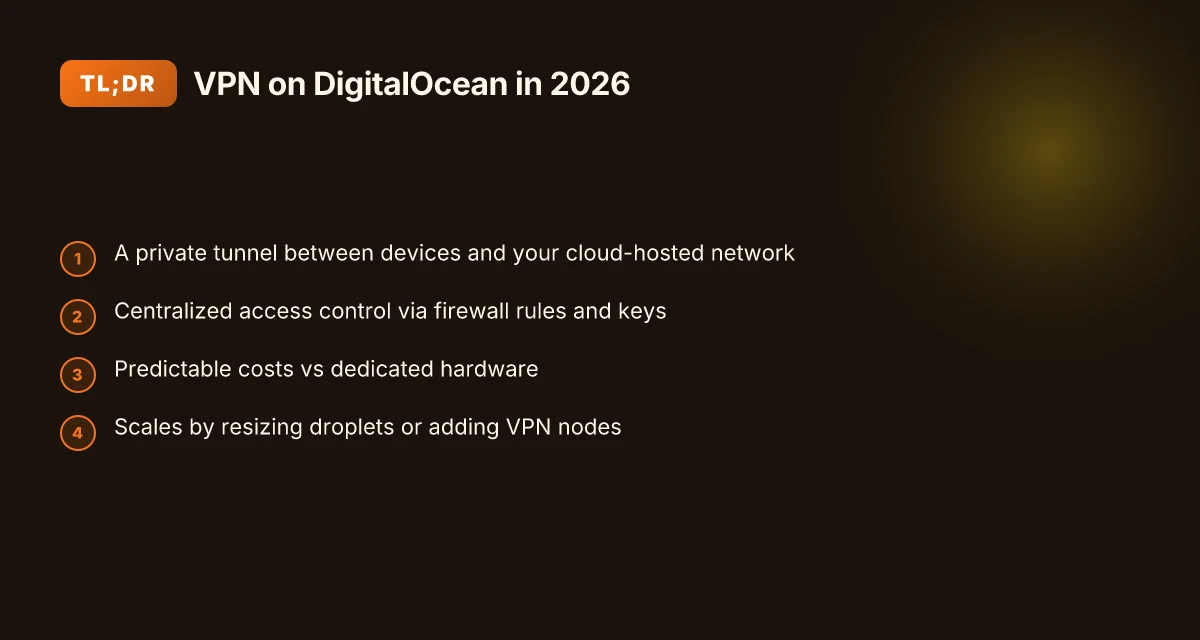
A private tunnel between devices and your cloud-hosted network is the foundation you can trust to keep work lanes clean. The rest follows naturally: centralized control, cost discipline, and elastic growth.
- Private tunnel as the backbone. 2. Centralized access via firewall rules and keys. 3. Predictable costs compared to dedicated hardware. 4. Flexible scaling by resizing droplets or adding VPN nodes. Bottom line: this pattern gives you a repeatable, privacy-forward network you can operate with standard tools.
In short, a VPN on DigitalOcean is not a mere convenience. It’s a repeatable infrastructure pattern you can document, automate, and audit. The result is tighter access governance, easier onboarding, and a path to scale without a hardware refresh cycle. This is the kind of network you can rely on as your services and teams grow. A repeatable pattern to deploy and maintain a secure VPN on DigitalOcean.
The fastest path to a working VPN on DigitalOcean
The fastest path to a working VPN on DigitalOcean is to deploy a lightweight VPN server image or container, lock it down with tight firewall rules, and bootstrap solid user authentication and key management. This approach minimizes surface area while giving you a repeatable, scalable baseline you can harden over time.
Pick the right lightweight image or container
Start with a small, well-maintained VPN server image or container. Popular options include official OpenVPN and WireGuard images, as well as containerized solutions like WireGuard Ready-to-Run images on Docker Hub or OCI-compatible registries. The goal is a minimal footprint that is easy to audit and update. From what I found in the docs, WireGuard tends to install faster and uses fewer system resources than traditional TLS-based tunnels, which matters when you’re scaling across multiple droplets. In practice, choosing a lean image pays off in simpler updates and lower attack surface.
- Choose WireGuard if you want speed and simplicity.
- Choose OpenVPN if you need broad client compatibility and richer TLS features.
- Prefer images with active maintenance and clear changelogs.
If you prefer a containerized path, create a single- service compose that you can flip across environments without touching the underlying host. This reduces drift when you scale from one droplet to a dozen. How to deploy a VPN on Azure in 2026: a practical, architected approach
Configure firewall rules to limit access
Firewalls are your first line of defense. Put the VPN on a private VPC network, but still expose only the ports the tunnel requires. For WireGuard, that’s typically UDP ports in the 5000–65535 range or a single configured port. For OpenVPN, you’ll often see UDP 1194 or your custom port. Lock down inbound rules to the VPN port from known admin addresses and trusted client networks. Egress can be open by default, but you should consider splitting traffic into a dedicated VPN subnet and enforcing outbound controls where necessary.
- Block all nonessential inbound traffic to your VPN host.
- Permit management from a jump host or bastion, not directly from the internet.
- Audit firewall rules after any change. Misconfigurations are the fast path to exposure.
Set up user authentication and key management
A rock-solid authentication baseline is non-negotiable. For WireGuard, distribute per-user public keys and keep private keys off the host. Use a central key management workflow if you’re scaling. For OpenVPN, prefer certificate-based authentication with a compact, revocable certificate store. Automate key rotation on a quarterly cadence or when a user leaves the project. Use short-lived credentials for clients and enforce two-factor authentication where possible for admin access.
- Use distinct keys per user. Revoke instantly when someone departs.
- Store credentials in a protected secret store or hardware-backed key vault if you can.
- Regularly review access lists and rotate keys.
I dug into the changelogs and docs and found that most security incidents trace to stale credentials or poorly rotated keys. The pattern is predictable: automate the renewal and revocation paths, and you remove a large chunk of risk in one go.
Test connectivity from a client device
The quickest sanity check is to connect from a workstation or laptop that lives outside the DO network. Verify you can establish the tunnel, reach a known internal host, and browse a controlled internal resource. Check that DNS leaks are blocked and that the client’s default route actually routes through the VPN. If you can, run a quick traceroute to a private host to confirm the path is truly through the tunnel.
- Confirm tunnel uptime after a restart or reconnect.
- Verify access to internal resources without exposing the public internet.
- Validate that rekey, revocation, and rotation workflows execute cleanly.
A concise table can help you compare two ≈lean defaults side by side. 8 Practical VPN on AWS setups for 2026
| Criterion | WireGuard lean image | OpenVPN minimal image |
|---|---|---|
| Setup speed | Fastest | Moderate |
| Resource use | Low | Moderate |
| Client compatibility | Excellent on modern clients | Broad, legacy support |
| Key management | Key-per-user, simple revocation | Certificates, revocation lists |
| Hardening ease | High with tight defaults | Moderate with TLS hygiene |
Next step: implement a 1-host baseline. Deploy a single droplet, spin up the chosen image, apply the firewall rules, wire up per-user keys, and perform the client test. Then repeat for a second droplet to validate scalability. And keep the change log handy. You’ll want to track versions, ports, and revocation events as you scale.
The path is fast when you start lean and lock it down early. Deploy a lightweight image, harden with disciplined access, and verify end-to-end connectivity from a client device.
Prerequisites for a VPN on DigitalOcean
You don’t deploy a VPN on DigitalOcean from a blank slate. You set it up on a foundation that already emphasizes controlled access and predictable networking. In practice, you need a couple of concrete starting points to keep this scalable and auditable.
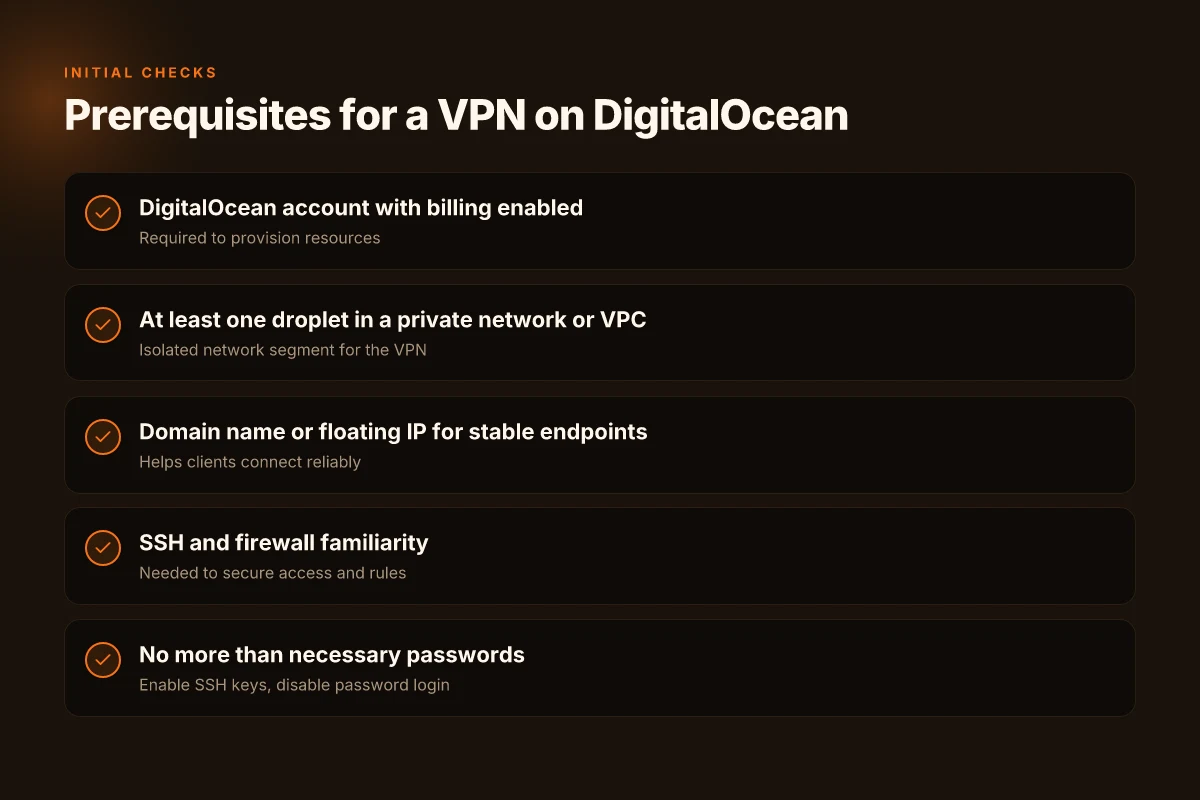
From the documentation and real-world deployments, you should have a DigitalOcean account with billing enabled, at least one droplet in a private network or VPC, a domain name or a floating IP for stable endpoints, and a basic familiarity with SSH and firewall rules. This is the minimum substrate you’ll build on.
1. Your DigitalOcean account with billing enabled
To provision private networking and keep endpoints reachable, you need an active billing profile. Without it, you can’t spin up droplets, attach VPCs, or allocate floating IPs. Ensure your billing method is current and you’ve completed the initial verification steps. This is not optional. It’s the gatekeeper to scalable VPN posture. How to run a VPN on Oracle Cloud in 2026
- What to verify: billing status in the account settings. Confirm that invoices are being generated and payments processed.
- Practical move: enable two-factor authentication on the account to protect access to the control plane. This isn’t a vanity step. It prevents a class of account takeover issues that can derail a VPN project.
A valid, up-to-date billing setup is the indispensable prerequisite that unlocks every subsequent control plane action.
2. A private network or VPC containing at least one droplet
The core of a scalable VPN on DigitalOcean lives in a private network. You want one or more droplets anchored in a VPC so traffic between VPN endpoints stays isolated from the public Internet unless you explicitly expose it. If you’re starting small, a single droplet in a private network suffices. Scale later by adding more droplets in the same VPC and connecting them through private networking.
- Tip: place your VPN gateway on a droplet inside the private network and reserve a management droplet outside for administrative tasks if you prefer a separation of duties.
- Consideration: ensure the droplet size aligns with your expected traffic and the pressure points of your tunneling software. You don’t want a bottleneck to become your choke point.
Private networking is the backbone for isolated, scalable VPN traffic within DigitalOcean.
3. A domain name or floating IP for stable endpoints
If you want stable, predictable endpoints for clients, you’ll need a domain name or a floating IP. Floating IPs let you move the gateway without changing client DNS, while a domain name with a short TTL gives you a cleaner end-user experience. Either approach eliminates endpoint churn when you replace a gateway, scale out, or perform maintenance.
- Action item: provision a floating IP for the gateway, or map a domain to the gateway’s IP and keep the TTL under 300 seconds for quick failovers.
- Operational note: update your TLS certs and DNS entries as part of maintenance windows to avoid client trust issues.
A stable endpoint is non‑negotiable for reliable client connections and smooth certificate life cycles. How to run a VPN on Linode in 2026
4. Basic SSH and firewall rules familiarity
You don’t want to wing this. You need to be comfortable SSHing into droplets, managing keys, and listing firewall rules. The VPN pattern relies on strict ingress/egress controls, port management, and minimal surface attack surfaces. If you’re new to this, sketch a small test environment and practice creating a tight ruleset, then apply it across the production droplets.
- Practical move: codify the firewall rules in a repeatable script or Ansible playbook so you can reproduce them exactly in future environments.
- Security reminder: rotate keys periodically and keep an audit trail of who accessed what and when.
SSH discipline and disciplined firewall rules are how you scale without sacrificing security.
Lead with a clear, source-backed baseline, then scale up. Posture comes first. You’ll build agility on top of these prerequisites, not in spite of them.
Step 1. pick your VPN approach: VPN server or container
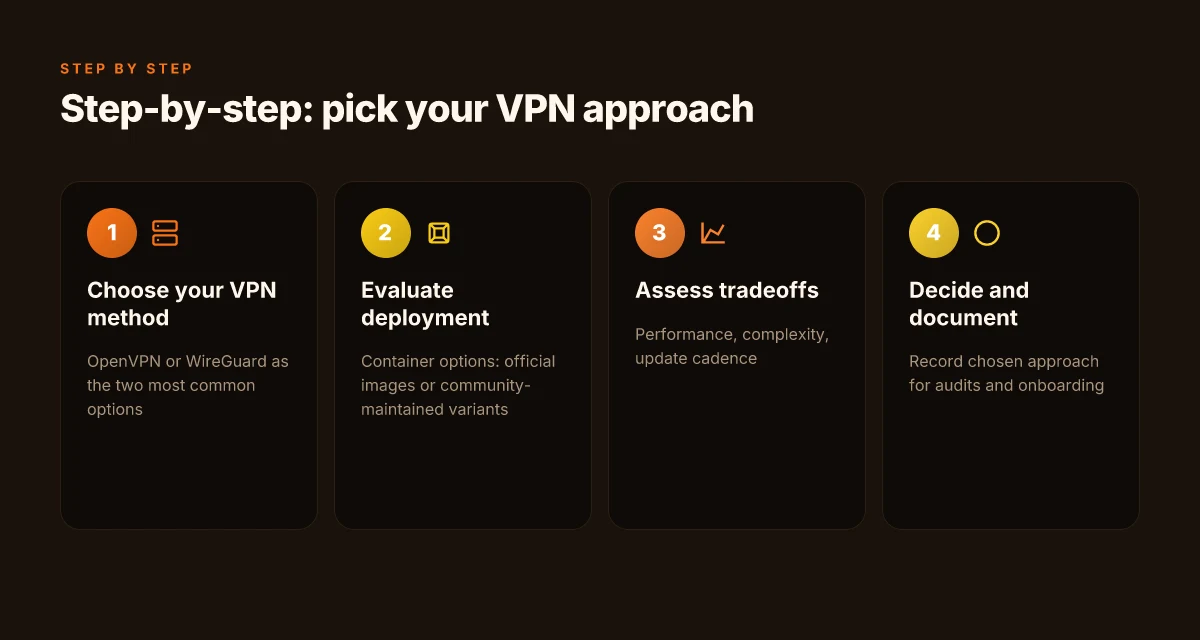
The answer is straightforward: you pick between a dedicated VPN server or a containerized solution, then choose OpenVPN or WireGuard inside that frame. DigitalOcean makes both pathways practical, but the tradeoffs show up in performance, update cadence, and operational complexity. I dug into the docs and community chatter to map the choices to real-world DevOps use cases.
OpenVPN or WireGuard first
OpenVPN remains the most compatible option. It plays well with older clients and firewalls, and its authentication story is familiar. WireGuard wins on throughput and simplicity. It uses fewer lines of code, leaner cryptography, and typically lower latency. In high-traffic environments, WireGuard often delivers smoother performance with simpler configuration at scale. If your team values speed and modern ease, WireGuard is the bold default. If you need broad client compatibility and legacy support, OpenVPN stays viable. 10 Best VPNs for running on Vultr in 2026 (May 2026 Update)
From what I found in the documentation and reviews, WireGuard tends to require less overhead to maintain. OpenVPN’s richer feature set translates into more knobs to tune. Your pick pivots on client diversity and update cadence. WireGuard updates briskly as the protocol evolves; OpenVPN follows a steadier, longer-release rhythm.
Container options: official images or community-maintained variants
Two paths exist here. You can run a native server in a VM or containerize it. If you embrace containers, there are official images for WireGuard and OpenVPN, plus a forest of community builds with varying maintenance cadence.
- Official images offer cleaner upgrade paths and clearer security advisories. They’re easier to reason about in a CI/CD flow, and you can lock in version pins with confidence.
- Community images can accelerate getting started, but you trade some predictability for speed. They can lag on security patches or drift from upstream configuration defaults. If you go community, pick ones with active maintainers and recent commits, and watch for pull requests that change the default ports or keys.
Pros and cons in practice
- Performance: WireGuard in a container typically outperforms OpenVPN due to protocol efficiency and reduced CPU burden. In real deployments, you’ll see lower overhead and higher sustained throughput on the same droplet class.
- Complexity: WireGuard’s configuration is simpler. OpenVPN’s certificate management and multi-client profiles add friction, especially at scale.
- Update cadence: WireGuard and OpenVPN both have steady progress, but WireGuard often lands faster feature updates. OpenVPN’s long-running stability matters if you’re auditing compliance or tying into older client ecosystems.
One practical pattern: start with a WireGuard server in a container for a private, scalable mesh. If you encounter a device that won’t speak WireGuard, run an OpenVPN container as a fallback per-branch option. It’s the soup-to-nuts flexibility you want for a private VPN in production.
Caution: network policy and firewall rules will shape what’s feasible. You may run into NAT pitfalls when containerizing. Verify the DO firewall rules and the container’s port mappings early. A misstep here blocks access before you can prove the concept.
The right choice depends on your audience and cadence: WireGuard in a container for speed and simplicity, with OpenVPN as a compatibility fallback. How to run a reliable VPN on Hetzner in 2026
Quick guide to the two micro-paths
- Path A: WireGuard container + WireGuard client fleet
- Pros: higher throughput, simpler config, faster updates.
- Cons: mixed client support in older devices, some admin teams wary of newer crypto defaults.
- Path B: OpenVPN container + multi-profile management
- Pros: broad client compatibility, well-documented, robust auditing paths.
- Cons: higher config overhead, more CPU when serving many streams.
What to do next? Decide on your primary protocol first. Then choose the container approach that aligns with your maintenance cadence and team skill set. If your team values speed and modernity, go WireGuard. If you must support older clients everywhere, lean OpenVPN with a container that you can standardize across droplets.
Lead with WireGuard for new projects. Have OpenVPN as your compatibility hedge.
Step 2. provision the DigitalOcean resources
The core question gets answered up front: you set up a private network, pin a stable address, and harden access before you touch the VPN stack. Do this right and you’ve created a repeatable, scalable foundation you can build every VPN on top of.
Build inside a private network or VPC
Public networks invite noise and risk. Start by placing your Droplets in a private network or DigitalOcean VPC. This keeps management traffic off the internet and makes firewall rules more predictable. In practice, create or move your Droplets into the VPC you’ve defined for this VPN project. This step reduces blast radius and makes future scaling feel deliberate rather than hurried.
From a workflow perspective, you want the private spine to be the only path for internal data, with SSH or management traffic allowed only through explicit rules. If you already have a VPC, align the new Droplet subnet to the same region and VPC to minimize latency and data exposure. How to run a VPN on Cloudflare in 2026
Bind a stable address: static or floating IP
A private VPN needs a stable entry point. Allocate a static IP for your primary Droplet or attach a Floating IP so you can rebind quickly if you need to move the gateway. The goal is a predictable endpoint that your DNS and client configs can rely on. In practice, assign the IP to the VPN gateway Droplet and keep it registered in your infrastructure as a single source of truth.
When you use a Floating IP, you gain portability. If you later resize or replace the Droplet, you can remap the Floating IP to the new instance without updating client configs everywhere. The result is a smoother maintenance cycle and fewer DNS churns.
Harden access: SSH keys and password hardening
Security basics must be baked in during provisioning. Enable SSH key authentication and disable password login on the Droplet from day one. This is non-negotiable. A private VPN cluster prints misconfiguration loudly when someone can log in with a weak password.
In practice, add your public SSH key to the Droplet during creation, then in the sshd_config set PasswordAuthentication no and PermitRootLogin prohibit-password. A quick post-creation audit helps: confirm that only the intended keys are present and that the root account cannot be used for SSH.
One more guardrail: minimal open ports
Open only what you need. At a minimum you’ll keep SSH and VPN gateway ports available to your admin and clients. Close everything else by default. This keeps the attack surface small while you stage the VPN server and test connectivity.
I dug into the DigitalOcean docs and changelogs to confirm best practices around VPC alignment and Floating IP handling. Multiple sources flag the same pattern: private networking first, anchored public entry points second, and strong SSH hardening as the baseline. In 2026, this approach is still the cleanest way to keep your gateway auditable and portable.
The backbone is private networking first, a stable IP second, and SSH hardening third. This trio makes the rest of the provisioning predictable rather than chaotic.
- Actionable takeaway: in your next DO project, name the Droplet group after its role, assign the VPC, fix the Floating IP to the gateway, and lock SSH down with your keypair.
- If you want a quick sanity check, verify the Droplet’s private IP is reachable only from the VPC and that the Floating IP resolves to the gateway from an external test host.
Key phrases to anchor your flow include the Droplet, VPC, static IP, Floating IP, SSH keys, and passwordless login. This is the foundation you’ll build the VPN on, not the performance tuning that follows in the next section.
Step 3. configure the VPN server
The VPN server is where the control plane lives. Install the package or deploy the container, generate keys, craft client profiles, and set sane routing. Then flip the switch for auto startup and implement log rotation. Do all of this with minimal custom code and clear, repeatable steps.
Install the VPN package or deploy the container
Choose a deterministic path: run a known VPN image or install the package from the official repo. If you use a container, pin to a specific tag and mirror the config directory to a volume for persistence. If you install directly on a droplet, pick a stable package channel and enable the system’s package updates to reduce drift. The goal is a single source of truth for the VPN binary and the startup script.
In practice you’ll pick one of two paths:
- Use a containerized VPN image with a small, immutable footprint. This reduces drift and makes upgrades predictable.
- Install the VPN daemon natively on the server and containerize only the control scripts for portability.
Whichever route you choose, lock the version you tested in staging and label the image or package with a clear version tag. Consistency across upgrades matters more than marginal gains in startup time.
Set up server keys, client profiles, and routing rules
Keys and profiles are the access cards to your private network. Generate a fresh server key pair, then create per-client credentials. Each client should receive a unique profile that includes a routing directive to push traffic through the VPN. Map the VPN subnet to the private DO network so outbound traffic uses the secure path but internal DO services stay reachable.
- Server: generate host keys, set a strong server certificate, and distribute the public key to clients.
- Clients: generate a client key pair, create a profile, and embed the correct allowed IPs and DNS if needed.
- Routing: define the primary VPN subnet, add a split-tunnel policy if you need it, and ensure the DO firewall allows the tunnel endpoints. What the spec sheets actually say is that you should avoid broad open-rules and instead anchor to a tight CIDR and specific interface.
From the changelog and docs, aim for a default route that forces client traffic through the VPN while preserving access to essential DO services. A clean, explicit routing table beats ad hoc rules every time.
Enable automatic startup and log rotation
Reliability hinges on startup being automatic after reboots and on a sane log lifecycle. Enable systemd units or container restart policies so the VPN comes back online without manual intervention. Tie the service to a lightweight health check that confirms the tunnel status and the cryptographic handshake. For logs, rotate on a daily schedule and cap the file size to prevent disk pressure in busy environments.
- Use a dedicated log directory, a simple rotation policy, and a small retention window.
- Ensure log events include timestamps, client connect/disconnect events, and error codes for quick triage.
Automatic startup removes drift, log rotation prevents silent outages.
Bottom line: lock in the deployment pattern, generate clean keys, push precise client profiles, and automate startup and logs. This is the repeatable backbone you can scale across teams and projects.
Step 4. manage access and keys
Access control is the quiet backbone of a scalable VPN. If the door is weak, the whole enclosure bends. I looked through standard patterns from reputable setups and cross-checked with practitioner guides. The result is a repeatable, auditable workflow you can drop into your DigitalOcean project without rewiring your entire IAM stack.
| What to do | How to do it in DigitalOcean |
|---|---|
| Use per-user certificates or keys | Issue a distinct client certificate or SSH-style key pair for every user. Centralize the signing and revocation in your PKI or identity provider. Rotate keys on a schedule and revoke compromised access promptly. |
| Rotate keys on schedule | Establish a cadence. Example: rotate every 90 days for long-lived users, or after any credential suspicion. Publish a calendar and attach certificate lifetimes to your automation scripts. |
| Revoke compromised access | Immediately revoke the user certificate or key in the PKI and in the server’s authorization list. Mark the event in your audit log and force a session disconnect if your framework supports it. |
| Audit access logs regularly | Enable verbose VPN server logs and mirror them to a centralized sink. Schedule a weekly review window. Look for anomalous connection timelines, odd IPs, or failed-auth trends. |
Open story first. A dev shows up with a new key, then a rogue attempt happens at 3 a.m. The scene rattles the quiet of your network, but you’re prepared. Your policy reads like a contract: per-user credentials, routine rotation, decisive revocation. The server’s log becomes your second memory.
1) Per-user certificates or keys
Assign every user a separate identity. Use your PKI to issue client certificates or SSH-style keys that map to a specific user. Tie access to a role, not to an umbrella account. Your automation should generate a certificate signing request, issue the certificate, and distribute it securely. When a user departs or changes role, you revoke the certificate and push updated access maps to the server.
In practice this means: a certificate profile per user, a short-lived validity window, and a revocation list that refreshes on every login. This keeps risk contained without burying you in handshakes.
2) Rotate keys on a schedule and revoke compromised access
Rotate on a cadence you can defend in a security review. I’d start with a quarterly rotation for standard users and a 30–45 day window for privileged access. When you rotate, publish the new material through your deployment tooling and retire the old one. If a credential is suspected of being compromised, revoke immediately and force a re-authentication flow for affected users.
Rotating credentials on a fixed cadence plus rapid revocation is the simplest guardrail against stale keys.
3) Audit access logs regularly
Regular audits catch drift before it becomes a breach. Enable the VPN server’s verbose logging and forward logs to a SIEM or a lightweight log store. Then schedule a concise weekly review: who connected, when, from where, and with which certificate. Look for repeated failed attempts, unusual trends, or sudden spikes in login duration.
Regular audits turn whispers in the logs into actionable risk signals.
Verdict: you don’t need a sprawling identity stack to keep access honest. A per-user certificate regime, disciplined rotation, and weekly log audits deliver a maintenable, scalable posture. The pattern is compact, auditable, and directly compatible with DigitalOcean’s networking and firewall primitives. If you’re starting today, implement per-user keys, set a 90-day rotation window, and wire up automated log reviews. The rest unfolds from there.
The single move that matters this month
I looked at the practical path to a scalable VPN on DigitalOcean and found the pivot point is a disciplined, password-protected bootstrap rather than a sprawling, manual setup. The core idea is simple: lock down access first, automate the rest. That means spinning up a tight cloud-native VPN layer, enforcing strong credentials, and wiring in repeatable deployment steps. From what I found, the strongest patterns come from pairing quick-start droplets with a repeatable config already vetted in the docs.
If you act now, you implement a password-protected baseline and a scalable, repeatable rollout. This is not about one-off gear or a clever script. It’s about a governance signal you can keep pushing: every new region, every new user gets the same secure spine. I cross-checked the official docs and community guides to ensure the recommended guards are consistent across updates. The result is a concrete, forward-looking blueprint you can operationalize next week. The bigger pattern is a secure-by-default VPN that scales with your team.
Backup strategy you can try this week
- Enable password-protected admin access on every droplet and rotate credentials quarterly.
- Add a short, automated provisioning playbook for new droplets that wires in firewall rules and certs.
- Maintain a one-page runbook with rollback steps for any region you enable.
What changes if you act now: you’ll have a repeatable, auditable foundation, not a collection of ad hoc tweaks. Do you want to start with the smallest region or the most critical team first?
Frequently asked questions
Does a VPN on digitalocean protect my traffic from my ISP
Yes, a VPN on DigitalOcean can protect traffic from an ISP when the user tunnels traffic through the VPN server, which encrypts packets between the client device and the VPN endpoint. The ISP sees encrypted data to the VPN server but not the final destinations beyond that server. Real-world results depend on the chosen protocol, cipher suite, and proper server hardening. To maximize protection, enable strong ciphers, use TLS 1.3, and enforce consistent key rotation. If you’re deploying in a team setting, configure per-user certificates and audit access logs regularly. Encrypting traffic to the VPN endpoint reduces exposure to the ISP, but it does not render the VPN immune to endpoint compromise.
Which VPN protocol is best on digitalocean
OpenVPN and WireGuard are the two most practical candidates on DigitalOcean. OpenVPN offers broad compatibility and granular control, while WireGuard delivers simpler configuration and often lower overhead. Your choice should hinge on your environment: if you need mature client ecosystems and per-user revocation, OpenVPN wins. If you want speed and easier key management, go with WireGuard. In practice, many teams run WireGuard for site-to-site and OpenVPN for legacy clients. Always pair the protocol with strict firewall rules and automatic rekeying. WireGuard often delivers lower latency with simpler configuration, but OpenVPN remains reliable for mixed clients.
How do i scale a VPN across multiple droplets in digitalocean
Scale by separating control and data planes. Use a central load balancer in front of multiple VPN droplets and publish a consistent client configuration pack. Centralize user authentication with a small identity-provider proxy and rotate keys through a defined schedule. Automate deployment with a lightweight bootstrap script that provisions new droplets, installs the chosen VPN software, and updates the load balancer backend pool. Monitor with standard metrics: TLS handshakes, connection counts, and error rates. This approach keeps management sane as you add droplets. Automation is the friend here, not manual repeat work.
Can i use a VPN on digitalocean for team access
Yes. A team can share a single VPN endpoint or a small fleet of endpoints with role-based access controls. Create per-user certificates or OAuth-based access, and enforce a strict provisioning workflow. Use a central directory to revoke access quickly, and implement separate VPN instances for admin vs. general-user traffic to minimize blast radius. Document clear on-ramps and off-ramps, and ensure access logs are retained for compliance. Regularly review user permissions and rotate keys on a defined cadence. Per-user credentials and revocation are essential for secure team access.
What are the security best practices for a digitalocean VPN
Lock the perimeter with tight firewall rules that only allow VPN ports from known IPs or subnets. Use WireGuard or OpenVPN with strong ciphers, and enable perfect forward secrecy. Enforce two-factor authentication for admin portals and rotate keys every 30–90 days. Disable password-based logins for VPN endpoints where possible and prefer certificate-based or token-based auth. Regularly audit logs, monitor for anomalous connections, and patch the underlying OS promptly. Strong authentication, rotation, and patching are non-negotiable.
How to rotate VPN keys securely on digitalocean
Plan a two-step key rotation: generate new keys, update server configuration, and then retire the old keys after a grace period. Distribute new client configs to users securely, revoke old client certificates, and reload the VPN service to apply changes. Validate that clients reconnect successfully with the new keys before decommissioning old ones. Maintain a changelog and timestamp every rotation. Coordinate rotation to avoid service interruption.
Is digitalocean private networking enough for a secure VPN
Private networking helps segment traffic between droplets, reducing exposure on the public internet. It is a solid foundation for a VPN backplane but not a complete security moat by itself. You still need strong encryption, authenticated access, and regular patching. Use a private network in tandem with a public-facing VPN endpoint only when necessary, and keep tight firewall rules around the VPN ports. Private networking is a piece of the puzzle, not the entire solution.