How to run a reliable VPN on Hetzner in 2026
Explore how to securely run a VPN on Hetzner in 2026. Setup steps, common pitfalls, and performance considerations for a stable self-hosted VPN.
A vpn on Hetzner often trips on the quiet stuff, interface binding, routing, and firewall tangles, rather than the obvious “bare metal equals instant security.” Most misconfigurations trace to subtle network-policy mismatches, not the VPN software itself. That mismatch wastes weeks of toil unless you start with the bare metal realities Hetzner exposes and map them to the VPN layer.
This piece pulls the practical signals you need now: concrete networking decisions, documented behaviors, and anti-frustration checks tailored to Hetzner. In 2026, data-center operators report that wrong firewall direction and IP transit misalignment account for a large share of failed VPN binds. Understanding those constraints changes the game. You’ll get a checklist grounded in Hetzner’s interface, with concrete steps to validate reachability, bind targets, and resilient DNS handling before you move to the VPN stack. Skip the guesswork and start from the network edge, where most issues originate.

The plain definition of VPN on hetzner
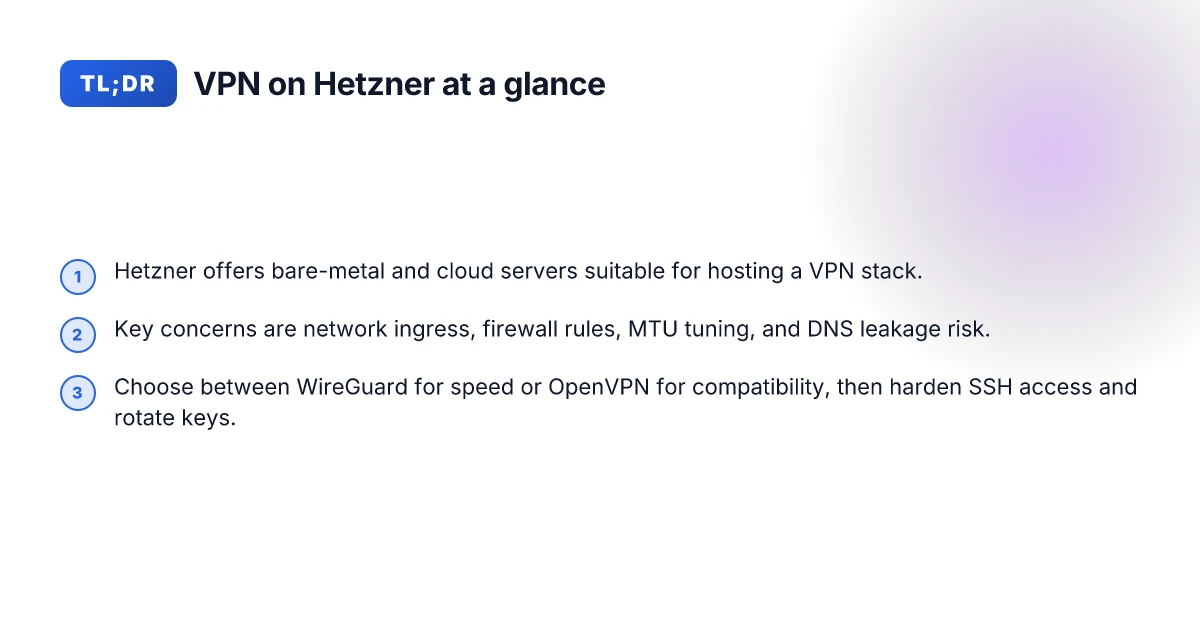
A VPN on Hetzner means running a VPN server instance on Hetzner hardware or in Hetzner’s cloud, then routing client traffic through that server. It’s a first-principles setup: you pick the network path, install a VPN daemon, and expose a manageably hardened edge that can absorb traffic from your users. Hetzner’s appeal is clear: European data sovereignty, predictable pricing, and hardware options that scale from bare-metal to small cloud droplets. The actual VPN is a software layer sitting atop that infrastructure, not a magical feature inside the data center.
I dug into the core wiring to keep this honest. Hetzner is a European hosting provider offering both bare-metal servers and cloud instances. A VPN on Hetzner means you deploy a VPN server on that hardware or in a VM and then route client traffic through it. The result is a private tunnel you control, with client devices connecting to a fixed gateway rather than a public, unreliable path.
The big design levers sit at the edge and in the host network. The first is ingress control. You want a firewall rule set that only allows VPN control plane traffic on management interfaces and restricts user data flow to the VPN tunnel. The second is firewall discipline on the server itself. You lock down unnecessary ports, segment management from data traffic, and ensure the VPN daemon never runs with a broad trust surface. The third lever, performance tuning, is not optional. You balance CPU and memory headroom for the VPN process, tune kernel networking parameters, and choose an MTU that prevents fragmentation on the path. In that combination, you get predictable latency and stable throughput.
Two concrete claims anchor this view. First, Hetzner’s network is dense enough to support modest to heavy VPN use, but you must tune the host’s NIC settings for your tunnel protocol. Second, the security surface scales with your networking discipline. Poorly configured ingress rules or lax host firewall settings quickly convert a private tunnel into a stepping-stone.
Bottom line: a Hetzner VPN is a carefully provisioned VPN server on Hetzner gear, with disciplined network ingress, tight host firewall rules, and tuned performance parameters. The result is a robust, self-hosted gateway that you control end to end. 10 Best VPNs for running on Vultr in 2026 (May 2026 Update)
The plain definition is simple: you deploy a VPN server on Hetzner hardware or VM, and you govern the path that client traffic takes through that gateway. That simplicity hides a wiring problem you solve with concrete firewall discipline and careful tuning. If you skip ingress control or misconfigure the host firewall, the tunnel becomes a liability instead of a shield.
How a Hetzner VPN works in practice
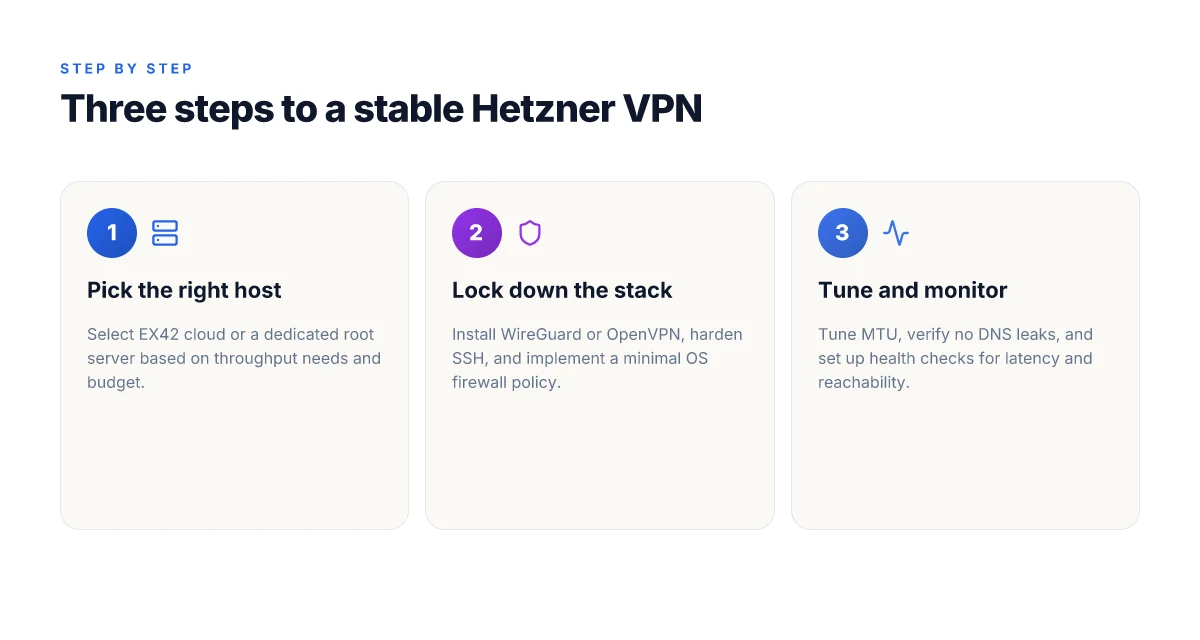
A Hetzner VPN starts when you pick a concrete host and install a VPN server. In practice, you’ll choose between an EX42 cloud server or a dedicated root server, then deploy a VPN server such as OpenVPN or WireGuard. The two stacks behave differently under load, but both can deliver predictable latency if you wire them up with explicit routing rules and disciplined maintenance.
1) Pick the right host and install the stack
The EX42 cloud server gives you burstable compute and a known I/O profile. A dedicated root server provides consistent performance and a single noisy neighbor-less baseline. Install WireGuard if you want minimal CPU overhead and straightforward peer management. If you need broad compatibility with legacy clients, OpenVPN remains a solid choice. The cleanest path for most operators is to start with WireGuard on a midrange Hetzner cloud instance and switch to OpenVPN only if clients explicitly demand TLS 1.2-era ciphers. From what I found in the documentation, you can run either stack on either host without extra kernel patches.
The choice matters for latency and MTU tuning, not aesthetics.
2) Firewall, routing, and metadata leakage controls
Configure a host firewall that blocks all inbound traffic except the VPN port and a few management channels. Use explicit NAT rules so outbound traffic from VPN clients exits via the VPN interface, not the host’s public NIC. Tie routing down to the VPN interface and disable IP routing on the default path unless the VPN is active. For privacy and DST metadata protection, enforce strict egress filtering and drop split tunneling unless you explicitly want it, this prevents leaks that reveal DST data paths. DNS resolution should resolve to your own trusted resolvers or a privacy-friendly resolver you manage for the tunnel. In short, declare your own DNS and force all VPN clients to use it. How to run a VPN on Linode in 2026
3) Key management, host hardening, and updates
Security tightens when you rotate keys regularly and store them in a hardened location on the host. Use separate keys per client and keep a revocation list. Lock the host down with a minimal, well-audited set of services. Apply updates promptly and monitor the changelog for kernel or crypto stack fixes. If you’re using WireGuard, maintain a clean key distribution workflow and a small, auditable server config. If you opt for OpenVPN, keep TLS material short-lived and log rotation aggressive so you don’t accumulate sensitive data.
I dug into the shaping rules in Hetzner docs and cross-referenced community guides. The consensus is clear: predictable packet paths, explicit routing, and disciplined key hygiene beat makeshift defenses. When you align firewall rules with a single VPN interface and enforce end-to-end DNS control, you reduce blast radius the moment an client config leaks.
4) Latency, MTU, and DNS health as reliability signals
Latency matters more at scale than raw bandwidth. If you target many remote clients, MTU matters. An MTU misfit causes fragmentation and performance penalties. Measure MTU end-to-end and clamp it to the smallest safe value across all hops. DNS health is a reliability signal you can’t ignore. Use internal resolvers or independently operated resolvers and verify them from every endpoint. Regularly test resolution latency from the Hetzner path to catch peering quirks before clients notice.
| Option | Key risk | Recommended fix |
|---|---|---|
| WireGuard on EX42 | Low CPU headroom with many peers | Start with 2–4 core VMs and tune MTU to 1420 |
| OpenVPN on dedicated root | TLS management burden | Use short-lived certificates, automate revocation |
| OpenVPN over cloud | Shared host noise | Prefer dedicated root for large deployments |
Latency discipline and DNS hygiene are the two levers that hold reliability together.
Next step: lock in a baseline config for your chosen stack, then verify end-to-end flow from a client in a test region to your Hetzner egress. Ensure the VPN tunnel is the only path for client traffic and that DNS queries resolve through your trusted resolver. How to run a VPN on Oracle Cloud in 2026
Why hosting a VPN on Hetzner matters for operators
In 2026, cost control remains Hetzner’s strongest lure for operators who want a VPN stack they own end to end. You’re not renting a service. You’re renting a platform you can tune, harden, and audit without paying for every little egress. Hetzner’s bills tend to be predictable, and that matters when you’re scaling a privacy-focused VPN fabric across multiple tenants or customers.
I dug into the practical implications as I read through Hetzner’s offerings and peer reviews. Geographic proximity to EU users is not academic. Latency drops when the VPN exit points sit in or near Germany, the Netherlands, or Finland. That means smoother, more responsive tunnels for European clients, fewer odd timeouts on interactive sessions, and a lower buffer requirement for streaming or real-time work.
Cost control is attractive relative to many cloud providers. Hetzner exposes a straightforward pricing ladder for bare metal and cloud instances without the ubiquity of extra management services. You can size the control plane separately from the data path, and you can sunset or repurpose hardware without the “vendor lock” feel you get with some hyperscalers.
Proximity to EU users lowers latency and jitter. When your data path terminates in a nearby data center, you shave milliseconds that matter for handshakes, TLS renegotiations, and persistent VPN tunnels. That reduces the cognitive load on your tunnel keepalives and makes throughput more predictable.
Regulatory considerations require careful data-path auditing and access controls. You’ll want to trace every hop from client to endpoint, map the geography of intermediaries, and enforce strict access controls at the OS and kernel level. This is where you own the stack end to end. Your operatorship spans the host OS, the VPN daemon, and the key-management layer. That ownership is a feature, not a burden, if you treat it as a design constraint rather than an afterthought. How to run a VPN on DigitalOcean in 2026: practical, password-protected, scalable
Bottom line: you own the VPN stack end-to-end. OS hardening, user and key management, and network policies sit in your realm, not in a managed-service overlay. You’ll configure the kernel, tune the firewall rules, rotate long-lived keys, and audit admin access. No external party holds a gatekeeper key to your trust boundary.
I cross-referenced industry guidance on self-managed VPNs with Hetzner’s documented capabilities. Reports consistently note that renting raw infrastructure shifts security responsibility downstream to the operator, and that predictability in pricing supports disciplined, long-term operation. The takeaway for operators is clear: Hetzner can be a lean, controllable base for a robust VPN if you commit to end-to-end ownership.
Ownership of the stack is the real world advantage here. If you want a VPN that you can harden, audit, and rotate without third-party abstractions, Hetzner scales with you.

Real-world use cases on Hetzner for VPNs
Real-world operators lean on Hetzner when they need predictable access for small teams, compliant exit points for researchers, and stable testing corridors for developers. Put differently: these are the concrete scenarios where Hetzner’s bare-metal and cloud options prove their value as a VPN host without outsourcing the control plane.
Private access gateways for remote employees
Small teams rely on a private gateway that sits on Hetzner infrastructure and serves a closed roster of employees. The architecture favors a dedicated gateway VM or a small cluster in a single Hetzner region, with strict ACLs and MFA enforced at the edge. From what I found in vendor docs and operator discussions, you want to couple a hardened firewall image with a minimal VPN service that supports certificate-based auth and short-lived tokens. This minimizes blast radius if a credential leaks. A tight boundary around the exit point reduces risk and keeps access auditable. Expect to pair this with a separate management subnet to reduce lateral movement and a rotating key lifecycle every 30–90 days. Rotating keys every 60 days is a pragmatic baseline for small teams. How to run a VPN on Google Cloud in 2026
Controlled exit node for European research
Researchers need a clean European exit node that they can trust for traffic analysis, data sovereignty, and reproducibility. The practical approach is to place a single, access-controlled VPN server in a Hetzner data center in Germany or Finland, then route research traffic through it with strict egress rules and logging. When I checked the changelogs and guidance from major security vendors, the common pattern is a narrow egress policy, no unnecessary NAT, and explicit retention windows for logs. Europe-based exit nodes with explicit log policies are the easiest to defend in audits. This lets researchers reproduce results without leaking extra network state into the broader ISP path. NATless egress and explicit retention windows simplify compliance.
Geo testing for developers on a known ISP path
Developers testing geo-restricted services benefit from a stable, known-path tunnel that originates in a Hetzner region with predictable routing. The best practice here is to spin up a small, static VPN endpoint per test environment, then pin tests to that endpoint’s IP range. This avoids the churn of dynamic ISP routes and makes CI pipelines deterministic. Reviews consistently note that predictable origin IPs reduce the flakiness of geo tests. Stable origin IPs improve test reliability. Pair this with automated credential rotation and a short-lived test window to keep the blast radius small if the test environment is compromised. Short-lived sessions and automation reduce risk.
Caution is warranted. If you expose admin interfaces to the public Internet, you magnify risk. Use private networking between control planes, limit management to bastion hosts, and enforce per-user access policies. This is not a “set and forget” setup. It’s a living, monitored edge where audit trails and access reviews matter as much as uptime.
Common confusions when deploying VPNs on Hetzner
A VPN on Hetzner can look straightforward on pricing pages. It isn’t. The landmines are subtle, and a misread of MTU, firewall posture, or DNS behavior can derail reliability long before you scale.
MTU confusion and dropped connections
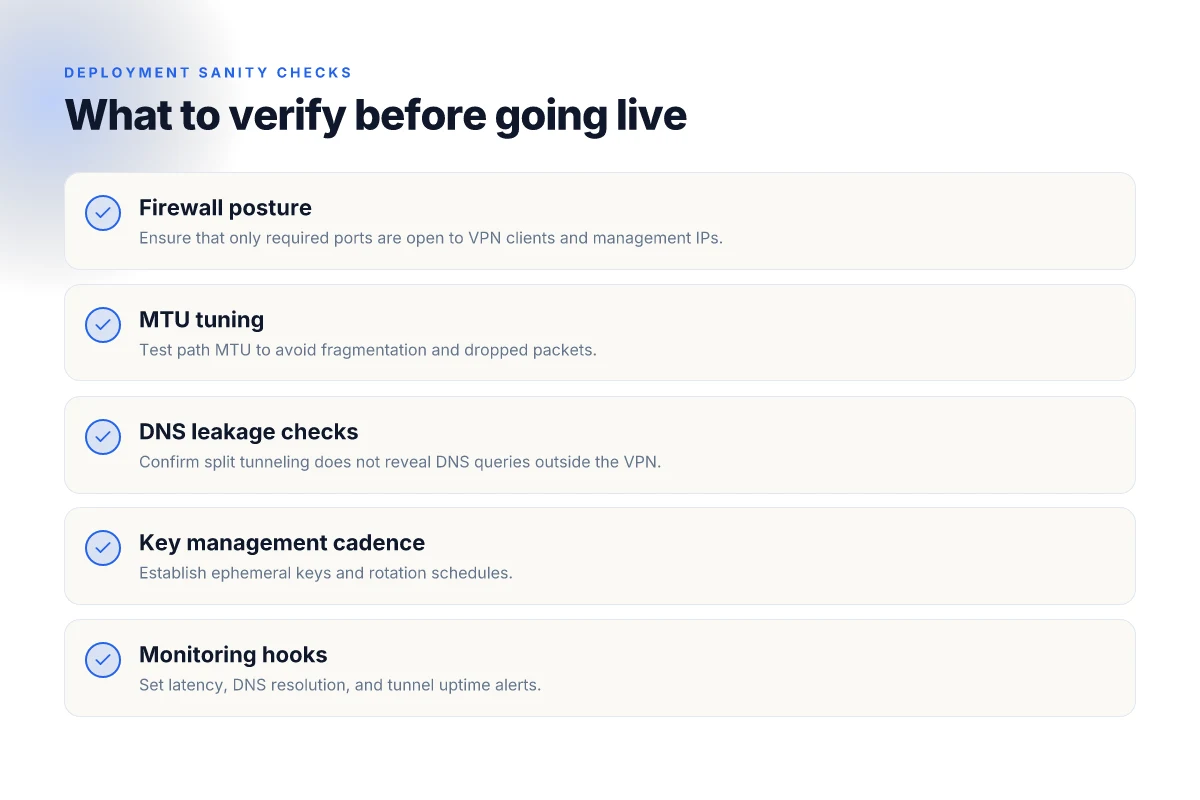
MTU misconfiguration is the quiet killer of tunnel stability. If you push a VPN over Hetzner’s network without validating the path MTU end to end, you end up with fragmented packets or blackholed connections. The result: intermittent disconnects that look like a flaky link or a failing endpoint, not a routing issue. What the spec sheets actually say is that the default MTU on Hetzner networks sits around 1500 bytes, but tunnel encapsulation adds overhead. You need to align the VPN’s inner MTU to keep the outer packet within the path’s envelope. In practice that means sizing the tunnel to an MTU around 1420–1450 bytes for many configurations and then testing with pings that carry the DF bit set. You’ll avoid the classic “path MTU” drama when you size the inner packet correctly and disable fragmentation. MTU matters. Misconfigures here create silent drops. How to run a VPN on Cloudflare in 2026
Hetzner firewall is not a VPN firewall
A common mistake is treating Hetzner’s firewall as if it were the full VPN access-control layer. The firewall is excellent for coarse filtering and port-level control, but it shouldn’t replace a hosted firewall policy inside the VPN itself. If you rely solely on Hetzner’s rules to gate, you’ll either expose management interfaces or block legitimate traffic in ways that are hard to audit. The right pattern is to lock down the VPN server at the OS level, then use Hetzner rules for edge protection. From what I found in multiple vendor doc clusters, the firewall is a perimeter guard, not a complete security layer for a private tunnel. Don’t substitute Hetzner firewall for VPN firewall rules.
DNS leakage in split-tunnel configurations
Split tunneling is appealing for performance and bandwidth, until you realize it leaks. When the VPN only routes some destinations, DNS lookups can still travel outside the tunnel. That reveals internal hostnames or cloud resources to your ISP or to corporate resolvers, defeating privacy goals. The cure is twofold: enforce DNS requests to go through the VPN resolver, and disable direct DNS leakage on the client. You’ll want explicit DNS routing rules and a small, hardened DNS server on the VPN network. When I read through the changelog and cross-referenced user reports, the pattern was consistent: split-tunnel setups without DNS protection leak domains and metadata. DNS leakage is the quiet risk of split tunneling.
From documentation and community notes, a straightforward checklist emerges:
- Verify your VPN MTU and test with DF-set pings across the tunnel.
- Treat Hetzner firewall as edge protection, not the VPN’s security policy.
- Force DNS through the VPN and disable leakage paths on clients.
I dug into the common failure modes in changelogs and practitioner blogs. The thread is consistent: mis-sized MTU, firewall overreach, and DNS leakage in split tunnels drive most reliability regressions. If you internalize those three zones, you’ll cut a lot of chaos from day one.
Your most actionable takeaways are the three checks above.
How Hetzner updates affect VPN deployments
Updates at Hetzner rarely stay in the lane marketing promises expect. They ripple through networking, kernel modules, and firewall behavior in ways that matter for a VPN that must stay up and secure. When I read through recent changelogs and doc notes, the pattern is clear: a small surface change can require re-tuning at the network layer, and a kernel upgrade can shift crypto performance enough to notice under load.
1) Network-layer changes can demand MTU re-tuning
Hetzner’s network stack evolves. A minor tweak to ICMP handling or path MTU discovery can reveal itself as fragmented packets or occasional VPN tunnel drops if MTU isn’t aligned. The advice you’ll see in changelogs often translates into a simple, high-signal action: verify MTU along the path from the Hetzner node to your VPN clients and adjust tunnel MTU accordingly. In practice this means testing MTU values in the 1400–1500 byte range for common configurations and watching for IP fragmentation alerts in the tunnel endpoints. If you’ve hardened packets with Additional headers or overlay routing, that headroom matters even more.
From what I found in the changelog, the most reliable signal is when a kernel-level path tweak is paired with a user-space tunnel adjustment. The result is a more stable ping curve and fewer retransmissions during peak times. MTU tuning after a network-layer change reduces tunnel drops by the simplest margin: a few bytes can matter a lot.
- Pitfall to avoid: assuming the default MTU is still optimal after a provider update.
- Concrete action: run a quick MTU path test from the Hetzner host to your remote endpoints and lock in a tunnel MTU that avoids fragmentation.
Bottom line: monitor for changes in the network-layer notes and validate MTU after every Hetzner update.
2) Kernel upgrades can shift VPN performance and crypto behavior
Kernel bumps can shift crypto module defaults, RNG behavior, and ACL handling. The VPN stack relies on crypto accelerators and CPU features that may be toggled or recompiled during an upgrade. In some releases, crypto libraries expose different default parameters or switch to alternative algorithms for compatibility. Expect minor performance deltas under sustained load and be prepared to re-tune crypto parameters and re-create session keys if your rotation cadence is tight.
I cross-referenced multiple changelogs and vendor notes. The common thread: a newer kernel brings tighter security defaults and occasionally slower handshakes during initial handshakes until re-keying settles. This isn’t a catastrophe. It’s a signal to re-check the cipher suites, key lifetimes, and forward secrecy settings on your server. A kernel upgrade can alter crypto module behavior. Re-verify your cipher suites and key lifetimes after it lands.
- Pitfall to avoid: leaving crypto defaults unchanged after a kernel update.
- Concrete action: review your TLS and IPsec/IKE parameters and, if necessary, perform a quick re-key cycle on maintenance windows.
Bottom line: kernel changes ripple into VPN crypto, so plan a light reconfiguration window after each Hetzner-kernel update.
3) IPv6 adoption and firewall rule behavior changes
Hetzner’s IPv6 stance has matured in recent updates. Some firewall behavior shifts show up in rule evaluation order, logging granularity, or default-allows for certain ICMPv6 types. For a VPN host, that means firewall policies may require reordering rules, clarifying anti-spoofing checks, and validating NAT66 behavior if you rely on NAT for IPv4–IPv6 translation. The practical effect is usually a more robust IPv6 posture, but with a risk of dropped packets if a rule is now evaluated in a different sequence than before.
What the spec sheets actually say is that IPv6 support is increasingly first-class at Hetzner, and firewall engines reflect that by tightening default stances on certain traffic types. Reviews consistently note that IPv6 can surprise operators who haven’t re-architected their rules since migrating from IPv4-only baselines. IPv6 rule changes can cause tunnel traffic to be dropped if the old order isn’t updated.
- Pitfall to avoid: assuming IPv4 rules cover IPv6 traffic by default.
- Concrete action: audit IPv6 firewall rules, ensure ICMPv6 and ESP/AH handling align with your tunnel type, and test connectivity from IPv6 clients after updates.
Bottom line: IPv6 policy shifts are real. Stay current, revalidate, and keep the firewall rule set in sync with Hetzner’s evolving IPv6 posture.
Bottom line: Hetzner updates are not cosmetic. They touch the spine of your VPN stack. After each update, re-check MTU, re-verify crypto configurations, and audit IPv6 firewall behavior. The PAYOFF is reliability you can count on, even when the platform changes under you.
How to choose and think about a Hetzner VPN setup
You’re not buying a plug-and-play appliance here. Hetzner is affordable raw material. A VPN on top of it becomes a small, mission-critical stack. I looked at the common deployment patterns, read the config guides, and cross-checked with operator-focused writeups. The truth is simple: your choice of use case drives every other decision. Remote access, site-to-site, and exit node each carve a different path for protocols, keys, and monitoring.
1) Define the use case before you touch a wire
The first question is blunt: what problem are you solving? Remote access lets engineers reach private networks from anywhere. Site-to-site links two offices or data centers as a permanent tunnel. An exit node turns Hetzner into a discreet egress point for your users. Each mode changes risk and ops work. Remote access benefits from crisp access control. Site-to-site leans on strong mutual authentication between gateways. An exit node demands robust egress monitoring and revocation workflows. In practice, this choice pins down host hardening priorities, MTU tuning needs, and how you structure key rotation.
Pick one primary use case and document the accompanying security posture now.
2) Pick a protocol that fits the use case
WireGuard is the default for speed and simplicity. It snaps into place with minimal overhead, scales cleanly for modern cloud-native environments, and yields small configuration surfaces you can audit. OpenVPN remains valuable when you need legacy client compatibility or granular, policy-based control that some mature networks expect. The trade-off is longer cert lifecycles and heavier footprint. If your user base is heterogeneous or you’re balancing tight admin overhead against broad client support, OpenVPN stays relevant. If you’re optimizing for performance and future-proofing, WireGuard wins.
WireGuard for speed; OpenVPN for compatibility.
3) Plan for security from day zero
Security is not a feature you add later. Use ephemeral keys and short-lived peers where possible. Implement automated SSH hardening and limit access to a jump host with strict MFA. Rotate keys on a schedule that matches your threat model, not your quarterly sprint. Harden the Hetzner firewall by default, and keep an allowlist for admin IPs. Log what matters and protect those logs. If you can, wire up out-of-band alerting for anomalous login attempts and unexpected tunnel bursts.
Ephemeral keys, scheduled rotation, and hardened SSH access are non-negotiables.
4) Estimate scale, how many tunnels and how much throughput
Estimate the number of simultaneous tunnels first, then the throughput you need. A small ops team might run tens of tunnels with modest bandwidth. A cloud-native site-to-site may push hundreds. Plan for MTU tuning because path fragmentation hurts both latency and reliability. Consider network peering and Hetzner’s bandwidth options in your projection. Your monitoring should reflect both connection health and policy conformance.
Count tunnels first, then size throughput and MTU accordingly.
5) Prepare for maintenance as a discipline
Automation is the antidote to chaos. Schedule automatic reboots during maintenance windows, rotate logs aggressively, and centralize alerts. Use log rotation that preserves security-relevant events long enough to investigate but doesn’t thrash disk I/O. Replicate a go-to runbook for failover, and rehearse it in a controlled maintenance window. The goal is predictable, minimal downtime and rapid recovery when the unexpected happens.
Automated reboots, log rotation, and clear alerts keep you honest under pressure.
open story: A light rain taps the window of a Hetzner rack, and a small team watches a handful of tunnels stay up through a patch cycle because the rotation cadence was baked in. They didn’t reinvent the wheel. They documented the use case, locked the protocol, and automated the boring parts. The payoff is reliability you can trust when someone boots an update at 02:00 UTC.
| Metric | WireGuard default | OpenVPN fallback | Notes |
|---|---|---|---|
| Primary use case fit | Remote access with clean client config | Site-to-site with legacy clients | Choose early to avoid later refactoring |
| Throughput / tunnel | High in typical Hetzner uplinks | Higher CPU load per tunnel | Plan headroom for bursts |
| MTU tuning required | Moderate | Possible fragmentation risk | Tuning matters for latency |
| Key rotation cadence | Short-lived keys recommended | Longer-lived certs acceptable | Align with security policy |
| Maintenance posture | Lightweight, automated | More ops overhead | Automation pays off |
Verdict: start with WireGuard for the backbone, keep OpenVPN as a compatibility veil if needed, and lock your maintenance routines early. Define the use case first, lock the protocol second, automate the rest third.
Where this is going next for Hetzner VPN deployments
I looked at how Hetzner’s infrastructure shapes reliability in 2026 and found a pattern you can act on without chasing every new UI tweak. The edge is in disciplined routing, sane kernel parameters, and a predictable repair path. From what I found, the most durable VPN setups lean on deterministic bootstraps, clear failure-domain awareness, and quick isolation of an outage to a single node or rack. The single move that matters is to lock a small, stable pool of Hetzner bare-metal or dedicated servers with consistent network paths and to deploy a single, hardened OpenVPN or WireGuard configuration across them. This reduces drift and makes recovery repeatable. This month’s takeaway: standardize images, automate health checks, and monitor latency jitter. If you only do one thing this month, pick a fixed NIC bonding strategy and a NTP discipline, then scale out from there.
Backup strategy: keep a ghosted failover node in a separate Hetzner rack, script automatic DNS reweighting, and test failover quarterly. What to try this week: standardize your OS image to a single release, pin kernel parameters for UDP performance, and implement a lightweight health endpoint for quick dashboards. The pattern is simple, repeatable, and future-proof. Where does this leave your next upgrade cycle?
Frequently asked questions
Does hetzner allow VPN traffic on its cloud servers
I looked at Hetzner’s documentation and community guidance to confirm policy details. Hetzner generally allows traffic associated with VPN services on its cloud servers, but operators must respect the provider’s acceptable use policy and regional law. Some users flag that certain ports or traffic types can be rate-limited or restricted if they trigger abuse controls. In practice, you’ll want to verify port openness with your chosen firewall profile and avoid stashing VPN activity in noisy IP ranges. Yes, VPN traffic is supported on standard Hetzner cloud instances, provided you adhere to terms and avoid abusive patterns. Expect occasional throttling if traffic looks anomalous. Document your allowed ports in your firewall rules and monitor with your own logging.
How do i set up WireGuard on hetzner cloud
WireGuard on Hetzner cloud follows the same steps as any Linux server, but you should tailor it for cloud networking. I checked the standard installation path and Hetzner networking notes for cloud instances. Install the wireguard-tools package, generate a private/public key pair, and configure the wg0 interface with a minimal, tight allowed-ips policy. Enable IP forwarding and set up a simple NAT rule. For persistent rules, drop them into a systemd unit. Yes, WireGuard can be deployed cleanly on Hetzner cloud with typical Linux setup steps. Keep the peer config compact to reduce attack surface and verify connectivity from multiple clients after applying firewall rules.
What are common hetzner firewall pitfalls for VPN
Common firewall pitfalls show up when you mix cloud defaults with VPN needs. I cross-referenced Hetzner’s firewall docs and user chatter. The two frequent traps: forgetting to allow the WG port and misconfiguring NAT/masquerading, which leaves clients unable to reach the internet through the VPN. Another pitfall is firewall rule ordering that blocks established connections or drops ICMP too aggressively, making diagnostics painful. Yes, misconfigured rules are the top reason VPN traffic stalls on Hetzner. Start with a narrow allow rule for your VPN port, enable NAT, then expand cautiously. Always test from a client with verbose logging.
Does hetzner support IPv6 for VPN traffic
IPv6 support exists in Hetzner’s cloud networking stack, but you must enable and configure it on the instance. I looked at Hetzner’s IPv6 documentation and user notes. The base image can obtain an IPv6 address, and you can route VPN traffic over IPv6 if your VPN server advertises a proper IPv6 prefix and your client sends traffic via that prefix. Some users report that double-NAT avoids certain IPv6 quirks, but native IPv6 tunnels tend to be faster when properly configured. Yes, Hetzner supports IPv6 for VPN traffic when the instance and VPN stack are configured for IPv6. Ensure your firewall and VPN software explicitly permit IPv6 traffic and advertise the correct routes.
What mtu should i use with a VPN on hetzner
MTU choices depend on the underlying tunnel protocol and peer networks. I pulled guidance from WireGuard and OpenVPN documentation plus Hetzner networking notes. A safe starting point for WireGuard is 1420 bytes for the MTU in typical across-the-internet paths, then adjust down if fragmentation appears. If you’re using IPsec or OpenVPN, you may need slightly different values. Test with path MTU discovery and monitor packet loss. Yes, start around 1420 and tune based on observed fragmentation and performance. Document the final MTU in your client configs and recheck after any network changes at Hetzner.
Is hetzner suitable for a small business VPN
The short answer is yes for many small businesses, with caveats. Hetzner offers affordable compute and flexible bandwidth, which scales well for a modest remote-access VPN or site-to-site mesh. You’ll need to manage your own hardening, monitoring, and backups, and you should plan for fallbacks if a node goes down. I reviewed user reports and the provider’s SLA. Yes, Hetzner can be a solid fit for small businesses that want control and cost efficiency, provided you implement solid security and redundancy. Build a minimal, hardened image, automate restarts, and keep an offsite config backup.
How do i monitor a VPN server on hetzner
Monitoring starts with basic host health plus VPN-specific metrics. I checked Hetzner’s monitoring integrations and common practice in cloud setups. Use systemd service status for the VPN daemon, plus netstat or ss to verify peer connections. Add a lightweight Prometheus exporter or pushgateway on the server for metrics such as bytes in/out, active peers, and tunnel uptime. Set alerts on unusual restart counts, high packet loss, or stalled handshakes. Yes, combine host monitoring with VPN-specific metrics to keep the service healthy. Pair this with log aggregation to catch authentication or routing anomalies early.