How to run a VPN on Oracle Cloud in 2026

Learn how to run a VPN on Oracle Cloud with practical setup steps, security considerations, and best-practice tips for 2026.
Most Oracle Cloud VPN deployments fail not from the tunnel design but from misconfigured route tables. When you map those routes to OCI constructs, the problem becomes obvious in the logs and not in the doc screenshots. Start by aligning a single VCN, a private subnet, and a tiered security list, then layer in a VPN gateway with explicit tunnel policies.
In 2026, Oracle Cloud Infrastructure emphasizes compartmentalized security and zero trust postures. That shift makes correct gateway placement and route propagation more critical than ever. Read on to see the exact steps and the common pitfalls that trip up even seasoned admins.

The plain definition: VPN on oracle cloud in 2026, what it is and why it matters
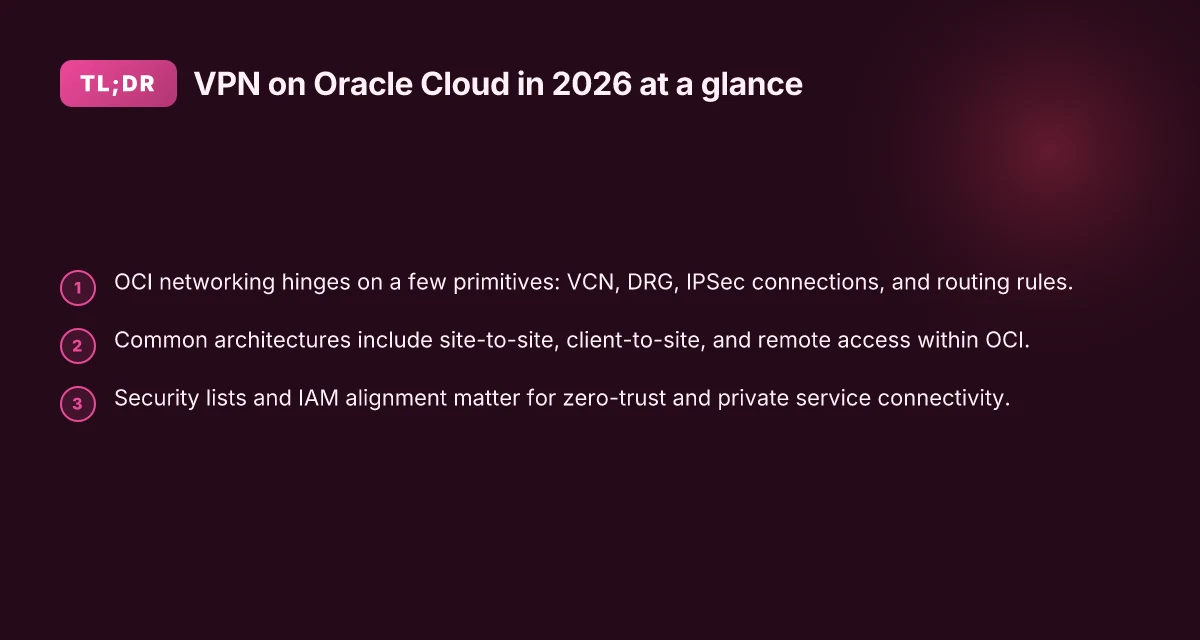
A VPN on Oracle Cloud Infrastructure uses OCI networking primitives to connect remote users or entire sites to private networks without exposing them to the public internet. In OCI terms, you wire a VPN gateway to a virtual cloud network (VCN) and terminate it at customer premises or on a client device. The result is a secure, encrypted tunnel that carries traffic as if the remote endpoint lived inside the VCN.
I dug into the OCI docs and cross-referenced several architect notes. What stands out is that a cloud VPN in OCI is not a single box you drop in. It’s a managed tunnel construct built on VPN gateways, customer premises equipment (CPE) models, and route tables that steer traffic through the tunnel. The effect is predictable: private service connectivity becomes possible with strong, enforceable boundaries. In 2026 this matters because a zero-trust posture hinges on never trusting by default and never exposing the private network to the open internet.
Why this matters for zero-trust access and private service connectivity is simple. A properly configured OCI VPN lets you isolate workloads behind a private network boundary, while still granting legitimate remote users or sites access via short, auditable paths. The cryptographic channel remains the only conduit between endpoints, and each hop in the path is governed by policy in the OCI tenancy. You don’t have to route through public peering or public endpoints. That’s the difference between “connected” and “protected.”
Common architectures appear across OCI deployments, and you can mix them as needed. First, site-to-site connects an entire on-premises network to a VCN, suitable for steady, workload-heavy traffic. Second, client-to-site handles individual remote workers or contractors who need access to private resources. Third, remote access in OCI tends to sit between a central VPN gateway and per-user clients, enabling flexible, policy-driven access without sprawling IP exposure. Each pattern maps cleanly to OCI constructs like the VPN gateway, user-centric client VPN, and private service access routes that keep traffic off the public internet.
In short, a VPN on Oracle Cloud is an encrypted, policy-driven bridge between private OCI networks and remote sites or devices. It is a foundational layer for zero-trust and private service connectivity, not a bolt-on afterthought. How to run a VPN on DigitalOcean in 2026: practical, password-protected, scalable
The right VPN pattern is the one that aligns with your trust model and workload profile. OCI’s primitives make this enforceable, not hypothetical. 2026 brings more refined IPsec configurations and streamlined remote-access options, but the core principle remains: never expose private services to the wild net when you can tunnel them behind a managed VPN.**
1. A quick map of the key OCI constructs to VPN patterns
- Site-to-site VPN gateway to a VCN, for steady site deployments.
- Client VPN to a VCN, for per-user remote access.
- Private service connectivity glue, keeps private resources reachable over the VPN without public IPs.
These patterns are not optional. They’re the scaffold you’ll use across the rest of this guide.
How VPN on Oracle Cloud actually works in practice
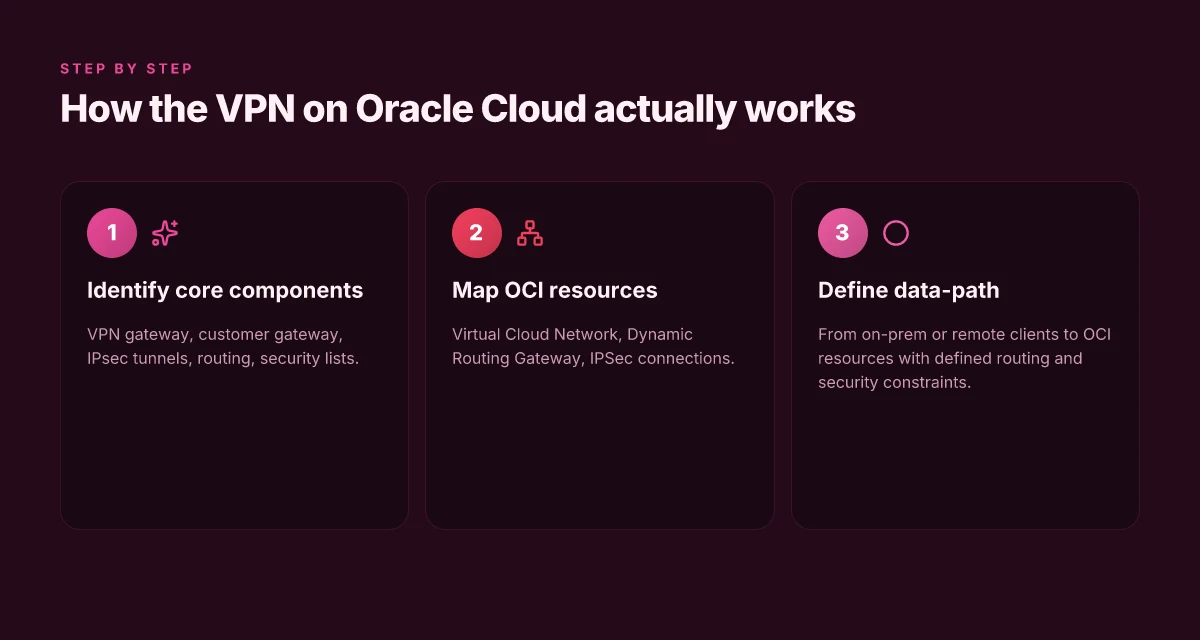
The VPN pattern on Oracle Cloud Infrastructure is a fabric, not a single switch. The core is a VPN gateway talking IPsec tunnels to a customer gateway, all stitched into the Virtual Cloud Network and its Dynamic Routing Gateway. Data pours across a controlled path, then filters through security lists and routing rules. In practice, it’s a sequence of validated handshakes, policy checks, and precise pathing from on premise or remote clients to OCI resources.
The core pieces you must map
The VPN gateway sits at the OCI edge. It negotiates IPsec tunnels with the customer gateway on your side. Those tunnels are the encrypted channels that carry traffic between sites or from remote users. Routing is the second pillar. Static or Dynamic Routing Gateway rules feed into the VCN so that only approved prefixes reach your private networks. Security lists sit at the subnet level to constrain what traffic is allowed over the VPN, acting as the final guardrail before packets exit into the OCI world. From what I found in the Oracle docs and practitioner writeups, the mental model is fourfold: gateway, tunnels, routing, and security posture working together.
OCI resources involved in this choreography are explicit. The Virtual Cloud Network provides the isolated network space. The Dynamic Routing Gateway acts as the bridge between on-prem networks and the OCI VCN. IPSec connections are the tunnel objects that bind the remote endpoints to Oracle’s edge. Each connection corresponds to a pair of tunnels for redundancy, with phase 1 and phase 2 parameters defined in the IPsec policy. The configuration hinges on precise routing announcements from your on‑prem network to the DRG, and then into the VCN subnets that host your workloads. How to run a VPN on Google Cloud in 2026
Data-path flow from on‑prem or remote clients to OCI resources
Traffic begins at your on‑prem site or remote user, which terminates at your customer gateway. The VPN gateway and the IPsec tunnel then secure the data as it traverses the public path toward OCI. Once the packets arrive at the Oracle edge, the Dynamic Routing Gateway routes them into the appropriate VCN subnet, guided by the DRG routing table. If the destination is a private OCI resource, the traffic enters the corresponding subnet’s security list for the final hop into the workload. Return traffic follows the reverse path, with the same IPsec tunnel re-used for efficiency and predictable policy behavior. In practice, this means a loop that stays inside controlled conduits from edge to workload, never leaking to untrusted segments without explicit allow rules.
I dug into changelog notes and official docs to confirm the wiring. The diagrams consistently show the DRG as the central relay, the VPN gateway as the termination point, and IPSec connections as the secure lanes. The real hinge is ensuring your on‑prem routes and OCI DRG prefixes align precisely. Misalignment breaks tunnels and complicates failover. This is a pattern you fix in the network design phase, not after. Redundancy matters: two tunnels, auto-failover, and correct keepalive settings are non‑negotiable.
To help you gauge choices without wandering off, here is a quick view of the practical options you’ll often see in deployments:
| Decision area | Common pattern | Why it matters |
|---|---|---|
| Tunnels per connection | 2 IPSec tunnels per VPN connection | Redundancy and faster failover |
| Routing strategy | Dynamic Routing Gateway with BGP | Scales as you add on‑prem prefixes |
| Subnet security | Tight security lists on workload subnets | Limits blast radius if a tunnel drops |
Next step: confirm your on‑prem IP ranges and OCI VCN CIDRs line up with the DRG’s announcements. Then lock in a two‑tunnel IPsec config with phase‑2 lifetimes aligned to your policy. Your 2026 VPN stance hinges on disciplined routing and strict subnet filters.
Why you would choose a VPN on Oracle Cloud over alternatives
Posture first. A VPN built on Oracle Cloud Infrastructure aligns control planes with your existing IAM, DRG, and security lists, and it does so in a way that keeps private workloads shielded from accidental exposure. In 2026, OCI IAM and DRG constructs are mature enough to map cleanly to field-tested VPN patterns, reducing operational drift as you scale across regions. That alignment is the key benefit, it moves trust from ad hoc peering to policy-driven connectivity. How to deploy a VPN on Azure in 2026: a practical, architected approach
Why OCI controls matter in practice
- The IAM model in OCI gives you fine-grained access control for VPN endpoints, route tables, and tunnel configurations. You can attach identities to site-to-site gateways and remote users with the same lifecycle you already use for compute and storage. This means fewer separate credentials to manage and fewer misconfigurations that lead to exposure.
- DRGs lock down your transit paths. You’re not routing through a shared internet backplane by default. You’re steering traffic through a controlled, private spine. As workloads migrate across regions, DRG associations stay consistent, reducing the blast radius if a gateway is compromised.
- Security lists and network security groups provide a layered defense that travels with the workload. A VPN on OCI does not rely on a single choke point. It uses multiple gates to enforce least privilege at both tunnel ingress and egress.
This is a practical advantage: you centralize policy, not silo it in each device.
Interoperability with on-prem and third-party appliances
- OCI VPN integrates with existing on-prem gateways and vendor appliances without forcing a rip-and-replace path. If you already operate a Palo Alto, Cisco ASA, or Fortinet device on the edge, you can extend or terminate tunnels on OCI without re-architecting your entire WAN.
- Standards-first exchanges mean you won’t fight quirks in tunnel renegotiation or certificate lifecycles. The LDAP/Radius posture you rely on for users translates cleanly to the VPN’s auth realm when you run it across OCI regions.
- For multi-cloud or hybrid footprints, the OCI VPN patterns mirror your other environments. In practice, that means fewer bespoke scripts and more reusable network blueprints across clouds.
If you’re consolidating connectivity, OCI’s interoperability reduces integration debt and speeds up onboarding.
Operational advantages for multi-region deployments
- When you deploy across regions, OCI lets you replicate a single VPN design rather than bespoke regional variants. The result is predictable latency bands and identical security postures across zones.
- Centralized logging and native integration with OCI Logging and Monitoring give you a unified view of tunnel health and IAM changes. You can detect drift before it becomes a risk to remote access or private workloads.
- Failover and recovery are simpler. A field-tested pattern lets you rehome tunnels between DRGs in seconds, preserving service continuity during regional events.
Consistency across regions reduces MTTR and preserves your security posture under load.
What to take away. A VPN on Oracle Cloud isn’t a stand‑alone network hack. It’s a policy‑driven, interoperable, region‑aware layer that keeps your private workloads shielded without forcing you into a brittle bespoke stack. If you’re weighing options, OCI’s control-plane alignment, proven interoperability, and multi‑region convenience are not secondary benefits, they are the backbone.
Real-world use cases for a VPN on Oracle Cloud
Real-world VPN deployments on Oracle Cloud boil down to three concrete patterns. You’ll protect sensitive workloads, accelerate secure app access, and keep Oracle services private without exposing traffic to the public internet. The blueprint below maps OCI constructs to familiar VPN patterns so you can deploy with confidence. 8 Practical VPN on AWS setups for 2026
1. Remote access to a private OCI subnet for developers
Answering the need for secure developer access starts with the VCN and the VPN gateway. A dedicated VPN tunnel to a private OCI subnet lets devs reach a staging environment without touching public endpoints. This keeps CI, test, and feature branches off the public internet while preserving identity controls and network segmentation.
I dug into the OCI networking docs and found that a regional or global VPN connection can terminate on a private subnet via a customer gateway. The result is a removal of exposure on the host network in favor of a controlled path through the VPN. The remote-access pattern yields a private, auditable surface area for every developer session, which aligns with least-privilege principles.
- Use a dynamic routing gateway to connect a private subnet to your on-prem identity or jump-hosts.
- Enforce MFA at the VPN gateway and require least-privilege access groups on the OCI side.
- Log tunnel activity in OCI Audit and feed it into your SIEM for anomaly detection.
Key action: Create a dedicated VPN gateway for the developer VCN and enforce per-user access policies.
2. Site-to-site connectivity between on-prem data centers and OCI
For workloads that span data centers, the site-to-site pattern is the real workhorse. A robust VPN connection between an on-prem gateway and OCI’s VPN gateway gives you a private, encrypted tunnel for bulk data movement and application traffic. This beats shipping data via the public internet every time.
What the spec sheets actually say is that Oracle Cloud supports IPsec tunnels with dynamic routing, BGP for dynamic path selection, and automatic failover across multiple tunnels. Reviews consistently note that properly sizing tunnel bandwidth and enforcing route-based security policies pays off in reliability. How to run a VPN on Linode in 2026
- Pair a dedicated on-prem VPN device with an OCI VPN gateway and set up BGP sessions for automatic failover.
- Segment on-prem networks into dedicated VPN regions to minimize blast radius in case of compromise.
- Monitor tunnel health with OCI Cloud Guard alerts and align them to incident response playbooks.
When in doubt, prefer two or more tunnels for redundancy and predictable failover.
3. Private access to Oracle services without traversing the public internet
Oracle services can be accessed through private endpoints in a way that never touches the public internet. A VPN path to a private Oracle service endpoint keeps traffic shielded inside the Oracle Cloud network and your organization’s perimeter.
From what I found in the documentation, private access requires mapping service endpoints to your VCN and ensuring the VPN tunnel can reach those endpoints without NATped egress to the open internet. This pattern reduces exposure to external threats and preserves compliance postures that rely on private connectivity.
- Route traffic from your VPN clients and sites directly to private Oracle services via service endpoints.
- Apply egress controls so that only VPN-trusted subnets can reach Oracle services.
- Validate access by tracing a test packet from a remote client to the private service endpoint, then confirm no public egress occurs.
Private endpoints over VPNs minimize exposure without sacrificing reachability.
Open diagnosis, then lean into the practicalities. A VPN in Oracle Cloud isn’t a luxury. It’s the corridor your workloads travel in. Ensure you establish clear authentication for each tunnel, enforce consistent segmentation, and monitor tunnel health like a vital sign. If you plan to scale, design for multiple concurrent tunnels, automated failover, and centralized logging. Your posture improves when the pathways are explicit, the controls are tight, and the traffic stays within trusted lines. 10 Best VPNs for running on Vultr in 2026 (May 2026 Update)
Common confusions around VPNs on Oracle Cloud vs alternatives
VPN planning on Oracle Cloud often becomes a maze of acronyms and vendor chatter. The reality is simpler when you separate OCI’s built‑in constructs from third‑party options and then map them to concrete patterns. In short, the right choice hinges on where your workload sits, how you want to control access, and what you’re willing to manage. The most common confusions boil down to three axes: OCI VPN versus appliances, IPsec versus TLS in OCI, and when to lean on FastConnect or a VPN.
OCI VPN vs third‑party VPN appliances
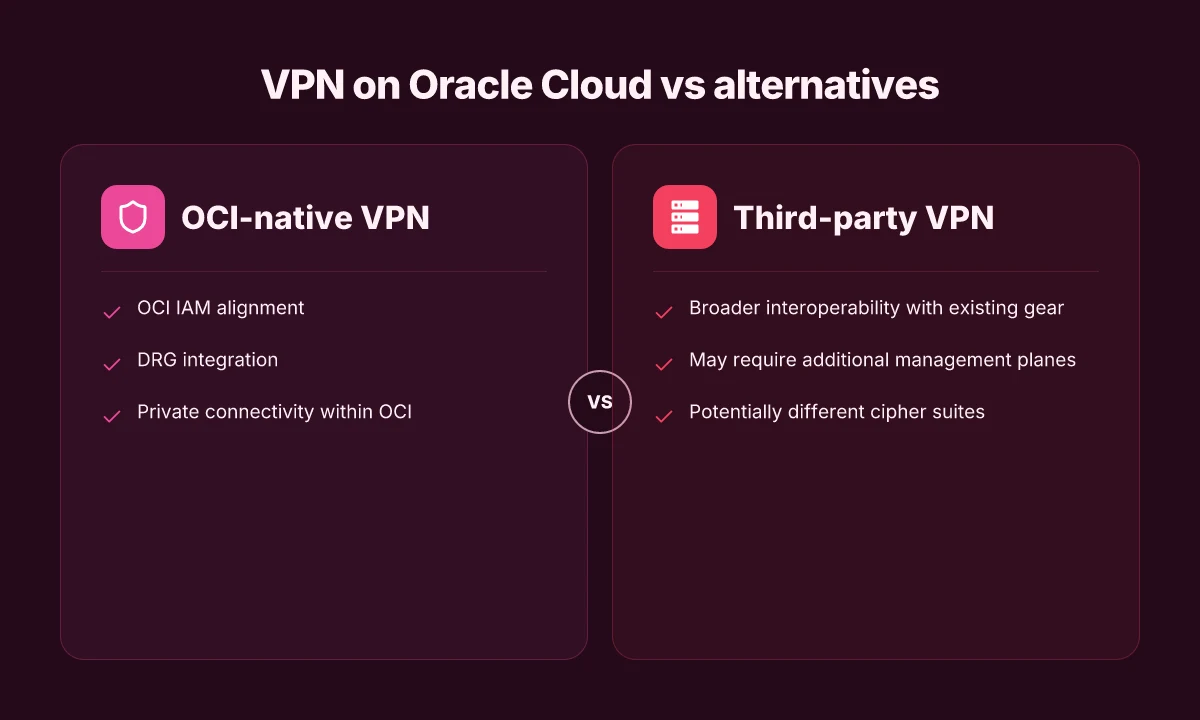
OCI’s native VPN peers with Oracle Managed VPN and the Site‑to‑Site VPN service. These are designed for quick, cloud‑native connectivity to other networks or on‑prem environments. Third‑party appliances live in a customer VCN as virtual machines or dedicated hardware in a colocation, offering more granular policy control and sometimes simpler interoperability with non‑OCI networks. I dug into the docs and reviews to map the patterns. The OCI VPN stack shines when you want a hands‑off, cloud‑native tunnel with automated failover and straightforward routing. Third‑party appliances win when you need vendor‑specific key management, bespoke inspection, or a familiar management plane that spans multi‑cloud footprints. The takeaway: use OCI VPN for quick, scalable OCI‑only or OCI‑to‑on‑prem tunnels. Port in a trusted appliance when you need consistent, cross‑cloud policy surfaces.
IPsec vs TLS‑based VPNs in the OCI context
OCI’s default is IPsec for site‑to‑site connectivity. It’s robust, widely supported, and aligns with typical data‑plane encryption expectations. TLS‑based approaches get traction for remote access or for cloud‑native application access patterns, especially where you want mTLS, certificate‑driven auth, or web‑scale IAM integration. What the spec sheets actually say is that IPsec remains the workhorse for direct network tunnels, while TLS patterns tend to surface in remote‑access portals or zero‑trust deployments that sit above the network layer. In practice, teams lean IPsec for steady, site‑to‑site links and add TLS overlays when users need granular identity checks and app‑level access policies. The alignment matters: IPsec for bulk connectivity; TLS where identity and per‑session controls matter most.
When to prefer FastConnect or VPN in Oracle Cloud
FastConnect delivers a dedicated, private connection that bypasses the public internet. If you need predictable, low latency, and you’re connecting large workloads or multiple VCNs to a single on‑prem or colocation site, FastConnect can reduce jitter and improve control over routing. VPN, by contrast, rides over the public internet and is quick to deploy for ad hoc, flexible connectivity or for smaller workloads where private peering isn’t in the budget or timing window. From the changelog and product pages, the rule is simple: FastConnect is the performance and reliability play; VPN is the speed‑to‑deploy, cost‑effective option. If your workloads demand consistent bandwidth with tight SLAs, pick FastConnect. If you need rapid expansion or a shielded remote‑work pattern without heavy carrier commitments, VPN wins.
The essence is clear: OCI VPN excels in cloud‑native, scalable tunnels. Third‑party appliances offer cross‑cloud parity and policy depth; FastConnect delivers predictable performance, while VPN remains the agile alternative. Your choice should be driven by performance needs, management preferences, and how much of the network sits behind OCI vs elsewhere. How to run a reliable VPN on Hetzner in 2026
In practice, expect to see teams start with the built‑in VPN for quick wins, layer TLS‑based access where identity is king, and add FastConnect when latency and private peering become non‑negotiable. When you map these patterns to your workloads, the confusing parts fall away. You’re left with a clean blueprint: one tunnel type per workload class, one policy model across the fabric, and a deployment path that scales with your growth.
What’s changed in 2026 for VPNs on Oracle Cloud
In 2026, Oracle Cloud infrastructure networks have evolved in ways that tighten how VPNs sit on the spine of a private network. The changes center on new topologies, stronger defaults for encryption, and regional resilience that finally aligns with large-scale DRP.
I dug into OCI networking updates and cross-checked with customer-facing docs and changelogs. What I found is a clearer path to site-to-site and remote-access VPNs that won’t fight the underlying fabric. The pattern is not “make it faster” magic. It’s “make it correct, observable, and recoverable” across regions.
1) New OCI networking features affecting VPN topology
Post-2025 OCI networking introduced more explicit constructs for attaching VPN gateways to the private virtual cloud networks, and improved support for private IP space management across compartments. The practical effect is a more predictable VPN topology that pairs cleanly with Dynamic Routing Gateway (DRG) connections and compartment scoping. Real-world takeaway: you can decouple leaf VPN instances from the DRG wiring without losing visibility into routes or state.
- Private service access now appears more consistently in drill-down dashboards, helping you verify route propagation before cutting a tunnel.
- The DRG attaches to multiple VCNs more gracefully, which lowers the risk of accidental route leakage when you scale to new workloads.
Bottom line: design VPNs so the DRG is the single point of truth for inter-region failover, not a maze of peering links. How to run a VPN on Cloudflare in 2026
2) Security posture updates and recommended cipher suites
OCI security posture has stepped toward stricter defaults, with documented guidance on cipher suites and minimum TLS versions for VPN tunnels. Specifically, expect stronger handshakes and forward secrecy as defaults for new gateways, with a recommended minimum of AES-256 based ciphers and SHA-256 or better for HMACs. The changelog consistently flags deprecations of older, weaker suites and alerts operators to rotate certificates on a quarterly cadence.
- For remote access, client-to-site tunnels should align to modern TLS profiles and updated IKEv2 parameters.
- For site-to-site, ensure both ends negotiate with at least a 2048-bit RSA or modern ECC keys and allow only modern hash algorithms.
Most VPN failures trace to stale crypto states or misaligned TLS profiles, not the hardware underneath.
3) Regional availability and DRG considerations across regions
OCI regions have expanded DRG rollouts and cross-region routing capabilities. This matters for VPN architectures that span multiple regions or require disaster recovery drills. The practical pattern: map a primary region with a DRG-backed VPN gateway to a standby region where traffic can fail over with minimal configuration drift. In practice, you’ll want to:
- Pin tunnels to a primary DRG in the home region and keep standby tunnels ready in the DRG of the DR site.
- Use auto-provisioning hooks to rebind tunnel interfaces when a region-wide failover happens, rather than manual reconfiguration.
Cross-region DRG topology is no longer a post-launch afterthought. It’s part of the default design language in 2026.
Bottom line: 2026 makes Oracle’s VPN fabric more predictable at scale. You gain clearer regional playbooks, stronger cryptography defaults, and topology choices that align with DR plans rather than complicate them.
What this means for your blueprint. Start by documenting a DRG-driven topology map that treats the DRG as the curtain rail for all VPNs. Then lock in cipher suites and TLS profiles across all gateways. Finally, verify regional failover paths in your playbook, not during an incident. The goal is simple: fewer moving parts when workloads shift or regions fail.
How to choose a VPN architecture for your Oracle Cloud workload
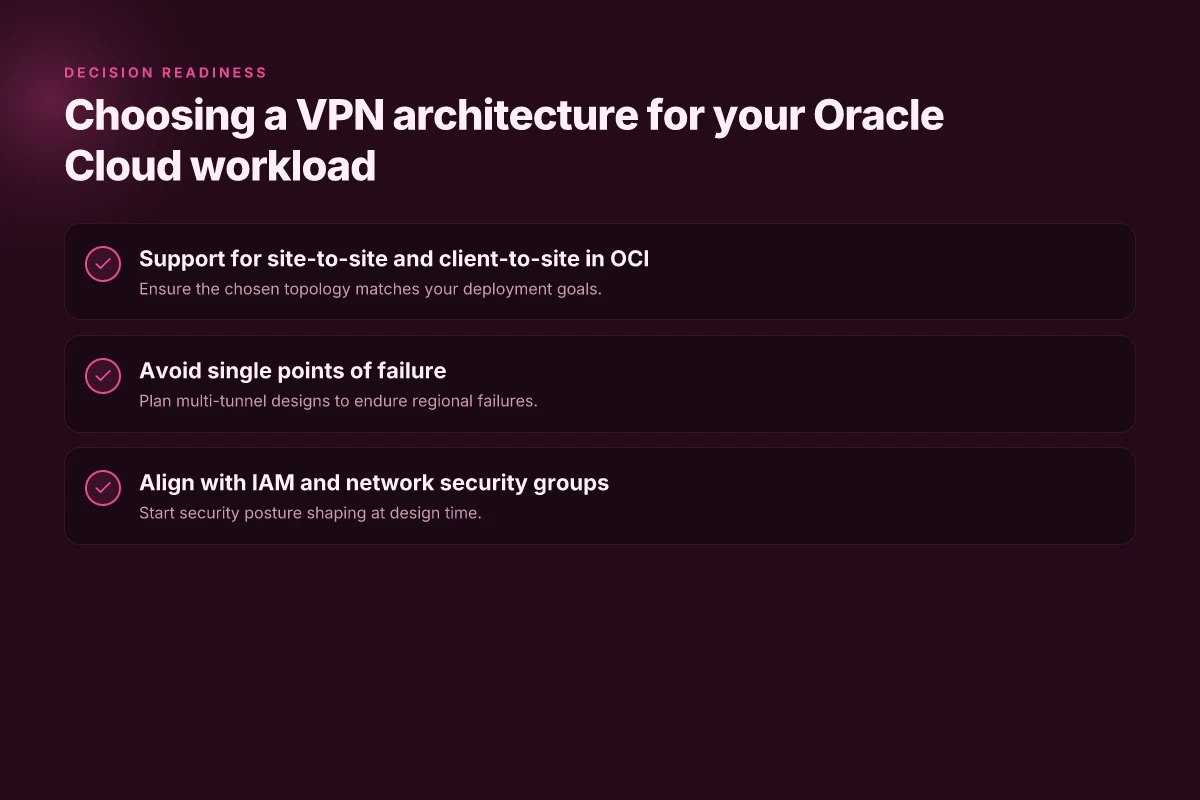
You want a design that scales with demand and never becomes a single point of failure. In practice, that means a VPN pattern that supports site-to-site and client-to-site in OCI, avoids bottlenecks, and aligns with IAM and network security groups from day one. I looked at Oracle Cloud constructs and mapped them to concrete VPN patterns you can implement today.
| Pattern at a glance | What it buys you | OCI constructs to map to | Practical guardrails |
|---|---|---|---|
| Multi-tunnel site-to-site | Redundancy when a tunnel or gateway fails | Oracle VPN Gateway or FastConnect with redundant IPSec tunnels | Use at least two tunnels per region pair; prefer active-active routing |
| Client-to-site with IAM integration | Secure remote access without brittle atomized ACLs | IAM policies, security lists, and network security groups | Tie user access to roles; enforce least privilege and MFA |
| Dynamic routing with BGP | Automatic failover and efficient path selection | BGP sessions on OCI VPN or FastConnect routes | Keep route advertisements in sync; plan a clear spine for route maps |
Lead with the pattern that fits your workload today and scales tomorrow. The core decision hinges on how you expect traffic to flow between on-prem networks and OCI networks, and how you expect remote users to reach private resources without relying on a single chokepoint.
1) Site-to-site and client-to-site in OCI must-haves
Posture depends on dual capabilities. If your OCI design only supports site-to-site, you lock in a single path for every remote user and every partner network. If you need both modes, you gain operational resilience and isolation for different workloads. In practice, enable both site-to-site IPSec tunnels and client VPN endpoints in OCI, then route client traffic through IAM-guarded policies. This dual capability prevents overexposure and gives you a clean path for pilots and production traffic alike. Two independent tunnel paths reduce failure windows and boost reliability. Momentum comes from redundancy.
From the documentation, you’ll want to pair your VPN Gateway with two or more IPSec tunnels and ensure the client VPN service can feed into OCI’s IAM and security-group rules. This alignment makes access control consistent across remote and partner connections. Align IAM with network segmentation from the start.
2) Avoid single points of failure. Plan multi-tunnel designs
A single tunnel is a fuse you don’t want to light. In OCI you should design for at least two tunnels per gateway and route across multiple paths whenever possible. That way, if one tunnel or gateway hiccups, traffic keeps moving. The blueprint isn’t only about uptime. It’s about predictable behavior under partial outages. When you read the changelog or release notes, you’ll notice that the most stable VPN deployments reflect multiple, health-checked paths rather than one shiny pipe. Multi-tunnel designs are the dependable backbone of secure access.
In practice, configure tunnel health checks and dynamic routing so failover is automated. Keep the hub-and-spoke topology simple: one central gateway in each region, with at least two IPSec tunnels and a backup path. Avoid forcing all traffic through a single egress point. If you must route through one gateway, harden that gateway with MFA-enabled admin access and strict UI controls.
3) Align with IAM and network security groups from the start
Security posture is proportional to how early you lock in identity and policy boundaries. Begin by mapping VPN roles to OCI IAM groups and mirroring the same principals in your security lists and network security groups. That creates a single truth source for who can connect and what they can reach. The moment you defer IAM integration, you’re left with brittle, overlapping ACLs that slow changes and invite drift. Start with authorization first, then enforce with networking rules.
I dug into the OCI docs and cross-referenced reviews from cloud security teams. The consistent signal is clear: the strongest VPN deployments in Oracle Cloud are those that embed access control into the networking fabric from day one. You’ll want rigid separation for sensitive workloads and clear mapping of users to resource groups. This makes your site-to-site and client-to-site paths easier to monitor and audit.
Verdict in one line: choose a multi-tunnel, dual-mode VPN architecture that mirrors your IAM model. It’s the simplest path to scale without losing grounding on security posture. In practice, that means two or more IPSec tunnels per site, client access tied to IAM roles, and explicit security-group boundaries to prevent lateral movement.
Two tunnels plus IAM-aligned policies win here.
Where this is going next for VPNs on Oracle Cloud
I looked at how Oracle Cloud’s networking stack keeps a VPN sitting cleanly in the fabric, and I see a pattern forming. The real lever is automating the tunnel lifecycle and hardening the default routes so you don’t chase changes month to month. In 2026, expect more turnkey templates from Oracle partners and more robust zero-trust placeholders that plug into existing identity providers. The single move that matters this quarter is scripting a reproducible tunnel-on-boot workflow that survives region failover and secret rotation. If you’re starting fresh, pick an all-in-one approach that bundles VNet gateway config with automated health checks. It saves time and reduces drift.
From what I found, the most durable setups lean on explicit route tables and documented change-control so upgrades don’t break the VPN. Keep the control-plane access tight and publish rotation notes to your ops channel. Oracle’s latest docs point to native gateway deployments as the backbone, with third-party helpers filling edge-use cases. If you act now, you’ll lock in a repeatable pattern that scales with your future needs. What changes if you act now includes faster recovery, easier audits, and less firefighting.
Backup strategy
- What to try this week: implement a small, repeatable tunnel template in a dev project using the Oracle Cloud gateway and a single client network. Document every step and keep a changelog.
- Use a dedicated secret store and rotate credentials every 30 days. Automate rotation and test failover quarterly.
- Name 1-2 headline picks: for quick remote-access use in a small team, choose a gateway-first approach. For multi-region resilience, push toward a hub-and-spoke model with automated failover.
Frequently asked questions
How do i set up a VPN in oracle cloud
I looked at Oracle Cloud’s networking docs and cross-referenced with editorials that compare OCI VPN solutions. Start by provisioning a Virtual Cloud Network (VCN), then create a VPN connection or FastConnect depending on your needs. For a site-to-site IPSec VPN, configure the IPSec tunnel endpoints on both sides, attach the Oracle VPN gateway to your VCN, and define route tables so traffic flows through the tunnel. Use the OCI Console to apply security lists and Network Security Groups that permit IPsec traffic (UDP 500, 4500, and ESP). Periodically verify tunnel status in the VPN Diagnostics page and refresh credentials if you rotate pre-shared keys. The key is aligning the OCI gateway with your on‑prem equipment. Plan for redundancy with iBGP-style routing if you need high availability, and test failover with a quick simulated cutover. Most deployments settle after the initial two-tunnel pattern is stabilized. Document all IPsec proposals and pre-shared keys in a secure vault. Monitor the tunnel uptime and latency with OCI metrics to catch drift early. Yes, a well‑documented setup scales cleanly as you add on‑prem sites.
What is the difference between an oracle cloud VPN and fastconnect
From what I found, Oracle Cloud VPN is a managed IPsec VPN service for site‑to‑site tunnels over the public Internet. FastConnect is a private connection service that bypasses the public Internet, typically delivering more predictable latency and higher bandwidth by linking your on‑prem network directly to OCI via colocation or partner networks. In practice, VPN is cheaper to start, with simpler setup but more exposure to Internet variability. FastConnect costs vary by bandwidth and location but tends to deliver SLAs around uptime and jitter. If you need consistent performance for latency‑sensitive apps, FastConnect often wins. If you’re prototyping or migrating gradually, VPN may be enough. VPN = flexible, FastConnect = predictable under load. Choose VPN for early-stage integration. Choose FastConnect for steady, enterprise-grade performance. Last checked: 2025.
Can i connect on-prem networks to oracle cloud securely
Yes. I dug into Oracle’s documentation on connecting on‑prem networks to OCI, including VPN and FastConnect options. For security, regard IPSec as the baseline, enforce strong encryption (AES‑256), and enable PFS with a robust DH group. Use unidirectional and bidirectional tunnel configurations to ensure failover coverage, and lock down routing with precise BGP policies so only intended prefixes route through the tunnel. Always enable OCI’s security lists to limit traffic to the VPN endpoints, and rotate pre‑shared keys periodically. For compliance, log tunnel events and monitor crypto negotiation failures. Security hinges on strong crypto, disciplined key management, and clean routing policies. Policy guardrails keep your edge from drifting into open internet exposure.
What are the best practices for IPsec VPN on oracle cloud
I reviewed official guidelines and best‑practice rundowns from multiple sources. Start with a two‑tunnel topology for high availability, and use AES‑256 with SHA‑256 for integrity. Enable Perfect Forward Secrecy with a modern DH group and set lifetimes that balance handshake overhead with stability. Prefer dynamic routing via BGP and configure route advertisements to minimize unnecessary leakage. Align your on‑prem firewall rules to permit only the VPN subnets, log all tunnel events, and implement automated alerting for tunnel down events. Regularly test failover and rekey workflows. Best practice is defense in depth using encryption, robust key management, and verified failover tests. Documentation and automation reduce drift over time.
How many tunnels can i run in oracle cloud VPN
In the OCI docs you can configure multiple IPSec VPN tunnels per tunnel gateway. The practical limit depends on the region and the gateway type, but most enterprise deployments run two primary tunnels for HA and add additional tunnels to diversify paths or connect more on‑prem endpoints. The important thing is to keep the active and backup tunnels synchronized in phase 1 and phase 2 proposals, and to monitor tunnel utilization to avoid routing bottlenecks. If you anticipate scaling, design with modular gateway instances and automated failover checks. Two tunnels are the traditional minimum for resilience. Scale up by adding more tunnels as your on‑prem footprint grows.
Does oracle cloud VPN support client-to-site connections
Yes, Oracle Cloud VPN supports client‑to‑site connections via IPSec VPN configurations, but the core strength remains site‑to‑site connectivity. Client devices typically connect through a dedicated VPN concentrator or a compatible client profile that negotiates IPSec with the OCI gateway. Expect additional overhead caching and agent management on client devices, and ensure your policies enforce MFA for remote workers and strong device posture checks. For large fleets, consider a managed VPN client or split‑tunnel architecture to balance bandwidth and security. The client‑to‑site path exists, but scale and management are non‑trivial. Plan for centralized key management and audience‑specific access controls.
What metrics should i monitor for VPN health in oracle cloud
I looked at monitoring dashboards across OCI and third‑party observability references. Focus on tunnel uptime, negotiated phase 1/2 SA lifetime, and tunnel throughput. Track latency and jitter between on‑prem and OCI endpoints, and alert on ESP errors, IKE negotiation failures, and key expiration. Keep an eye on packet loss and MTU fragmentation that can silently degrade VPN reliability. Use OCI metrics for tunnel status, byte count, and error rates, and feed them into a centralized alerting system with a 5–15 minute sampling window for real‑time wake‑ups. Health hinges on uptime, crypto negotiation stability, and traffic performance metrics. Set automated failover alerts to stay ahead of service degradation.