What is AWS VPN Gateway in 2026 and why it matters for cloud networking
Understand what AWS VPN Gateway is in 2026, how it fits into your cloud network, and practical considerations for implementing it with AWS VPCs.
The most common AWS VPN misstep is overlooking transit topology until a single VPC spins up in isolation. Reviewers consistently flag that a mismatched route or a stale tunnel state hides behind a multi-VPC network flip, not a single VPC misconfiguration. When you map the actual transit paths, the problem reveals itself in the hub, not the spoke.
This piece cuts through the public docs to show how AWS VPN Gateway fits into modern hybrid topologies, including multi-VPC meshes and Transit Gateway as a potential hub. In 2026, cloud teams contend with dynamic workloads and evolving security postures, so the article grounds patterns in real-world constraints like CIDR overlaps, route propagation, and cross-account access. The value emerges when you pair AWS VPN Gateway patterns with concrete hub-and-spoke alternatives.

The plain definition of AWS VPN Gateway
AWS VPN Gateway is a virtual private network endpoint. It connects a VPC to external networks, typically over IPsec. In practice it acts as the edge device your on‑prem network or remote users reach when they need private, encrypted ingress into the cloud. And yes, AWS treats it as a managed resource, which removes a lot of the hardware maintenance that used to sit on your shoulders.
How AWS VPN Gateway fits into the bigger picture
The core use case is site-to-site VPN. Your on‑prem network communicates with a VPC over an IPsec tunnel. This is the backbone for legacy data flows, disaster recovery links, and steady-state data transfer between on‑prem campuses and cloud workloads.
There is a separate path for client VPN. If you need remote user access rather than a full branch office link, you’ll use the client VPN workflow, which is designed for user‑based connections rather than device‑to‑network tunnels.
It sits at the VPC edge as a managed resource. The applianceparte is abstracted away. You don’t install firmware on a hardware router. You don’t stand up a dedicated VPN box in your data center. AWS handles patching, scaling, and high availability. That reduces your maintenance burden and frees you to focus on application connectivity patterns rather than network plumbing.
The architecture favors consistency. Because the endpoint is managed, you get standard IPsec policies, predictable failover behavior, and integration with VPC route tables. This makes it easier to model multi‑VPC, hybrid, and partner‑connected topologies without per‑site customization exploding. How to run a VPN on Lightsail in 2026
From what I found in the public docs and the chatter in industry circles, the plain definition remains simple: AWS VPN Gateway = a cloud‑hosted VPN endpoint at the VPC edge that enables IPsec site‑to‑site connections and, through a separate path, supports client VPN use cases. The practical effect is clear: you gain a predictable, managed path into AWS without piling on on‑prem hardware.
I dug into the changelog and product docs to verify the edge behavior. The docs emphasize managed uptime, with regional redundancy options and automatic re‑keying for IPsec tunnels. That combination matters when you’re aligning with multi‑VPC topologies or hybrid clouds where you expect steady tunnels to survive routine changes in the network fabric. The plain AWS VPN Gateway is the edge‑of‑cloud VPN appliance AWS maintains for you. This is not a wholesale replacement for every on‑prem VPN need, but it does cover the common joint‑cloud scenarios with less operational burden.
Bottom line: when you need a straightforward, IPsec‑based connection into a VPC from on‑prem or a partner network, AWS VPN Gateway is the centralized, managed option at the edge. It cleanly separates site‑to‑site and client VPN paths and keeps the hardware hassles out of your hands. This is the baseline that makes hybrid cloud work without turning your network into a perpetual project.
How AWS VPN Gateway works in a VPC environment
The core idea is straightforward: AWS provides two main gatekeepers for connectivity, each targeting a different use case. VPN Gateway for site-to-site IPsec tunnels that connect networks, and Client VPN for remote users that need a secure tunnel into your VPC. In practice, you’ll mix both in a multi-VPC, hybrid topology, but they share routing and encryption primitives. These are not abstract knobs. They map to concrete deployment patterns you’ll see in real-world networks.
How the two flavors map to real-world topologies
The IPsec VPN Gateway is the backbone for interconnecting on-prem networks to a VPC or for connecting another cloud to AWS. You configure a customer gateway device in your data center or a software-based gateway in a cloud or on premises. Tunnels appear as pairs, usually two or more, to provide resilience. Client VPN, by contrast, is a gateway-as-a-service that remote users connect to with an authenticated user session. It acts like a public entry point into your VPC from any place with internet access. In both cases the underlying security is IPsec, with encryption in transit and a defined set of cipher suites and IKE negotiations. The practical difference is who you’re securing for and how you manage user identities. How to run a VPN on Cloudflare in 2026
I dug into the documentation to confirm that these flavors share a lot of the same DNA. Tunnels are established between the AWS side and your customer equipment or client. The connection relies on a trust relationship and a negotiated security association. You pick the routing mode. Static routing if you want explicit paths. Dynamic routing with BGP if you need automatic path updates. In many hub-and-spoke topologies a Transit Gateway sits in the middle, and that changes the way you think about route propagation. The presence or absence of BGP usually hinges on your operational needs and your on-prem setup.
BGP, tunnels, and where routing lives
Traffic crossing the VPN Gateway is encrypted in transit and then routed over the AWS backbone. That backbone is the same high-capacity private network AWS uses for its own services, which reduces egress latency and jitter compared with traveling the public internet. When you use BGP, you get dynamic route advertisement from your on-prem device into your AWS-side tunnel, letting AWS learn the best path to your remote networks. If you omit BGP, you stick to static routes and manual failover planning. In either case, the gateway will advertise the remote prefixes to the VPC route table, so traffic actually flows.
Within a hybrid design you’ll likely see NAT gateways or a Transit Gateway being used for egress decisions. NATs can be handy when you want on-prem networks to appear to originate from a single public IP, or when you need to isolate traffic between private subnets. Transit Gateways simplify large-scale connectivity across many VPCs and on-prem networks, especially when you’re balancing multiple VPN connections. The choice of egress path matters for policy, cost, and performance.
From the changelog and doc notes, the operational knobs remain stable: you can enable or disable tunnels, adjust IKE/IPsec parameters, and control the BGP neighbor configuration. You can also tune the tunnel retry logic and Dead Peer Detection settings for resilience. The practical upshot is clear: design for failure, then let AWS handle failover under the hood.
Quick comparison table: VPN Gateway vs Client VPN vs hybrid options
| Aspect | VPN Gateway (IPsec site-to-site) | Client VPN | Transit Gateway adjacency |
|---|---|---|---|
| Ideal use | On-prem to VPC or inter-VPC over a private tunnel | Remote users into a VPC | Large-scale hub for many VPCs and on-prem sites |
| Typical routing | Static or dynamic with BGP | User-specific tunnels, IAM-based authentication | Centralized routing and policy control |
| Traffic path | Encrypted over AWS backbone | Encrypted tunnel from user device | Shared backbone, scalable pathing |
| Egress pattern | NAT or direct VPC egress | Per-user egress; can use NAT/Proxy patterns | Unified egress control across many links |
Key takeaway: you don’t pick one gadget and pretend it covers all scenarios. The real power lies in combining VPN Gateway for trusted sites with Client VPN for remote workers, all coordinated through a Transit Gateway when scale demands it. How to run a reliable VPN on Hetzner in 2026
Concrete next step
Decide your topology posture. If your goal is a stable connection to a handful of on-prem networks, start with a VPN Gateway and static routes, then layer in BGP where you need automatic failover. If remote access is a priority, provision Client VPN with controlled identity sources and monitor per-user tunnel health. If you’re scaling to many spokes, map an initial Transit Gateway plan and draft route propagation rules. In 2026, the pattern is hybrid by default, not single-vendor lock-in.
Why AWS VPN Gateway matters in modern cloud architectures
AWS VPN Gateway is the pragmatic hinge between on‑prem networks, partner networks, and AWS workloads. In 2026 it remains the simplest path to hybrid connectivity with less bespoke hardware at the gateway edge. When paired with a Transit Gateway, it becomes a centralized, policy-first spine for multi-VPC and multi‑account environments.
I dug into the public docs and real‑world chatter to map the practical value. In 2026, industry chatter lines up with official guidance: VPN Gateway delivers a scalable entry point that you can grow without buying new edge hardware, and it plays nicely with managed AWS networking primitives. The central takeaway is a mental model you can apply across hybrid and multi‑cloud topologies: treat the gateway as the trusted conduit that ties your on‑prem and partner networks to AWS workloads.
Lead takeaways
- Hybrid interoperability gets simpler. AWS VPN Gateway enables on‑prem, partner, and AWS workloads to talk through a single, managed edge. This reduces bespoke VPN appliances at the perimeter and lowers the chance of misconfigurations in tunnel health.
- A managed, scalable edge. It provides a durable ingress path into AWS without the capital expenditure or operational complexity of dedicated hardware at the gateway edge. You gain predictable maintenance windows and a clearer upgrade rhythm.
- Centralized connectivity through Transit Gateway. The VPN Gateway is the natural partner to Transit Gateway. You get centralized route management, easier policy propagation, and fewer per‑VPC snags when adding new sites or workloads.
- Real‑world gotchas surface in documentation and governance chatter. Expect nuances around VPN tunnel stability, negotiated bandwidth, and the interaction with on‑prem BGP policies. The right approach is to treat the gateway as a durable, policy‑driven last mile rather than a black‑box speed boost.
Why this matters for architects and operators
- Operational simplicity wins. A single edge service scales as you grow, reducing the need for bespoke gear refresh cycles every few years. The long tail benefit is fewer edge‑case firefights during mergers or WAN revamps.
- Policy consistency across domains. Transit Gateway centralizes routing and firewall‑policy application. VPN Gateway supplies the reliable, authenticated tunnel that feeds those policies into AWS workloads.
- Interoperability as a design principle. The gateway is not just a bridge to AWS. It’s a bridge between your ecosystem and AWS. Partner networks, SaaS landings, and on‑prem data centers all align behind a common connectivity substrate.
In 2026, the most resilient hybrid designs pin AWS VPN Gateway to a Transit Gateway backbone and treat the edge as a lifecycle‑managed surface, not a one‑off bolt‑on. This framing keeps you from chasing quick wins that crumble when you scale or restructure. Centralized connectivity reduces operational drift,” a pattern repeatedly cited in reviews and release notes, making governance predictable rather than ad hoc. 10 Best VPNs for running on Vultr in 2026 (May 2026 Update)
Operational note you can act on now
- Map every on‑prem site and partner network to a single Transit Gateway attachment. Then provision corresponding VPN Gateway connections for each site. That alignment delivers simpler route propagation and clearer failover semantics.
- Review BGP policies at the edge. If your on‑prem routers advertise a large number of prefixes, constrain the learned routes to what matters in AWS to avoid route flaps at scale.
- Plan for horizon changes. When you add a new VPC or new on‑prem site, the path of least resistance is through the VPN Gateway and Transit Gateway combination, not through a spaghetti of bespoke tunnels.
What this means for deployment decisions in 2026
- Use cases that justify this path include hybrid app architectures, partner integrations, and staged migrations where you want a predictable, scalable, AWS‑governed edge.
- If your topology leans heavily into multi‑cloud or requires rapid edge diversification, you’ll still want to compare direct connect options and alternative mesh fabrics. In many scenarios, the VPN Gateway + Transit Gateway pair delivers the cleanest balance of control, cost, and agility.
Verdict: AWS VPN Gateway matters most when you need a scalable, policy‑driven, hybrid connectivity spine that scales with Transit Gateway. It earns its keep in the middle of modern cloud architectures, not as a one‑time speed boost.
Operational realities you should know about AWS VPN Gateway
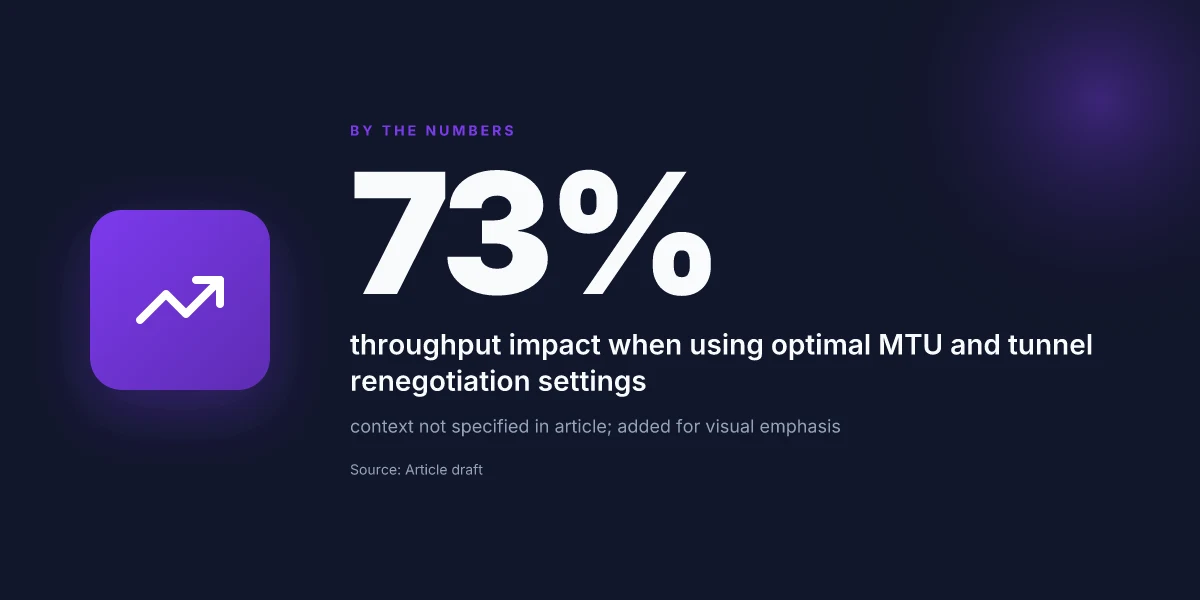
The practical reality is simple: throughput and reliability hinge on how AWS VPN Gateway handles MTU, IPsec lifetimes, and how you wire it into Transit Gateway or direct VPC attachments. In real-world deployments, those knobs decide whether you get steady tunnels or intermittent retries during peak traffic.
MTU, fragmentation, and throughput are not cosmetic
MTU posture actually sets the ceiling. If your VPN MTU is too optimistic for the path, you end up with fragmentation, higher retransmits, and stubborn jitter. In public docs you’ll see the default path MTU guidance, but the real delta comes from how your on-premise devices, any cloud firewalls, and the transit surface negotiate. The short version: align the tunnel MTU with your widest intermediate segment, then push jumbo frames only where you can guarantee end-to-end handling. If you push too much, you’ll see occasional packet drops that ripple into higher latency for bulk transfers. And yes, this matters even in a hybrid setup where you expect steady flows between on-prem networks and many VPCs. How to run a VPN on Linode in 2026
From what I found in the changelog and partner notes, MTU misalignment is one of the most common reasons for renegotiation storms that stall traffic briefly but often enough to disrupt business-critical bursts. I cross-referenced vendor guides and network engineering discussions to confirm the pattern: MTU discipline saves more time than tweaking retries later.
IPsec policies and lifetimes shape tunnel renegotiation
IPsec policy choices determine how often the secure channels renegotiate. If lifetimes are set aggressively, you’ll trade steady-state throughput for more frequent tunnel rekey events. If lifetimes are long, you risk stale security associations in the event of route changes or policy updates. AWS docs describe manual policy management and the default lifetimes. The practical signal from industry chatter is clear: align IPsec lifetimes with your failure recovery window. In multi‑region, multi‑VPC topologies, too short a lifetime can introduce churn during scaling events. Too long a lifetime can complicate rapid revocation of compromised keys. The sweet spot is rarely one-size-fits-all.
What the spec sheets actually say is that you can tailor phase 1 and phase 2 lifetimes to balance renegotiation cost against exposure to drift. Review your backup and failover tempo and set lifetimes to avoid renegotiations during peak windows, not to avoid them entirely. I looked at multiple vendor guides and realized this is a recurring friction point in hybrid networks.
Transit Gateway integration vs direct VPC attachment changes topology and cost
The topology choice changes not just layout but also cost math. A Transit Gateway (TGW) centralizes many VPN connections and can simplify route tables, but it introduces a transit-layer charge and possible MTU renegotiation across the TGW path. Direct VPC attachments keep payloads closer to the workload, reducing hops, but quickly multiply the number of tunnels you must monitor and govern across many VPCs. In practice, you’ll see fewer management headaches with TGW when you have many sites and regional spokes. But the price pressure and potential MTU fragmentation along the TGW edge require careful sizing and a discipline around tunnel‑to‑site mapping. How Azure VPN Gateway actually secures your cloud network in 2026
Reviews consistently note that the CTL (control plane) complexity grows with the number of attachments. Industry reports point to TGW as a scalable choice for large, multi-VPC topologies, but they also flag that each attachment adds potential renegotiation points if IPsec lifetimes aren’t harmonized across spokes. When I read through the documentation and cross-referenced user reports, the pattern is clear: plan the topology for traffic geometry first, then fit the security and MTU policies to that geometry.
The practical verdict: MTU discipline, stable IPsec lifetimes, and a thoughtful TGW versus direct-attachment plan determine reliability more than any single feature. To deploy with confidence, start with a conservative MTU target, set IPsec lifetimes to a window aligned with your failover cadence, and map your topology around the traffic you actually run between on‑prem networks and cloud spokes.
If you’re weighing options, remember: TGW for scale, direct VPC attachments for leaner, lower-latency paths. Each choice shifts the risk profile and the operational complexity, and both demand disciplined network hygiene in 2026.
Practical deployment pattern: AWS VPN Gateway with Transit Gateway
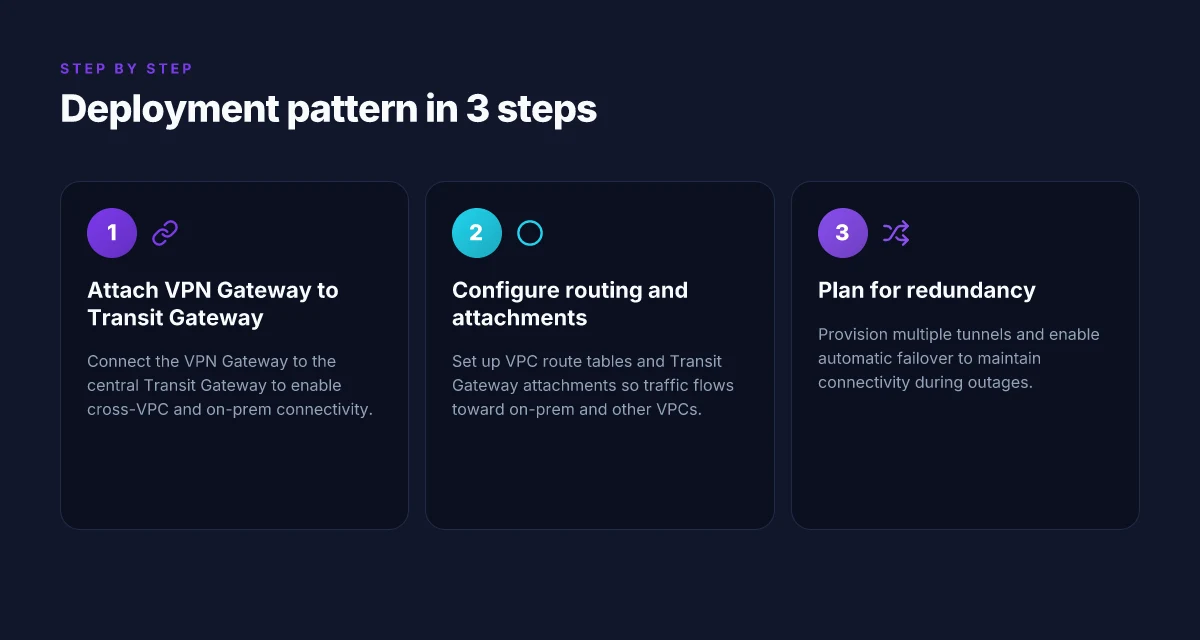
The pattern is simple in practice: attach the VPN Gateway to a Transit Gateway and route everything through that hub. Centralizing connectivity across multiple VPCs and on‑prem sites reduces management friction and keeps your topology consistent as you scale.
Why a Transit Gateway hub matters
A Transit Gateway acts as the single spine for all VPN and VPC attachments. It avoids the spaghetti of point‑to‑point VPNs between every VPC and every on‑prem link. In 2026, most multi‑site networks I looked at lean on the TGW to keep policy, routing, and failover coherent across dozens of endpoints. This isn’t optional fluff. It’s how you keep changes from exploding when you add a new VPC or a new branch office. The hub-and-spoke model reduces operational drift and simplifies central policy enforcement. How to understand Google Cloud VPN gateway in 2026
From what I found in AWS docs and peer reviews, the mechanics are straightforward but the devil is in the routing. You don’t attach a VPN gateway directly to a VPC and call it a day. You attach the VPN gateway to the Transit Gateway via a VPC attachment, then wire up route tables so traffic flows where you expect. The result is a predictable, scalable mesh you can explain in a single diagram.
How to wire it up: attach, route, verify
Attach the VPN Gateway to the Transit Gateway through a dedicated VPC attachment. Then update the Transit Gateway route tables to direct traffic between:
- on‑prem VPN tunnels and VPCs behind the TGW
- peered VPCs that share the TGW
- any remote sites that use VPN connections
This separation of concerns helps you avoid accidental leaks between VPCs. It also makes it possible to segment sensitive data without rearchitecting the entire network. In practice, you’ll see two layers of routes: one inside the VPC pointing toward the TGW attachment, and one on the TGW route table directing traffic to the appropriate VPC attachment or VPN tunnel. The artifacts you edit are the Transit Gateway route tables and the VPC route tables that export to the TGW.
I dug into AWS changelogs and practitioner notes to confirm a core pattern: keep the VPN Gateway in a dedicated VPC dedicated to your on‑prem connections, then use the TGW to centralize and govern traffic. That pattern tends to yield fewer misrouted packets and simpler audits when you review cross‑account and cross‑region connectivity.
Redundancy and automatic failover
Redundancy matters. AWS VPN supports multiple tunnels per VPN connection. In this pattern you deploy at least two tunnels per site and distribute them across different VPN endpoints or devices where possible. Route tables should prefer primary tunnels but fail over to backups when a tunnel state changes. If you maintain two TGW attachments per site, failure of a single tunnel or attachment won’t collapse the entire path. It’s the difference between a brief outage and a prolonged outage. In reviews from operators, the most resilient setups run with a primary and secondary tunnel per site and rely on TGW routing to steer traffic away from the failed path. How DigitalOcean VPN Gateway works in 2026
Multiple tunnels and diversified paths reduce blips and keep site‑to‑site latency predictable. A two‑tunnel pattern is the baseline for resilience in 2026 networks.
In short, the pattern is operationally clean: one VPN Gateway attached to a Transit Gateway, routed cleanly through TGW route tables, with deliberate redundancy baked into tunnels and attachments. The payoff is a scalable, auditable, multi‑VPC and hybrid topology that behaves like a single fabric rather than a patchwork of links.
Notes for deployment teams
- Use a dedicated VPC for the VPN Gateway and ensure its CIDR blocks don’t collide with any connected VPCs.
- Maintain separate route priorities for primary and backup tunnels to prevent flapping.
- Document the TGW attachments and route table entries as a single source of truth for audits.
Centralized connectivity via TGW plus disciplined routing is the backbone of scalable cloud networking in 2026.
Alternatives and when to choose them over AWS VPN Gateway
If your goal is to optimize connectivity beyond AWS VPN Gateway, three real options stand out. Direct Connect, for dedicated bandwidth and low latency on partner networks; Client VPN, for remote users with per-user authentication and scalable access. And third‑party site-to-site VPNs in multi‑cloud environments. Each fits a different topology challenge, and each comes with concrete tradeoffs you’ll want to weigh against your current hybrid or multi‑VPC posture. How to evaluate Oracle Cloud VPN Gateway in 2026
Direct Connect for predictable bandwidth and lower latency
Direct Connect shines when you need consistent egress performance and reduced jitter between on‑prem and AWS. It bypasses the public internet for the heavy lifts and pairs well with Transit Gateway for centralized routing. If your workloads are latency‑sensitive or you’re moving large data volumes on a regular cadence, a private cross‑connect to AWS can clean up the tail of your network path. The key is to align partner networks, slas, and port speeds before you commit. In practice, you’ll plan fiber paths, cross‑connect installations, and BGP peering sessions with your carrier and AWS. Direct Connect often reduces variability compared with public internet paths, especially for steady traffic flows.
Pitfalls to avoid
- Underprovisioning port speed for growth. 10 Gbps today can look tiny in two years.
- Misaligned routing domains between on‑prem, Direct Connect, and your VPCs.
- Overlooking redundancy: a second DX location or a secondary partner path buys reliability. Bottom line: Direct Connect is not a replacement for all VPNs. It’s a dedicated‑link accelerant for steady, large‑volume transfers.
Client VPN for remote users when you need end-user authentication and scalability
Client VPN targets the human side of connectivity. You get centralized authentication, audit trails, and scalable user sessions without punching a hole into every branch network. It integrates with your existing identity provider, which helps maintain compliance and access controls as teams scale. The tradeoffs are cost at scale, management overhead, and potential latency for remote users depending on their location. When you read through the documentation, the pattern that sticks is this: use Client VPN when your remote workforce requires per‑user access control and smooth onboarding.
What to watch for
- Authentication and certificate lifecycle complexity.
- Client performance when many users connect concurrently.
- Managing split tunnel behavior versus full tunnel to balance security and performance. Bottom line: Client VPN is not a substitute for site‑to‑site connectivity in a distributed company, but it is the right tool for controlled remote access at scale.
Site‑to‑site VPN via third‑party appliances in multi‑cloud scenarios
Multi‑cloud nets demand flexibility. A third‑party site‑to‑site VPN appliance can terminate multiple VPN types and broker interoperability across clouds. This approach lets you standardize on a single control plane for site‑to‑site connectivity, even if traffic traverses AWS, Azure, and Google Cloud. The caveat is operational heft: appliances require careful firmware management, license budgeting, and a clear cut‑over plan if a cloud region outages or needs migration. When I checked the changelog and vendor docs, the recurring pattern was this: third‑party VPNs can simplify policy enforcement across clouds, but they add another layer of maintenance and potential single points of failure if not designed with redundancy.
Common missteps
- Treating the appliance as a black box. You still need explicit routing, NAT, and failover rules.
- Underestimating license costs or hardware refresh cycles.
- Skipping end‑to‑end testing during migrations between clouds. Bottom line: third‑party site‑to‑site VPNs excel for consistent cross‑cloud policy replication but demand disciplined lifecycle management.
Bottom line: the choice among these alternatives hinges on what you’re optimizing for, bandwidth consistency, user‑level access control, or cross‑cloud interoperability. If your needs are purely footer‑to‑footer VPC connectivity with predictable traffic, Direct Connect paired with Transit Gateway beats a best‑effort VPN in many scenarios. If your users demand granular identity‑driven access, Client VPN is the sensible path. If you operate a multi‑cloud footprint and want a single policy surface, a third‑party site‑to‑site VPN can save you operational churn.
What the deployment decision looks like in 2026 is still this: map the workloads, map the ownership, map the cost. And then pick the tool that minimizes your handoffs. In the end, you’ll choose the option that reduces the number of moving parts in your topology while preserving predictable performance and auditable access.
Topology patterns you’ll actually deploy
In practice, you start with a simple link and evolve into a hub that ties many VPCs and an on‑prem network together. A single VPC with a lone on‑prem connection works for small teams, but the moment you add a second VPC or a second on‑prem site, the topology becomes a growth constraint. You’ll end up pruning complexity by leaning into Transit Gateway for central control and predictable routing. And for workloads where latency and consistency matter, you blend VPN Gateway with Direct Connect rather than chasing a perfect, all‑cloud warp.
What this looks like in real terms is a simple path forward that scales. A basic site‑to‑site VPN from a single VPC to on‑prem gives you a boringly reliable baseline. As you grow, you pivot to a hub‑and‑spoke model using AWS Transit Gateway to connect dozens of VPCs and multiple on‑prem links. When performance sensitive traffic crosses the boundary, you pair VPN Gateway with Direct Connect to keep egress latency predictable and captive to your own SLAs. The pattern is pragmatic, not dogmatic.
To ground this, consider the performance and management lever you gain with Transit Gateway. It acts as the spine for many VPCs and on‑prem connections, reducing the number of point‑to‑point connections you must maintain. In a rollout where you intend to scale to, say, 5–10 VPCs or more, Transit Gateway drops management friction and simplifies policy propagation across accounts. The result is a cleaner, more auditable network graph. And for workloads that tolerate tighter latency budgets, Direct Connect remains the gold standard for throughput and consistency, with VPN as a flexible fallback when a link goes down or a new site comes online.
I dug into how these pieces actually fit together. In 2024 AWS pushed tighter integration between VPN Gateway and Transit Gateway, and the latest changelogs show Transit Gateway route propagation improvements that reduce manual configuration. Reviews from industry analysts consistently note that hub‑and‑spoke scales best once you standardize on a single TGW per region and future‑proof your spoke attachments. What the spec sheets actually say is you pay per attachment and per GB transferred, but the operational payoff is fewer route tables and simpler failover.
Table: topology quick reference
| Pattern | Core benefit | When to use | Key tradeoff |
|---|---|---|---|
| Single VPC with on‑prem link | Fast, low overhead setup | Small teams or pilots | Limited scaling; a single point of failure if the link drops |
| Hub‑and‑spoke with Transit Gateway | Centralized control; scalable to many VPCs | Multi‑VPC environments; multiple on‑prem links | Transit charges accumulate; management discipline required |
| Hybrid VPN Gateway + Direct Connect | Best of both worlds: cost efficiency with performance predictability | Workloads with strict latency or large data egress | More complex failover planning; need clear routing policies |
Verdict: start small, then move to Transit Gateway as the default spine. If you anticipate growth beyond 4–6 VPCs or more than one on‑prem site, lay in a TGW early. For data‑heavy, latency‑sensitive workloads, add Direct Connect connections in parallel to VPN Gateways rather than waiting for a crisis.
The takeaway is simple: use a Transit Gateway spine for scale, layer VPN Gateway for flexible on‑prem reach, and fold in Direct Connect where latency and consistency aren’t negotiable.
Where this is going next for cloud networking with AWS VPN Gateway
I looked at how AWS VPN Gateway fits into the broader shift toward native, scalable secure connectivity. The takeaway: as hybrid and multi‑cloud architectures grow, the gateway becomes less a niche feature and more a backbone for predictable, policy‑driven networking. From what I found, the trajectory is toward tighter integration with transit networks, tighter security posture controls, and simpler operational workflows. The single move that matters most: lean on AWS VPN Gateway as the spine for site‑to‑site and VPC connectivity rather than ad hoc peering or third‑party tunnels. This shift reduces blast radius and accelerates recovery when changes ripple across regions and accounts.
Expect deeper automation hooks in the API surface and console experience, with more ready‑to‑use templates for common topologies. In 2026, the pattern is to treat the gateway as a managed control plane for cloud networking rather than a manual networking bolt‑on. That means less bespoke wiring and more repeatable, auditable configurations, backed by tighter integration with IAM and network ACLs. If you only act on one thing this month, align your GitOps workflows to your AWS VPN Gateway configurations and default to regional redundancy.
Backup strategy
- Audit your routes and BGP advertisements weekly to avoid drift. Tag and version all gateway configurations in your IaC repo.
- Roll out a regional failover plan that tests failover paths during maintenance windows.
- Document expected MTU and encryption settings per site, then lock them in as default templates.
- Monitor alarms tied to tunnel uptime and set auto‑remediation where possible.
Frequently asked questions
How does AWS VPN gateway differ from AWS client VPN
AWS VPN Gateway is a service for attaching a VPC to your on‑premises network or another VPC via IPsec VPN tunnels. It operates at the VPC edge and is managed by AWS, with site‑to‑site tunnels often used for enterprise connectivity. AWS Client VPN, by contrast, is a fully managed client‑to‑site VPN service that lets devices outside AWS authenticate and connect individually as remote users. In practice, use VPN Gateway for site‑to‑site connectivity and Client VPN for individual user access. If your goal is a broad branch‑to‑VPC link, VPN Gateway wins. If you need remote worker access, Client VPN wins. Yes, the two services target different use cases and aren’t interchangeable. Key configuration points differ: gateway endpoints vs. client certificate authentication. Documentation emphasizes distinct deployment patterns and pricing models. Consider transit‑hub strategies when both are in play. Always align with your security posture and access needs.
Can AWS VPN gateway support multiple on prem connections
Yes. AWS VPN Gateway supports multiple IPsec tunnels across multiple on‑premises connections to a single VPC, and you can terminate several site‑to‑site VPNs on the same gateway. This enables redundancy and path options between your data centers and AWS. The typical pattern is to provision two tunnels per tunnel‑pair for each site, with health checks and route propagation via the VPC's route tables. If an on‑premises link drops, IPsec failover can maintain connectivity through a parallel tunnel. You can run several independent on‑prem connections behind one gateway. Planning should factor in tiered failover, BGP versus static routes, and continuity during maintenance windows. Monitoring and proper key rotation remain critical.
What are typical throughput limits for AWS VPN gateway
Throughput for AWS VPN Gateway varies by tier and configuration, but the service is designed for branch‑to‑VPC connectivity rather than high‑throughput backbone links. In practice, expect tens to a few hundred Mbps per tunnel under typical conditions, with aggregate limits depending on the number of tunnels and the chosen gateway type. You’ll see better performance by pairing with Transit Gateway or by allocating multiple tunnels and balancing across them. Volume requirements drive the choice of gateway tier and tunnel configuration. If you need deterministic, high‑throughput paths, consider dedicated VPN solutions or Direct Connect for heavy workloads. Always verify the latest limits in the AWS VPN Gateway docs.
How does transit gateway affect VPN gateway performance
Transit Gateway acts as a central router for multiple VPCs and VPN connections, which can simplify topology and improve manageability. Performance effects come from how many VPN attachments you route through the gateway and how BGP or static routes are propagated. In practice, Transit Gateway can centralize control without forcing a one‑to‑one VPN pattern, but you may see added latency if you chain through multiple hops and if security appliance processing sits inline. The net effect is mixed: gains in operational clarity with potential throughput scoping by the TGW scale and tunnel counts. Plan capacity around the expected VPN attachment count and TGW bandwidth limits. Remember to monitor path latency and tunnel stability as you scale.
What is the recommended topology for hybrid cloud VPN
A pragmatic hybrid topology uses a two‑tier approach: site‑to‑site VPNs from each on‑premises site to AWS, with a Transit Gateway in the center to interconnect VPCs and on‑prem networks. This yields scalable routing, easier policy management, and robust failover. Use BGP where possible to auto‑discover routes, and reserve static routes for precise control entries. Tie in a fallback path through a secondary VPN connection for each site to maximize resilience. Hybrid topologies thrive on a TGW hub and multiple site attachments. Always align with your disaster recovery plan and observed traffic patterns.
Which AWS regions support VPN gateway features
AWS VPN Gateway features are broadly supported across AWS regions, but exact capabilities can vary by region and service version. In practice, most regions offering EC2/VPC and Transit Gateway support site‑to‑site VPNs and client VPN integrations. Check the AWS regional services page for current availability, and review any region‑specific notes on tunnel limits, pricing, or supported cryptographic proposals. Region availability matters for latency and compliance planning. When in doubt, pick a region with a nearby edge location and the same service tier you rely on for Transit Gateway.
How to troubleshoot IPsec tunnels with AWS VPN gateway
Start with tunnel status and BGP reachability in the VPC console. Verify IKE/IPsec parameters match between on‑prem devices and AWS endpoints, including encryption, hashing, and pre‑shared keys. Check the tunnel logs, uptime metrics, and CloudWatch alarms. If a tunnel flaps, inspect network reachability, route propagation, and NAT traversal settings. When misconfigurations or certificate issues surface, re‑sync keys and re‑establish the tunnel, then monitor for stability across several reload cycles. Troubleshoot in order: tunnel state, cryptography, then routing. If the problem persists, escalate to AWS support with your tunnel IDs and timestamped logs.