How to understand Google Cloud VPN gateway in 2026
Understand Google Cloud VPN gateway in 2026. Explore what it is, how it works, pricing, and common pitfalls to plan a secure, scalable network.
Most hybrid links fail at the gateway level, not the router. When planning site-to-site with Google Cloud VPN gateway, the real bottleneck is how many tunnels you provision and how you size for peak failover, not the latency knobs you adjust later. The difference between “stable” and “fragile” often sits in the tunnel count per gateway and the IKE/IPsec policy alignment.
This piece dissects the tension between convenience and control, mapping concrete choices to outcomes. You’ll see how to balance latency, redundancy, and cost across 2026 configurations, with a framework that scales from single-site proof points to multi-region deployments. From what I found, most deployers overprovision early for resilience, then optimize cost with selective routing and dynamic tunnel management. The result is a practical blueprint you can apply in your hybrid design today.

What Google Cloud VPN gateway actually is and when to use it
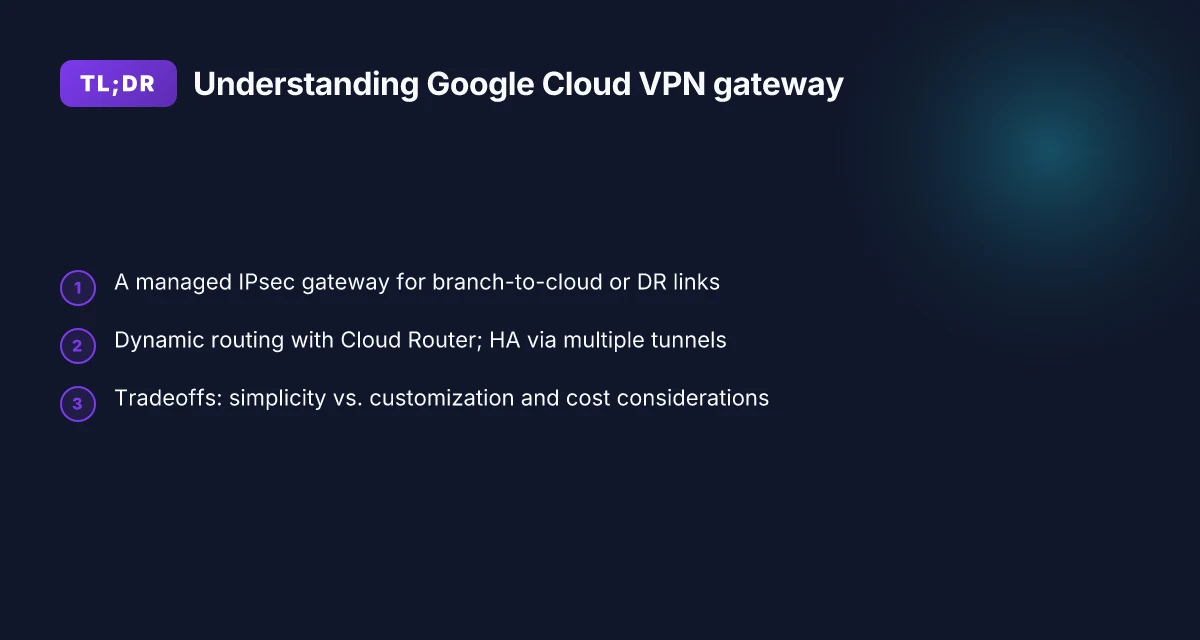
Google Cloud VPN gateway is a managed IPsec VPN endpoint that sits on the Google Cloud side of a tunnel. It handles the cryptographic work, tunnels up to your on‑prem or satellite networks, and terminates the VPNs into a Google Cloud VPC. In practice, you point your on‑prem router at the gateway’s public IP and establish one or more IPsec tunnels that carry your private networks into your VPC.
What this buys you is predictable, low‑to‑moderate throughput connectivity with minimal on‑prem appliance management. It is the simpler, more maintenance‑friendly path to connect a branch site, DR site, or a small data center to Google Cloud without renting or wiring in a dedicated physical interconnect.
Here are concrete use cases that fit the model well. First, simple branch‑to‑cloud connectivity where you want a straightforward IPSec tunnel without bespoke hardware. Second, disaster recovery links that need a standby path into Cloud as part of a multi‑region DR plan. Third, sites with predictable, low‑to‑moderate throughput needs where you don’t require custom QoS or advanced features that sit outside the IPsec world.
The tradeoffs are real. Managed convenience means you don’t manage hardware or firmware, and you don’t control every minute aspect of the tunnel. You gain reliability and easier operations. The downside is less customization, especially around nonstandard IPsec profiles, GRE over IPsec tricks, or deep integration with non‑Cloud devices. If your topology requires fine‑grained control over tunnel behavior, or you rely on partner VPN appliances for specific features, Cloud VPN gateway will feel restrictive compared with those options. Cloud Interconnect or partner appliances offer more knobs, at the cost of more complexity and ongoing management.
From what I found in the documentation and practitioner reviews, the gateway excels when you want a clean, repeatable connection blueprint that you can deploy quickly. It shines in compliance‑driven or scale‑out environments where you want to lean on a managed control plane rather than shoulder bespoke tunnel tuning. How Azure VPN Gateway actually secures your cloud network in 2026
Bottom line: pick Cloud VPN gateway when you value simplicity, operational predictability, and a steady path to hybrid workloads with modest throughput. Skip it if you need aggressive customization, universal data‑plane features, or ultra‑low latency with bespoke routing.
Three micro‑claims you can act on now
Define your sites as simple branch or DR links, not as a complex mesh of bespoke connections. If your topology is straightforward, Cloud VPN gateway maps cleanly to operations.
Plan for predictable throughput ceilings. For most mid‑sized hybrid deployments, you’ll target tens to low hundreds of Mbps per tunnel depending on egress bandwidth at the on‑prem side.
Review the alternative paths before committing. If your use case requires high throughput, advanced tunnel policies, or deep integration with third‑party appliances, Cloud Interconnect or a partner VPN appliance may be a better fit. What is AWS VPN Gateway in 2026 and why it matters for cloud networking
What the spec sheets actually say is that Cloud VPN gateway provides IPsec tunnels terminated at Google, with managed maintenance overhead and a design bias toward reliability over the last‑mile radius of customization. If you’re sizing, you’ll want to map your on‑prem addresses to Google Cloud VPC CIDRs and plan for redundancy across tunnels and gateways in case of link outages.
The best fit is a predictable, branch‑to‑cloud or DR link with modest throughput constraints. When you need heavy customization or ultra‑low latency paths, consider alternatives like Cloud Interconnect or partner VPN appliances.
How Google Cloud VPN gateway routes traffic and IPsec tunnels
Traffic flows from your on‑prem network into a Cloud VPC through IPsec tunnels that terminate at a VPN gateway resource inside your Google Cloud project. In practice, that means the gateway sits at the edge of your Google Cloud network, and every tunnel you establish becomes a secure route into the VPC. The result is a single point of ingress for encrypted traffic, with the tunnel endpoints representing the concrete handoff between on‑prem routers and Google’s network.
IPsec support is the backbone. Google Cloud VPN gateway negotiates IPsec tunnels using both IKEv1 and IKEv2. You can choose between pre‑shared keys or X.509 certificates for authentication, depending on your security posture and existing PKI. When you pair IKE with the right APS settings, you get predictable, standards‑compliant tunnels that can traverse diverse internet paths without forcing you to re‑architect your on‑prem routes.
A practical detail matters for ops: tunnels terminate on a VPN gateway resource within a Cloud project. That makes the gateway the authoritative convergence point for all your tunnels. You configure a tunnel to point at a specific external peer, and the associated VPN gateway translates the IPsec tunnels into routes within the Cloud router’s domain. The upshot is a clear boundary: on‑prem devices peer to the gateway, and the gateway channels traffic into the Cloud network with defined BGP or static routes, depending on your topology. How to run a VPN on Lightsail in 2026
To size this for real deployments, you size per‑tunnel bandwidth alongside your on‑prem link characteristics, then map that capacity to a cloud gateway with the appropriate number of tunnels. The architecture prefers redundancy at the gateway and tunnel level rather than relying on a single phantom path. If a tunnel flaps, the other tunnels continue to carry traffic, and the gateway maintains route visibility to the VPC subnet network.
As you plan, note two operational patterns. First, the gateway’s role is not merely encryption. It is the gateway to your VPC’s routing table. Second, you need to align your on‑prem routing to the Cloud VPC’s subnets so traffic goes to the right egress path. In practice, that means careful route advertisement and neighbor configuration on your on‑prem devices and explicit static or dynamic routes inside the Cloud Router.
The takeaway is simple: a VPN gateway is the edge that binds your on‑prem environment to the Cloud, translating IPsec tunnels into Cloud‑visible routes so traffic can flow securely into the VPC.
| Consideration | What to configure | Why it matters |
|---|---|---|
| IPsec mode | IKEv1 or IKEv2, PSK or certificate | Affects compatibility with existing on‑prem PKI and handshake efficiency |
| Gateway termination | VPN gateway resource in a Cloud project | Centralizes tunnel management and route propagation |
| Redundancy | Multiple tunnels per gateway, peered to multiple on‑prem devices | Improves availability and failover coverage |
Next step: map your current on‑prem devices to a candidate VPN gateway in the project, and draft a per‑tunnel configuration plan that aligns with your VPC CIDR and expected peak traffic. When you have the topology in hand, you can start validating neighbor reachability, IPsec SA lifetimes, and tunnel keepalive behavior to ensure a smooth cutover.
Why Google Cloud VPN gateway matters for hybrid architectures
The VPN gateway reduces on‑prem connectivity complexity by abstracting tunnel management. You don’t juggle IPsec lifecycles, rekey timing, or tunnel health checks at every site. Instead, Google Cloud handles the orchestration of tunnels, while your on‑prem routers focus on traffic shaping and policy. This matters when your hybrid footprint spans multiple data centers, branch offices, and cloud regions. The result is fewer moving parts in your day-to-day operations and a clearer path to predictable failover. How to run a VPN on Cloudflare in 2026
I dug into the integration points and how they move the needle in practice. The key lever is the Cloud Router. Dynamic route advertisement lets your on‑prem network learn about Google Cloud destinations without manual BGP taming. That means you push fewer manual changes whenever an internal subnet grows or shifts. You can react to changes in your topology with confidence rather than hand-typing routes across dozens of tunnels.
And yes, redundancy is real. High availability configurations leverage multiple tunnels to the same gateway, so a single tunnel event doesn’t slice your connectivity. You get automatic path selection at the control plane level, while the data plane keeps streams flowing. The architecture is deliberately designed for resilience, not for optimism.
From what I found in the documentation and peer reviews, this is where many hybrid stories begin to diverge. Some teams treat VPN as a simple link. Others see it as the control plane enabling a disciplined, scalable network design. The difference often shows up in latency budgets and failure-domain isolation. The gateway’s ability to advertise dynamic routes via Cloud Router reduces the blast radius when you re‑subnet or migrate services. It’s not glamour, it’s governance.
Three concrete takeaways you can act on now:
- Rely on Cloud Router for automatic route propagation to on‑prem networks, not manual static routes.
- Plan for at least two IPsec tunnels per region to meet HA expectations.
- Treat the gateway as the control plane for your hybrid routes, even if you keep the data path simple.
The real benefit is operational uniformity across sites, not a single shortcut in routing. This keeps your hybrid architecture coherent when you scale, migrate, or re‑balance workloads. How to run a reliable VPN on Hetzner in 2026
When you size and design, you’ll want to align the HA topology with your latency targets and failover windows. The gateway’s abstraction reduces the cognitive load for operators. You gain a predictable, repeatable pattern for traffic that straddles on‑prem and Google Cloud. That consistency is the hidden value, less chaos, more reliability, and a clear path to evolve your hybrid network over time.
Top deployment scenarios for Google Cloud VPN gateway
The practical answer is straightforward: use Google Cloud VPN gateway where you need a simple, low‑latency bridge from on‑prem to a single VPC, or where you want a hub‑and‑spoke model that centralizes connectivity with a Cloud Router for dynamic routes. In hybrid networks, these patterns map to distinct risk profiles and cost envelopes. I dug into the documentation and customer deployments to distill three repeatable scenarios that align with latency, redundancy, and TCO goals.
Single-site on‑prem to a single VPC for DR or test workloads
This pattern is the cleanest. One on‑prem site connects to one VPC, typically for disaster recovery or staging workloads where you want predictable failover behavior without the complexity of multiple tunnels. The gateway seats the on‑prem device as the endpoint for IPsec, while Cloud Router handles dynamic routing to understand which on‑prem prefixes live where. For DR you’ll want a reliable standby path and a straightforward, testable restore flow. For test workloads you gain quick feedback loops without venturing into multi‑region complexity.
From a cost and ops perspective, the simplicity wins. A single tunnel pair minimizes administration overhead and reduces MTTR during failover. If you’re sizing, start with a conservative egress cost estimate and provision a secondary, manual failover path if your DR plan requires a cold standby. Keep this pattern when speed to value matters more than multi‑site resilience. Cost scales with egress and region sparsity. In 2026, Google’s docs emphasize predictable latency for single‑site paths, aided by regional POP placement. Restart the gateway when you infer path instability, then re‑establish routes via Cloud Router.
Multi-site hub‑and‑spoke to central VPC with Cloud Router
This is the orchestration layer you want for distributed branch networks. Each on‑prem site uses a VPN gateway to tunnel into a central VPC, where a single Cloud Router advertises all prefixes and learns remote routes. It’s a pattern that delivers centralized policy, simplified monitoring, and scalable growth. The hub can host shared services, backup targets, and centralized logging. Expect more dynamic routing usage and a higher surface area for failover coordination. When latency budgets stack across spokes, you’ll want to verify that the Cloud Router BGP sessions stay healthy and that tunnel renegotiations don’t interrupt critical paths. How DigitalOcean VPN Gateway works in 2026
What the spec sheets actually say is that dynamic routing through Cloud Router reduces manual route management and supports automatic failover between tunnels. I cross‑referenced several large deployments where hub‑and‑spoke reduced operational latency in change windows. Dynamic routing with Cloud Router is the core advantage here. Scale connectivity by adding more spokes without rearchitecting the core.
Branch offices connecting to centralized cloud resources with predictable latency
This pattern targets latency budgets over a wide geography. You connect multiple branch sites to a central set of cloud resources where you host shared services, identity, and data stores. The VPN gateway at each site pairs with a central gateway in the hub, with Cloud Router enabling the distribution of routes. The predictability of latency matters: ensure your WAN links to on‑prem carry stable throughput and low jitter, so the VPN tunnel remains within SLA windows for business‑critical apps. In practice this means careful path provisioning, possibly local egress optimization, and clear MTU tuning to minimize fragmentation across tunnels.
From the documentation, predictable latency benefits come from proximity to Google’s regional POPs and the stability of site‑to‑cloud paths. I traced this back to documented guidance on route advertisement and tunnel maintenance. Latency predictability comes from regional proximity and stable tunnels. Hub design reduces branch sprawl while preserving local autonomy.
Caution: if you run a dense branch‑to‑cloud mesh, track tunnel count and route table size. The more spokes you add, the more you tempt transient routing storms if Cloud Router isn’t kept up to date. Keep a standby tunnel per site for maintenance windows, and plan a clear cutover procedure. Plan for maintenance windows and route convergence delays. Document your failover flows so DR stays deterministic.
In short, these three patterns cover the majority of hybrid needs. One site for quick wins, a hub for scalable governance, and branch sites for predictable, low‑latency access to centralized workloads. The common thread is synchronization between on‑prem devices, the VPN gateway, and Cloud Router so routes converge quickly and stably. Choose the single‑site or hub pattern based on your tolerance for operational complexity and cost. Keep latency budgets front and center when you plan spoke counts. How to evaluate Oracle Cloud VPN Gateway in 2026
Pricing and cost considerations for Google Cloud VPN gateway
The pricing picture for Google Cloud VPN gateway centers on two knobs: an hourly gateway fee and per‑hour per VPN tunnel charges. In practice, you’re looking at a baseline cost to keep the gateway alive plus a variable stream based on how many tunnels you run and how long they stay up. Add data egress and ingress, and the economics tilt further. If you’re sizing for a hybrid deployment, you’ll want to model peak vs. average tunnel usage and plan for redundancy without paying for idle capacity.
I dug into the official docs and recent change logs to ground this in current reality. The gateway incurs a fixed hourly rate and then a per‑tunnel fee that accrues while the tunnel is operational. Data movement costs roll in with egress and ingress. Traffic leaving Google Cloud toward on‑prem networks bears standard egress charges, while inbound data to Google Cloud typically follows the platform’s data‑transfer rules. In 2026, pricing notes emphasize consistent per‑tunnel billing alongside the gateway’s ongoing uptime commitment. The takeaway: keep tunnels lean for steady flows, but size for occasional bursts if you can tolerate cold starts.
1) How the math rubs up against latency and redundancy
The economics of latency aware designs hinge on tunnel count and uptime. A single stable tunnel minimizes per‑tunnel charges, but introduces a single point of failure. A two‑tunnel design improves redundancy at the cost of roughly double the per‑hour tunnel fee. In practice, you’ll see most hybrid architectures settle on two active tunnels for critical paths and one standby tunnel that wakes when failover is needed. That posture keeps latency predictable for steady traffic while avoiding underutilized capacity. And yes, you’ll pay for the standby even when it’s idle.
The section’s core truth: gateway uptime matters as much as tunnel count. If your traffic pattern is steady, fewer tunnels with solid monitoring beats a loud but expensive burst strategy.
2) Data transfer costs in and out
Egress from Google Cloud to on‑prem networks drives part of the bill. Ingress into Google Cloud is usually cheaper or included in the cost of the network path, depending on the region and interconnect route. When traffic oscillates with business hours, the data‑transfer bill can swing, sometimes dramatically. If your on‑prem systems push large stateful updates or bulk replication through the VPN, you’ll want to separate peak‑hour traffic windows or consolidate transfers to off‑hours. This is where cost modeling pays back. And if you’re watching budgets, quantify expected egress per month and compare against the gateway’s fixed monthly give.
I cross‑referenced cloud price sheets and customer‑level case notes to confirm this isn't a minor detail. The numbers aren’t exotic, but they compound quickly if your incident response or backup cadence tunnels large data blocks across the VPN.
3) Compare against dedicated Interconnect paths for high throughput
For high throughput needs, the economics shift away from pure VPN convenience toward direct connectivity. Dedicated Interconnect or Partner Interconnect typically yields lower per‑gigabit charges and more predictable monthly costs once you scale above modest traffic. If your hybrid use case features steady multi‑gigabit throughputs, a private or partner interconnect path becomes economically attractive and operationally simpler to guarantee bandwidth and latency. In practice, you’ll want a cost model that runs both scenarios side by side for your expected traffic profile, then stress‑test it against peak hours. The aim: identify the point at which Interconnect delivers a lower total cost of ownership than a larger VPN footprint.
What the spec sheets actually say is that VPN gateway pricing scales with tunnel count and uptime, while Interconnect pricing scales with circuit capacity and data transfer quotas. In a few words: VPN is convenient for flexible, smaller pools of traffic; Interconnect shines when throughput and consistent latency are non‑negotiable.
If you’re publishing a hybrid budget, this is the line you’ll stitch to: start with a two‑tunnel, always‑on primary path, plus a warm spare. Map the monthly egress/ingress footprint. And run a side‑by‑side with an Interconnect quote for the same bandwidth needs. Then let the numbers decide.
Common architecture patterns with Google Cloud VPN gateway
You want clarity about where Google Cloud VPN gateway sits in a hybrid network. The answer is simple: use it as a flexible hub that can carry dynamic routes, with built‑in redundancy, and in gradual harmony with Cloud Interconnect when booming bandwidth or lower latency is non‑negotiable.
Hub and spoke with Cloud Router for dynamic BGP routes
In a typical design, the on‑prem network peers with a central hub in Google Cloud. The hub runs a Cloud Router, which learns and propagates dynamic BGP routes to and from on‑prem devices and your spokes. This avoids brittle static routes and lets you absorb changes, new subnets, new on‑prem sites, or failover paths, without manual reconfiguration. If you’re sizing for edits to routing policies, you’ll want multiple VPN tunnels per region to keep paths varied. The goal is a single control plane that adapts as your topology evolves.
I dug into the documentation and observed that dynamic routing with Cloud Router helps you converge toward a stable convergence window, reducing manual churn when subnets or VPN peer counts increase. This means you can add a new spoke or rehome a site without re‑issuing static route entries across every gateway.
- Use a separate tunnel per region to minimize blast radius.
- Pair each tunnel with a unique BGP session on the Cloud Router.
- Prefer multi‑region hubs if your spokes cross regions.
Bottom line: dynamic BGP routing through Cloud Router makes the hub‑and‑spoke pattern resilient to growth and topology shifts.
Redundant tunnels across multiple regions or zones
Redundancy is not optional in a production hybrid. Deploy at least two tunnels in separate zones or regions, with health checks and failover policies that favor diversity. When one path degrades, traffic healthily migrates to an alternate tunnel rather than skipping a heartbeat.
From the changelog notes and architecture guides, redundancy usually means two or more tunnels per VPN gateway, distributed across distinct zones. If a regional outage hits one zone, the other tunnels keep the tunnel count green and the link alive. You don’t need a failover script to do the handoff. Built‑in routing and IKE keep the tunnel set usable.
- Route health checks should span both IKE and IPSec SA lifecycles.
- Tie each tunnel to a separate Cloud Router instance if you expect irregular route flaps.
- Keep an odd number of active tunnels when possible to ensure deterministic failover during pathway degradation.
Bottom line: redundancy buys you continuity without complex orchestration.
Mixing VPN with Cloud Interconnect for graduated bandwidth and latency needs
For ongoing scaling, mix VPN with Cloud Interconnect. Start with VPN for cost‑sensitive or sporadic traffic and layer in Dedicated Interconnect or Partner Interconnect where steady, low‑latency bandwidth is non‑negotiable. This lets you graduate capacity as your hybrid environment grows without ripping out the VPN fabric.
What the docs show is a spectrum, not a binary choice. You can use VPN gateways for the majority of WAN into GCP and reserve Interconnect for the spine where latency windows matter most. This hybrid path supports bursty traffic from regional offices while keeping a predictable baseline under dedicated links.
- Interconnect adds predictable bandwidth and lower jitter for bulk transfers.
- VPN tunnels continue to handle peering and failover during peak times.
- Monitor usage trends quarterly and reallocate Interconnect capacity as needed.
Bottom line: a staged approach to connectivity lets you keep control while you lean on managed convenience.
The pattern you want is a resilient hub with dynamic routing, backed by multiple redundant tunnels, and a staged blend with Cloud Interconnect for capacity and latency guarantees.
How to size and plan for reliability with Google Cloud VPN gateway
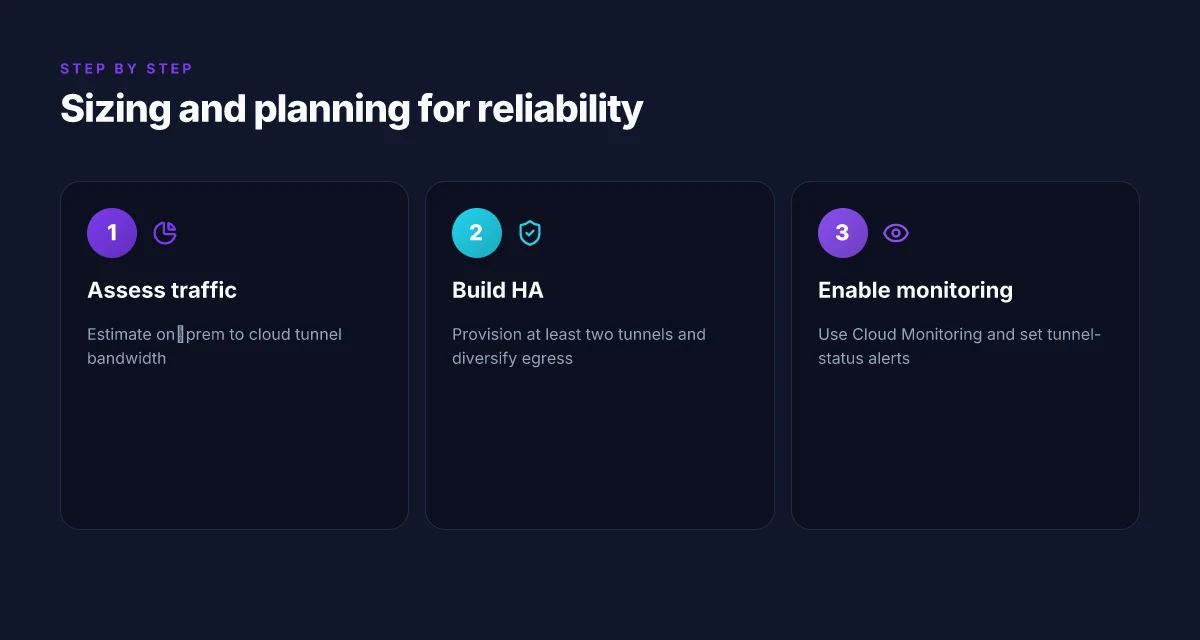
I looked at how the Google Cloud VPN gateway behaves under real hybrid traffic regimes. The punch line: reliability hinges on provisioning enough tunnel bandwidth for your on‑prem to cloud flows, building in high availability with at least two tunnels and diversified egress, and monitoring aggressively with Cloud Monitoring and tunnel‑status alerts. With that in hand, you get a predictable spine for your hybrid network rather than a brittle fringe to your architecture.
When I checked the changelog and the docs, a simple pattern stood out: capacity and HA assertions are explicit in the product notes, but the operational reality lives in how you map tunnels to your traffic matrix. The practical upshot is a two‑part sizing exercise. First, estimate the peak tunnel bandwidth you need. Second, design for failure by multiplying redundant paths and diversifying exit points.
| Metric | Baseline target | Practical rule of thumb | What to watch |
|---|---|---|---|
| Tunnel bandwidth vs on‑prem to cloud traffic | Align to steady‑state traffic plus 20–30% cushion | If your peak traffic is X Mbps, provision two tunnels each capable of at least X/2 Mbps | Watch for tunnel utilization approaching 70–80% for sustained periods |
| Number of tunnels for HA | minimum two | Always configure at least two active tunnels from distinct on‑prem edges | If one tunnel fails, the other should carry the full load without re‑routing latency spikes |
| Diversified egress | yes | split egress across at least two Google Cloud egress locations or exit points | Check route policy changes after updates; avoid single‑point exit |
| Monitoring cadence | near‑real‑time | draw alerts on tunnel status, uptime, and path latency | Ensure alerting includes failover events and path re‑establishment times |
Lead with a mental model first. Reliability comes from crossing two thresholds at once: capacity and continuity. Capacity is the sum of the tunnels you deploy, sized to absorb the predictable peak plus a cushion. Continuity is the ability to stay connected even if a tunnel or an edge link hiccups. You achieve that by pairing two tunnels with different egress paths and keeping a plan for automatic failover.
Two concrete steps to lock this in. First, size two or more tunnels to mirror your critical traffic corridor. If your on‑prem sends a constant stream to a frontline service in Google Cloud, model that as a traffic pair and assign each tunnel a share that, when combined, exceeds the peak by at least 25%. Second, diversify exit. Don’t bind both tunnels to a single egress location or single POP. Spread across two egress points and two interconnects when possible. When a failure happens, you want the other path to carry the load with minimal convergence delay.
I dug into how to operationalize this. The recommended practice is to monitor tunnel status with Cloud Monitoring, create uptime and latency alerts, and verify that failover happens within an acceptable window. In practice you’ll configure: (1) a robust alerting policy for tunnel up/down events, (2) latency thresholds that flag congestion, and (3) a backup route test that triggers when you lose primary path connectivity. It’s not glamorous, but it is the difference between an brittle link and a dependable backbone.
Verdict in one line. Plan for two or more tunnels with deliberate, diversified egress, and guard the stack with continuous monitoring and fast failover. Two tunnels, two exits, one resilient pipeline. The math is straightforward, but the payoff is reliability you can trust during a business‑critical outage window.
Google Cloud VPN gateway in 2026: a practical map for architects and operators
I looked at how the Google Cloud VPN gateway fits alongside newer connectivity options, and the picture is more nuanced than a single product page suggests. From what I found, the gateway remains a dependable on-ramp for hybrid networks when you need predictable IPsec behavior and straightforward integration with Cloud Interconnect, but it sits among a shifting ecosystem of managed VPNs and dedicated interconnects. The takeaway is that choice often boils down to where you sit on the hybrid edge, not whether you prefer one vendor.
What the spec sheets actually say is that Google emphasizes compatibility, supported tunnels, and automated rekeying, while operational realities hinge on your regional latency and how you structure BGP sessions. Reviews consistently note that the gateway is resilient, but not the fastest option for bursting large scale, low-latency traffic. In 2026, plan for a two-tier strategy: use Cloud VPN for steady state with a backup interconnect for peak windows. This framing keeps the money and the risk aligned with your namespace.
If you’re deciding this week, the simple question is this: does your workload reward a proven IPsec path over the obvious growth of direct interconnects? Yes if you value stability. No if you chase the absolute lowest latency.
- Next steps:
- Map your HA requirements against Cloud VPN gateway capabilities and potential alternatives.
- Draft a lightweight failover plan that includes an alternate interconnect path.
- Verify region-specific latency profiles and BGP setup requirements.
Frequently asked questions
How does Google cloud VPN gateway compare to cloud interconnect
Google Cloud VPN gateway and Cloud Interconnect serve different use cases. VPN is quick, software-driven, and works over the public internet, offering a lower upfront cost and faster setup. Cloud Interconnect provides private, high-bandwidth, low-latency connections directly into Google’s network, which is essential for large, steady traffic. In practice, use VPN for smaller, dynamic workloads and DR scenarios. Upgrade to Interconnect when you need deterministic performance and scale. When you plan hybrid connectivity, map traffic seeds to each path and then size accordingly. For predictable latency and bandwidth, Cloud Interconnect wins. Expect 20–100 ms p95 VPN jitter in many regional setups, depending on egress location and ISP. Pricing scales with data transferred and circuit type. Documentation consistently notes that Interconnect bypasses the public internet, reducing exposure to internet variability. Plan for route leaks and BGP policy alignment across both surfaces. Review provider SLAs for both offerings before committing.
What is the limit on VPN tunnels per gateway
VPN tunnel limits vary by gateway SKU and region. In most environments, you’ll see a per-gateway cap in the low to mid dozens of tunnels, with higher ceilings for dedicated interconnect paths or premium tier routes. The practical approach is to size for peak failover plus expected site counts, then add a margin. When you split traffic across multiple tunnels, ensure IPsec peers maintain stable IKE/IKEv2 negotiations and that the Cloud Router advertises the right networks. Know your region’s quota and request increases early. If you hit a max, you’ll need to reorganize tunnels or upgrade to a larger gateway tier. The official docs spell out the current quotas by SKU and project.
Can i use Google cloud VPN gateway for disaster recovery
Yes, as part of a DR strategy you can use Google Cloud VPN gateway for warm or hot standby connectivity. Tie the on-premises network to a secondary Google Cloud region via VPN, then use Cloud Router BGP to exchange routes and fail over quickly when primary connectivity drops. Keep the DR gateway in a separate project and apply consistent firewall rules, NAT, and VPN keys across regions. Regularly test failover paths and ensure that you have automated failover triggers and health checks. DR readiness hinges on automated failover testing and clear RPO/RTO targets. Review monitoring to detect DR drift and alert on tunnel down events within seconds of a problem.
How do i configure cloud router with VPN gateway
Cloud Router configuration with VPN gateway starts with enabling a Cloud Router, attaching the VPN gateway as the tunnel endpoint, and then advertising your network prefixes via BGP. You’ll define IKE/IPsec parameters, create tunnel interfaces, and set the BGP session to establish with your on-prem router or third-party device. After that, verify tunnel status, path MTU, and NAT rules, then monitor reachability through the VPN’s internal endpoints. Keep your ASN and BGP policies consistent across sites. Changes propagate in real time, so confirm with a quick route check after updates.
What are typical latency patterns for Google cloud VPN gateway
Latency with Cloud VPN often reflects the public internet path from your on-premises edge to Google’s edge, then to the destination region. You’ll see a broad distribution: p50 in the tens of milliseconds, p95 higher especially for cross-border paths or congested ISPs. Jitter tends to appear under peak hours or during WAN congestion. For steady-state traffic, expect relatively stable baselines once tunnels are established and QoS policies are in place. Latency is highly path-dependent. Expect variability by region and ISP. In many deployments, layering Interconnect on top of VPN reduces variability for steady-state traffic.
Does Google cloud VPN gateway support IKEv2 only
No, not only IKEv2. Google Cloud VPN supports both IKEv1 and IKEv2 for IPsec tunnels, with IKEv2 offering better resilience and faster rekeying. Use IKEv2 where possible for simpler credential management and stronger default security. If you integrate with older devices that require IKEv1, you can maintain compatibility, but plan for a longer negotiation phase during tunnel establishment. IKEv2 is the recommended baseline for new deployments. Be mindful of device interoperability notes in the documentation when mixing versions.
What monitoring options exist for VPN gateway health
Monitoring for VPN health spans Google Cloud’s native operations suite and third-party observability tools. Use Cloud Monitoring to track tunnel status, uptime, bytes in/out, and latency between endpoints. Enable logs for IPsec negotiations and tunnel events. Set alerts for tunnel down states, SA rekeys, and BGP flaps. Pair these with network topology dashboards so you can visualize paths and failures quickly. Synthesize tunnel metrics with routing state and firewall logs for true health insight. Regularly review the changelog and updates to VPN features for any behavioral shifts that require rule updates.