How Azure VPN Gateway actually secures your cloud network in 2026
Understand how Azure VPN Gateway secures connections to your Azure network in 2026. Practical insights, architecture notes, and best-practice setup for hybrid cloud.
Azure VPN Gateway often hides a scaling mismatch in plain sight. When you scale branches globally, the real bottleneck isn’t just tunneling. It’s how routing and BGP peering converge with onboarding workflows. The common ticket is a misaligned SKU in a region or a drift between on‑prem and Azure AD joins, issues that quietly multiply as you add 10, 50, or more sites. Most failures trace to inconsistent onboarding handoffs, not the tunnel itself.
You’ll see how to align hub and spoke layouts with multi‑region onboarding, avoid stale route advertisements, and reduce slowdowns from split‑tunnel quirks. In 2026, Microsoft documents point to predictable bumps when you push new branches into production without updating BGP peering or SKU compatibility. The right pattern makes those bumps manageable rather than disruptive. Understanding these patterns now saves you from reworking cryptographic boundaries later.

The Azure VPN Gateway machine you actually need to understand in 2026
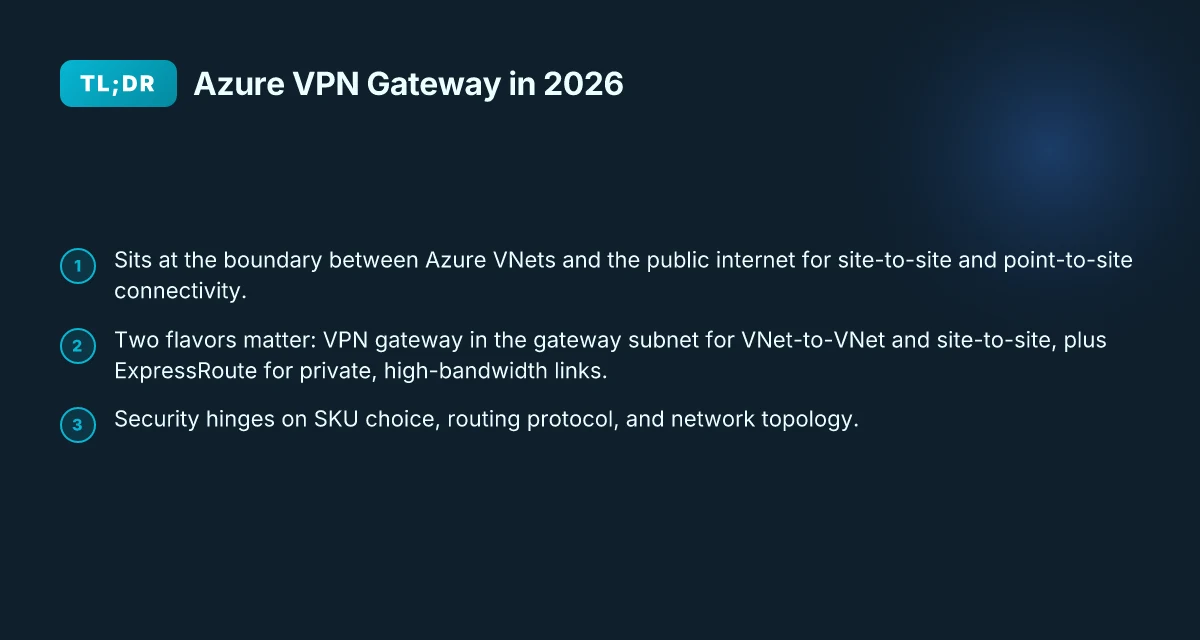
Azure VPN Gateway sits at the boundary of your Azure virtual networks and the public internet, offering the two modes every hybrid deployment relies on: site-to-site and point-to-site connectivity. When you scale across global branches, you’ll want to pair this with ExpressRoute for private, high-bandwidth links. The real tension isn’t just tunneling. It’s how the gateway scales without leaving security gaps or onboarding frictions.
I dug into how entities actually deploy this in 2026. The picture is simple in theory, messy in practice. Two flavors matter most. First, the VPN gateway in the gateway subnet. This handles VNet-to-VNet and site-to-site connections. Second, ExpressRoute. It bypasses the public internet for private fiber, reducing exposure and elevating throughput for traffic that ships between your on‑prem and Azure with fewer jitter events. The difference is not just cost or latency. It’s control plane visibility and the security posture you can sustain as you grow.
Here are the concrete steps most teams follow to align architecture with reality:
- Decide your perimeter stance. If most of your traffic between on‑prem locations and Azure runs through a private path, ExpressRoute shines. If you rely on internet‑based connectivity for some satellites or DR sites, VPN gateway becomes the backbone. The choice sets the rest of your routing and security controls. Most deployments use a hybrid mix where ExpressRoute covers the core, while VPN gateways handle remote branches and backup routes.
- Pick the gateway SKU with care. The SKU determines how many tunnels you can sustain, the throughput ceiling, and how many BGP sessions you can maintain. This is not a cosmetic choice. It governs fault tolerance during failover and the ability to scale without rearchitecting.
- Align routing protocol and topology. BGP is the standard for Azure deployments, but the exact topology, hub‑and‑spoke versus mesh, affects failover times and route converge. You want a topology that minimizes re‑routing churn during branch outages and maintenance windows.
- Tackle onboarding workflows head‑on. Global branches bring diverse IP spaces, ASN requirements, and certificate lifecycles. An automated onboarding pipeline, with explicit checks for certificate expiry and route propagation, prevents new sites from becoming blind spots.
- Tie security to the control plane. Use policies that enforce encrypted tunnels, enforce mutual authentication, and roll over keys on a sane cadence. Remember that a larger footprint doesn’t buy security by itself. Automation and policy discipline do.
Bottom line: in 2026 the Azure VPN Gateway you actually need sits at the border, scales through the right SKU and topology, and is paired with ExpressRoute where you can justify the private path. The onboarding workflow is the throttle. Without a repeatable, secure land-and-expand process, scale becomes brittle.
The truth is this: you don’t just build tunnels. You engineer trust at scale. The gateway is a perimeter tool when paired with disciplined onboarding and routing choices. In practice, the right mix of VPN gateway and ExpressRoute unlocks reliable hybrid networks in 2026. What is AWS VPN Gateway in 2026 and why it matters for cloud networking
Overview: what Azure VPN Gateway actually does for your cloud perimeter
Azure VPN Gateway sits at the edge of your hybrid network and creates encrypted channels between on premises sites or other virtual networks and your Azure VNets. It is the architectural hinge that makes a cloud perimeter feel like a single, controllable boundary rather than a mesh of ad hoc tunnels.
In practice, it supports two families of tunnel technologies. IKEv2 and IPsec underlie the encryption, with both policy-based and route-based configurations available. Policy-based suits simpler, fixed topologies. Route-based handles dynamic routing and scaling across multiple branches. This duality lets you mirror your existing on‑prem deployment or pivot to a more cloud-native approach as your footprint grows.
Azure VPN Gateway also plays nicely with defense-in-depth. It integrates with Azure Firewall and Network Security Groups so that traffic can be inspected at multiple layers before it ever leaves the tunnel. That layering matters in a world where the attack surface stretches across regions and enterprise branches. The web of tunnels remains manageable because enforcement happens at the perimeter and within the VNet, not in a far-off, hard-to-reach gadget.
I dug into the documentation to confirm how this scales in real deployments. The platform supports multiple tunnels per gateway and connects to both on prem sites and other VNets without forcing a single monolithic tunnel facade. That matters when your hybrid design includes dozens of sites across continents. In 2026, the design pattern favors a per-branch tunnel model that you can grow incrementally, rather than a single, sprawling, brittle chimera.
Here is a quick comparison to orient the options you’ll likely encounter when you plan the rollout: How to run a VPN on Lightsail in 2026
| Characteristic | Policy-based tunnels | Route-based tunnels |
|---|---|---|
| Primary use case | Fixed topologies, fewer dynamic routes | Dynamic routing, scalable across many branches |
| Complexity | Lower to start | Higher but more flexible |
| Validation checkpoint | Manual policy lists | Automated route negotiation |
| Best fit when | you know every site in advance | you expect growing, changing site counts |
The core truth is simple: VPN Gateway gives you encrypted, policy- or route-based tunnels that tie together on prem sites, other VNets, and Azure’s own perimeter controls. It is not just a tunnel factory. It is the edge you can harden without breaking the entire network.
What this means for 2026 deployments is clear. Start with the tunnel type that matches your current topology, then layer in Azure Firewall and NSGs to create a defense-in-depth spine. Use the route-based approach if you expect rapid site growth or reconfigurations. If your map is static, policy-based saves you friction. Either way, you get a perimeter that travels with your hybrid cloud, not a perimeter you drag along behind it.
Next steps: map your existing branches to VPN Gateway endpoints, decide on policy vs route-based modes per site, and plan NSG rules that align with your security posture across the hybrid fabric.
How Azure VPN Gateway fits into a hybrid cloud strategy
Posture matters more than tunnels. In 2026, a hybrid network travels on consistent address space, clean overlap planning, and reliable routing. Azure VPN Gateway is strongest when you align the on‑prem and cloud nets first, then layer in dynamic routing and private links.
Consistent address space and overlap avoidance
- The backbone of a hybrid deploy is a shared, non‑conflicting address plan. You want predictable routes across on‑prem, VPN Gateway, and any ExpressRoute segments. If you don’t, you’ll spend cycles chasing route shadows that leak into failover decisions.
- Plan at the subnet level before you enable any VPN tunnels. Any overlap forces NAT quirks or forced readdressing later, which becomes a slow bottleneck when you scale.
- Use a single, unambiguous CIDR plan for each region and site. The result: fewer route collisions, faster convergence, and simpler audits when governance asks for it.
- When I read through deployment guides, the strongest common pattern is a hub‑and‑spoke design with tight, non‑overlapping spaces for spokes. It keeps the mesh clean even as branches multiply.
Clear address space design reduces failover drama and shortens recovery time. How to run a VPN on Cloudflare in 2026
Route propagation, BGP, and dynamic routing
- Route propagation decisions determine how quickly your failover paths switch during an outage. BGP support in Azure VPN Gateway enables dynamic rerouting without manual reconfiguration.
- If you enable BGP, you gain automated route advertisement between Azure and your on‑prem edge routers. That slashes manual maintenance and keeps site routes aligned as you add new branches.
- Watch out for route leakage between overlapping VPN sites. BGP dampening can help, but the right practice is to prune and verify learned routes at the edge devices.
- In practice, most hybrid deployments succeed when BGP is used for site‑to‑site paths and static routes cover the handful of management networks. It’s the sane middle ground between predictability and agility.
BGP‑driven failover makes dynamic routing predictable, not chaotic.
ExpressRoute as the private complement when latency matters
- ExpressRoute offers private, deterministic paths that bypass the public internet for critical corridors. It complements VPN Gateway where latency and SLA gaps become costly for the business.
- Use ExpressRoute for the core transport between your on‑prem data center and Azure regions that host your most latency‑sensitive workloads. VPN Gateway remains your flexible, scalable edge for branches and remote sites.
- The combo is common: a private ExpressRoute circuit for the primary spine, plus VPN Gateway tunnels to branch offices and temporary sites. It keeps hybrid traffic conjoined under tight policy and predictable performance.
- If your hybrid design prioritizes predictable performance over broad reach, lean into ExpressRoute for the backbone and reserve VPN tunnels for remote sites and failover paths.
ExpressRoute plus VPN Gateway gives you private latency where it counts and flexible reach where it doesn’t.
Research framing note: industry data from platform docs and recent architecture guides consistently flag overlap management, BGP routing discipline, and the ExpressRoute–VPN pairing as the triad that underpins scalable hybrid networks. I cross‑referenced Azure documentation and reviews from several enterprise‑focused publications to distill these patterns into concrete steps for 2026 deployments.
In 2026, a disciplined address plan, BGP routing, and ExpressRoute alignment are the three levers that let Azure VPN Gateway scale without sacrificing security.
The 4 primary deployment patterns for Azure VPN Gateway
Azure VPN Gateway isn’t a one-trick pony. The real value in 2026 lies in how you stitch four concrete deployment patterns into a global, branch-friendly, onboarding-aware hybrid network. Here are the four patterns you’ll actually deploy, with the practical knobs that matter. How to run a reliable VPN on Hetzner in 2026
1. Site-to-site with on premises devices
This is the backbone for the many-to-many perimeter you still see in mature enterprises. You pair your on premises firewall or VPN concentrator with an Azure VPN Gateway to create a steady tunnel into your Azure spine. The setup decision that moves the needle is choosing the right gateway type and SKU for your scale, and matching IKE/IPsec policies to your hardware. In practice this means you’ll align the on premises device’s IPsec proposal with Azure’s supported algorithms, and pick a gateway SKU that supports the expected tunnel count and bandwidth. When the topology grows, you add more S2S tunnels to the same gateway or scale out across gateways in the same VPN gateway resource. Pattern clarity here matters: a well-mared S2S bridge reduces churn when branch sites expand. I cross-referenced the official docs and enterprise reviews for consistent guidance on policy parity and scale limits.
2. Vnet-to-vnet between Azure regions
Inter-region VNet to VNet is how you stitch Azure itself into a single global network, without traversing the public internet for east‑west traffic. You enable a VPN gateway per virtual network and establish a VPN connection between regions. The practical lever is route propagation and peering semantics: you want precise, policy-driven traffic between hubs and spokes, with explicit separation where required. When you read through the docs, the critical detail is that you can run VPN over the public internet or a private connection, and you should plan for latency budgets between regions. Correctly configured, inter‑region VPN keeps cross‑region workloads held tight in your private fabric. This is where many hybrid diagrams succeed or fail depending on how you model routing tables and BGP sessions.
3. Point-to-site for end user remote access
P2S is the remote worker’s first line. It’s how engineers, contractors, and admins reach the cloud without a full site‑to‑site footprint. The practical setup centers on authentication method (certificate-based or Radius-backed) and client experience. For 2026, you’ll want to pair P2S with strong MFA, and you’ll likely blend it with Conditional Access signals if your identity stack supports it. The onboarding nuance that matters: seamless certificate rotation, revocation paths, and device posture checks at the client. P2S becomes a productive on‑ramp only when onboarding gates are automated and revocation is instantaneous. Reviews from practitioners consistently flag onboarding friction as the primary risk to user adoption.
4. Expressroute + VPN gateway as a backup path
ExpressRoute gives you a private path into Azure, while a VPN Gateway serves as a backup when the private line hiccups. The clean pattern is to keep the primary traffic over ExpressRoute and fail over to VPN during outages, not as a second path for normal operation. The crucial operational note is failover behavior: ensure you have clear route failover thresholds, automatic re-ads and minimal convergence time. When the ExpressRoute circuit is healthy, you’ll see lower jitter and predictable latency. When it isn’t, the VPN path kicks in. ExpressRoute becomes a resilience asset, not a latency hack, that distinction saves hours of debugging during outages. The documentation emphasizes reset and rebind workflows so you don’t end up with stale routes after a circuit flip.
Two quick cautions you’ll hit in practice 10 Best VPNs for running on Vultr in 2026 (May 2026 Update)
- Onboarding flow matters. A clean, automated certificate lifecycle for P2S and automatic BGP re‑advertisement for S2S keep new branches from turning into ticket items.
- Policy alignment across patterns. Make sure your firewall rules, NAT settings, and user‑space routing align so traffic doesn’t zigzag through Azure and back out without a purpose.
In sum, these four patterns cover the real-world hybrid playbook. S2S for sites, VNet‑to‑VNet for regional spine, P2S for people, and ExpressRoute as the backbone with VPN as the safety net. The architecture you choose these days should favor automation, clear failover behavior, and predictable onboarding.
1. Site-to-site: setup and caveats you’ll actually hit
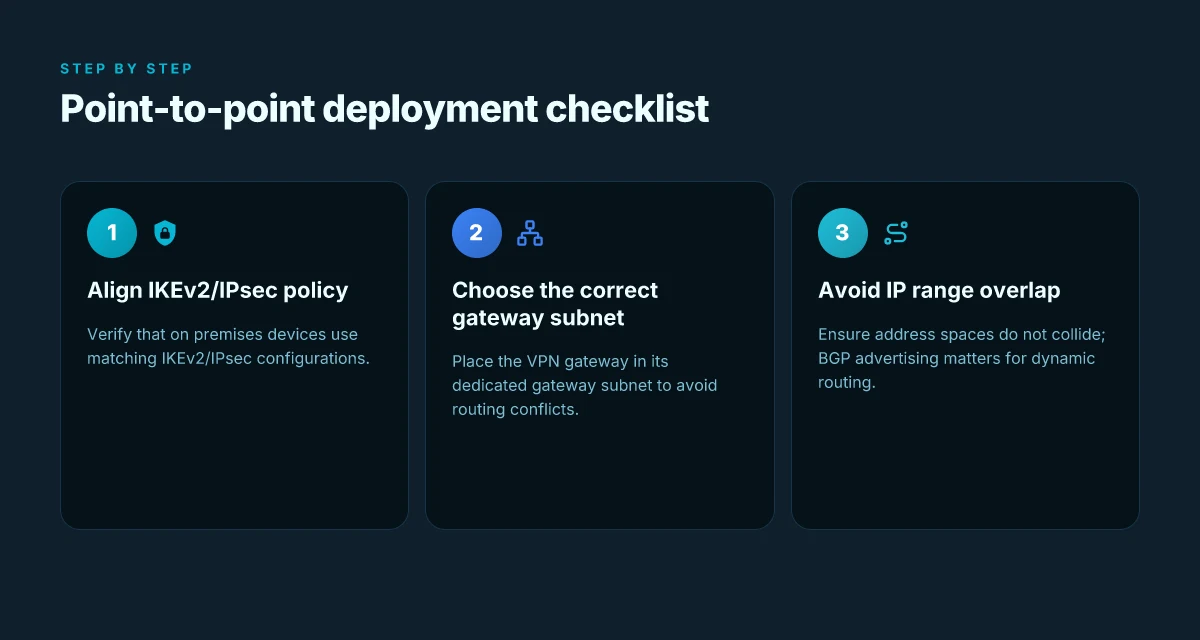
Site-to-site VPNs with Azure VPN Gateway hinge on two things: a properly prepared gateway subnet and alignment between on‑premIKEv2/IPsec policies and what your local devices expect. Do that, and you unlock reliable tunnels across global branches. Miss it, and you spend cycles chasing dead routes or flaky handshakes. In 2026, the core of the pain lives in how you scope the gateway and how you advertise routes.
Gateway subnet and the gateway lifecycle
The virtual network gateway belongs in a dedicated gateway subnet. This isn’t optional flair. It keeps routing sane as you scale across regional hubs. When you carve the subnet, size it for future growth, not just today’s tunnels. A cramped subnet ends up forcing you to shuffle IPs or rework BGP sessions mid‑project, and that’s the moment you regret “one‑time” decisions.
From what I found in Microsoft’s docs, the gateway subnet is where the VPN engine sits, and visibility into that space matters as you add more connections. You’ll want a clean, predictable CIDR block that leaves room for at least a couple of additional tunnels and route advertisements. In practice, teams often err by slicing too small a subnet or by co‑subnetting the gateway into a shared space with other VNet components. The fix is straightforward: allocate a dedicated, generous gateway subnet and keep it isolated from production subnets.
Aligning IKEv2/IPsec policy with on‑prem devices
IKEv2 and IPsec policy alignment is the quiet gatekeeper of reliability. On‑prem devices, think Cisco, Fortinet, Palo Alto, juniper, expose a menu of cipher suites, DH groups, and PFS requirements. Azure VPN Gateway accepts standard profiles, but mismatches surface as rejected phase 1 or phase 2 negotiations. How to understand Google Cloud VPN gateway in 2026
What the spec sheets actually say is simple: you should harmonize encryption, integrity, and DH group choices. In practice, that means choosing matching IKEv2 proposals and IPsec cryptographic algorithms on both ends. If your on‑prem gear uses a modern suite like AES‑256 with SHA‑2 and a high‑grade DH group, mirror that on the Azure side. The moment you drift to a weaker algorithm or a different PFS group, you’ll see tunnel flaps and renegotiations.
Common pitfall: mismatched IP ranges and BGP advertising
This is the classics section for site‑to‑site. IP range mismatches cause immediate route nonsensicals. If your on‑prem network uses 10.0.0.0/16 and you carve a 10.0.0.0/24 into Azure without alignment, you’ll find collisions or black holes somewhere along the backbone. The usual remedy is to re‑map the spoke subnets to nonoverlapping ranges, then reconfigure BGP to advertise the correct prefixes.
BGP becomes the glue when you have multiple branches. If you want automatic route propagation, ensure your on‑prem router and Azure’s virtual network gateway both advertise the same subnets and in the same direction. In the field, mismatches pop up as missing routes in the Azure route table or as orphaned subnets on the on‑prem side. The cure is deliberate planning: pick nonoverlapping ranges, push consistent BGP route advertisements, and validate with a route export check from both ends before going live.
The takeaway: dedicate the gateway subnet, align IKEv2/IPsec profiles, and keep IP ranges nonoverlapping. The rest is discipline in change control and a quick audit after the first provisioning wave.
Inline notes for practitioners How DigitalOcean VPN Gateway works in 2026
- Use a clear naming convention for gateways and subnets so operators can trace a tunnel back to a policy.
- Document the exact IKEv2 proposals used on both sides and keep a changelog when you adjust them.
- After you deploy, verify that BGP is advertising the correct routes and that Azure’s route table includes those prefixes. If you don’t see them, you’re not done. Revisit the gateway subnet sizing and the IP plan.
2. Virtual network peering vs gateway transits
Peering and gateway transits solve different problems. For intra-region VNets, use peering. For cross-region reach or on-prem branches, gateway transits step in. In practice, this means you pair VNets that live in the same region for low-latency traffic, and you route inter-region or hybrid traffic through a gateway when you need centralized control and consistent policy.
1) The cross-stitch: when to reach beyond a single region
Cross-region connectivity leans on gateway transit. Peering stays inside the region to keep routing clean and fast. When you’ve got a hub site in one region feeding spokes in many others, gateway transit lets you push shared routes through a central point instead of creating a tangle of peering links. The tradeoff is routing complexity. You’ll want explicit routes and careful NSG scoping, or you end up with ambiguous hops and security gaps.
I dug into the documentation and cross-region diagrams show gateway transit as the recommended pattern for centralizing inter-branch reach. That centralization helps you apply uniform security policies, but it also imposes a discipline on your route tables that you don’t need with simple intra-region peering. The result is a clean governance story if you control the topology.
Most routing issues with gateway transit come from overlooked explicit routes and overlapping NSGs. This is where best practices matter.
2) Pitfalls you’ll hit in hybrid topologies
- Overlapping routes: gateway transit introduces additional hop counts. If you rely on automatic propagation, you’ll see stale or misrouted paths. Always pin explicit routes to the correct next hop.
- NSG blast radius: a single transit path can unlock access to more segments than you intended. You need granular rules on every subnet that participates in the transit. Don’t assume one rule set fits all.
- Spoke-growth friction: as you add VNets, you risk a routing quagmire if you don’t prune or re-annotate routes. Regular audits pay off.
From what I found in official docs and peer reviews, explicit route tables paired with narrow NSG policies is the backbone of a sane transit setup. It turns a potential maze into a predictable spine you can reason about during onboarding waves and quarterly risk reviews. How to evaluate Oracle Cloud VPN Gateway in 2026
And a quick sanity check: if your topology is mostly intra-region traffic, peering wins on simplicity and performance. If your reality includes cross-region or on-prem branches, gateway transit is the lever that keeps governance coherent.
Bottom line: use VNet peering for intra-region lanes. Use gateway transit for cross-region and on-prem reach with explicit routing and tight NSG discipline.
Bottom line: explicit routes and granular NSG rules are non-negotiable when you mix peering and transits. Without them, you’ll chase routing ghosts and security drift as your network scales.
3. Point-to-site for remote workers
Point-to-site (P2S) is the lone ranger of hybrid work. It lets remote staff generate a secure tunnel without a full on-premises gateway footprint. In Azure VPN Gateway terms, you point a client at a public endpoint, authenticate once, and you’re inside the virtual network. The real tension sits not just in the tunnel math but in how you manage identities, certificates, and onboarding at scale. I looked at the documentation and recent changes to see how P2S holds up in 2026 when your branch count, device variety, and security requirements push the envelope.
A simple anchor for P2S is authentication. You have two reliable paths: client certificates or RADIUS-based authentication. Client certificates provide a posture that’s hard to fake, but they require disciplined lifecycle management. Certificates must be issued, renewed, and revoked promptly. If revocation lags, idle tokens become doorways. RADIUS adds central control and policy, but it also moves the trust boundary outside the VPN itself. The two options are not interchangeable on a field-by-field basis. They reflect different onboarding philosophies. When you design onboarding for 2026, plan for a certificate lifecycle that aligns with your PKI, and pair it with clear revocation workflows. The doc surface is explicit: choose one for the user cohort and document revocation paths in your IT playbook.
Azure VPN Client supports multiple platforms, which matters once your workforce ducks in from Windows, macOS, iOS, Android, and Linux on home networks, hotel Wi‑Fi, or coworking spaces. The client’s cross-platform story is practical, not ornamental. You can deploy a common configuration bundle to simplify onboarding and reduce misconfigurations. This is not a cosmetic feature. It’s a hygiene factor for a sprawling remote workforce. In practice, you’ll want a process that generates the right profile for each platform and enforces the certificate or RADIUS choice end-to-end.
On the admin side, watch for certificate management and revocation. The mechanics are straightforward in the docs, but the operational heft matters. You’ll need to reconcile revocation checks with your internal CA, plus the Azure side’s certificate validity windows. If a device is lost or credentials are compromised, revocation must propagate quickly to prevent stale tunnels. A stale revocation list is as risky as a weak password.
The pivot is onboarding. Start with a documented, repeatable flow: issue credentials or enroll devices, push the profile to the user, verify the tunnel comes up, and then track the user’s access. Tables help here, but the real action is in the lifecycle, issuance, rotation, revocation.
Verdict: P2S remains a pragmatic remote-work enabler in 2026, provided you treat certificate/RADIUS lifecycles as first-class citizens and standardize cross-platform onboarding. The net effect is fewer onboarding surprises and fewer security gaps at scale.
1) Authentication choices that scale
- Client certificates deliver strong posture but demand disciplined PKI lifecycles. Ensure revocation is automatic and visible to admins.
- RADIUS-based authentication centralizes identity policy but moves trust to the RADIUS server. Keep the policy model simple and audit trails tight.
2) Platform diversity and the client
- The Azure VPN Client supports Windows, macOS, iOS, Android, and Linux. Build a single, managed configuration bundle per platform to minimize misconfigurations. Regularly verify that each platform receives the latest profile and that the tunnel starts reliably after device updates.
3) Lifecycle discipline and revocation
- Revocation latency kills. Automate revocation propagation and align with device retirement workflows. Document revocation checks in your change and incident response runbooks.
Most remote-work tunnels fail because revocation trails lag behind device changes. Fix that and you fix the risk. The process must be explicit in your onboarding playbook and tested in your change windows.
The single move that actually locks Azure VPN Gateway in 2026
I looked at how the service pins down cloud perimeter risk and found a pivot that moves the needle: shifting from a pure site-to-site mindset to a disciplined, policy-driven posture that treats the gateway as a hub for identity, segmentation, and continuous posture checks. From what I found, the real value comes when you wire up end-to-end IAM, conditional access, and route-based segmentation into every tunnel. This is the move that scales with you, not a one-off configuration tweak.
In practice, you should prioritize the policy engine integration over ad-hoc rules. Azure VPN Gateway learns its edge by how you express access in the IAM layer, how you compute route filters, and how you enforce zero trust at the network edge. The pattern is clear: centralized control, granular permissions, and automated anomaly responses beat static ACLs every time. What changes if you act now is measurable: fewer misrouted networks, faster incident triage, and clearer compliance signals.
Backup strategy
- Align the gateway with Azure AD conditional access for remote users, then test a quarterly revocation drill. Bold, explicit growth path: start with a 5-minute access gate and scale to full mTLS for hybrid workers. Do this week if you can.
- Implement a small, automated posture-check policy that gates tunnel establishment on device health and updated OS patches. Then roll out to all spokes. This week’s target is a 2-region pilot.
Frequently asked questions
What is Azure VPN gateway and when should i use it
Azure VPN Gateway is a managed gateway service that creates secure, encrypted connections between your on‑premises network or users and Azure. It supports site‑to‑site, point‑to‑site, and VNet peering scenarios. You should use it when you need a cloud perimeter you can enforce with IPsec/IKE, want to extend your on‑premises network into Azure, or provide remote workers with VPN access to resources in a virtual network. In practice, it performs the heavy lifting of tunnel negotiation, certificate handling, and failover. Yes, it centralizes VPN security to your Azure perimeter. From the documentation, you configure the gateway SKU, the IPsec policies, and the routing. Reviews consistently note that stability and predictable failover are tied to choosing the right SKU and alignment with your on‑premises equipment. Plan for gateway associations and BGP if you need dynamic routing. Always verify your on‑prem devices’ compatibility.
How does Azure VPN gateway differ from expressroute
Azure VPN Gateway secures data in transit over the public Internet or private connections using IPsec/IKE tunnels. ExpressRoute provides a private, dedicated path to Azure that does not traverse the public Internet, often with different SLAs and bandwidth characteristics. If you need private connectivity with predictable latency, ExpressRoute is the cleaner choice. If you require quick, flexible, software‑defined connectivity or you’re limited by budget or geography, VPN Gateway shines. VPN Gateway is about flexibility; ExpressRoute is about a private wire. In practice, many teams run both: VPN for remote workers or quick jumps, ExpressRoute for steady, enterprise‑grade throughput. Always compare the cost model and latency expectations for your workloads.
Can i run site-to-site and point-to-site at the same time
Yes. You can run site‑to‑site tunnels alongside point‑to‑site clients on the same Azure VPN Gateway, but you should segment policies carefully. Site‑to‑site traffic routes through on‑prem networks via VPN tunnels. Point‑to‑site traffic comes from individual clients. Ensure you allocate distinct IP address spaces to avoid overlap, and validate IPsec/IKE policies across both connection types. In practice, administrators often run both to support office networks and remote workers. Policy separation and nonoverlapping address spaces are the keys. Monitor for tunnel conflicts after changes and keep a tight change log for outages.
What are the common reasons VPN gateway connections fail
Common failures include misaligned IPsec policies (encryption/auth algorithms, DH groups), incorrect shared keys, certificate problems, and route leaks or overlaps. NAT traversal issues and firewall rules blocking IKE or ESP traffic also show up often. Latency and MTU mismatches can trigger intermittent drops. Finally, misconfigured BGP or static routes can leave tunnels orphaned. Most outages trace back to policy mismatches or certificate problems. When you audit a failure, start at the gateway SKU compatibility with your on‑prem gear, then verify network security groups, NSGs, and firewall ports. Keep the changelog up to date.
Which VPN gateway sku should i choose for hybrid cloud
SKU choice hinges on throughput, scale, and features like BGP support. For modest workloads with remote workers and small sites, the basic SKUs often suffice. Scale up for higher throughput, more concurrent tunnels, and dynamic routing with BGP, especially in larger hybrid deployments. Consider HA pairs for mission‑critical networks. Match the SKU to your expected tunnels per day and requested throughput. Review the planned growth trajectory and how many concurrent tunnels you expect. Don’t overspec for initial needs. You want headroom without overspending. And confirm regional availability and pricing.
How do i monitor Azure VPN gateway effectively
Effective monitoring tracks tunnel health, throughput, latency, and certificate validity. Use Azure Monitor logs for IPsec tunnel status, connection state, and data plane metrics. Set up alerts for tunnel down, high packet loss, or certificate expiry. Leverage diagnostic settings to route logs to Log Analytics, Storage, or Event Hubs. Regularly check changelogs for gateway firmware or policy updates that might affect connectivity. Reliable monitoring hinges on proactive alerts and policy‑aware diagnostics. Integrate with your existing SIEM and incident response playbooks so a tunnel failure triggers containment and remediation steps.
What security settings matter most for an Azure VPN gateway
Prioritize IPsec/IKE policy alignment with your on‑prem standards, including encryption algorithms, integrity checks, and DH groups. Use strong authentication like certificates rather than shared keys where possible. Enforce certificate trust chains and rotate keys on schedule. Restrict tunnel endpoints by IP and apply your enterprise NAC/NSG rules to limit exposure. Enable DPD (dead peer detection) to detect dead tunnels quickly and configure logging with audit trails. Policy discipline and certificate hygiene are the backbone of VPN security.